mirror of
https://github.com/AdilElFarissi/btcpay-opensimulator-plugin.git
synced 2026-08-14 00:58:09 +00:00
Install the OpenSimulator Plugin
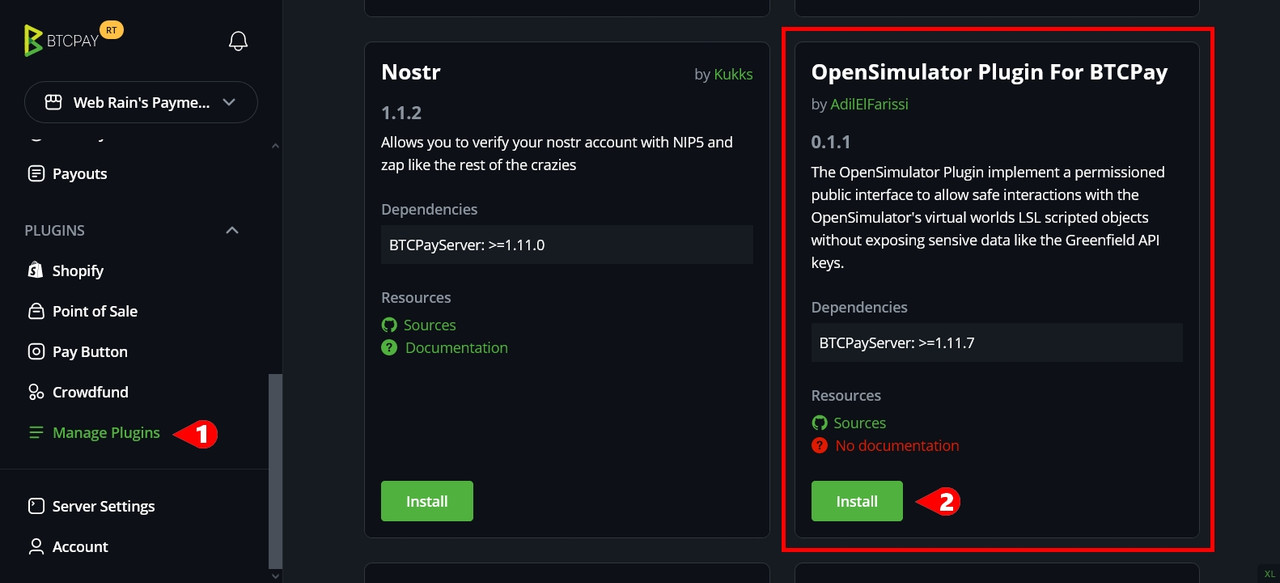
1- Click "Manage Plugins" in the left menu.
2- Scroll down and click "Install" under the OpenSimulator Plugin box.
3- After the installation, you need to restart the server... Click "Restart Now" to do.

That it! you will find the OpenSimulator link add to the Plugins menu and you are ready to go...
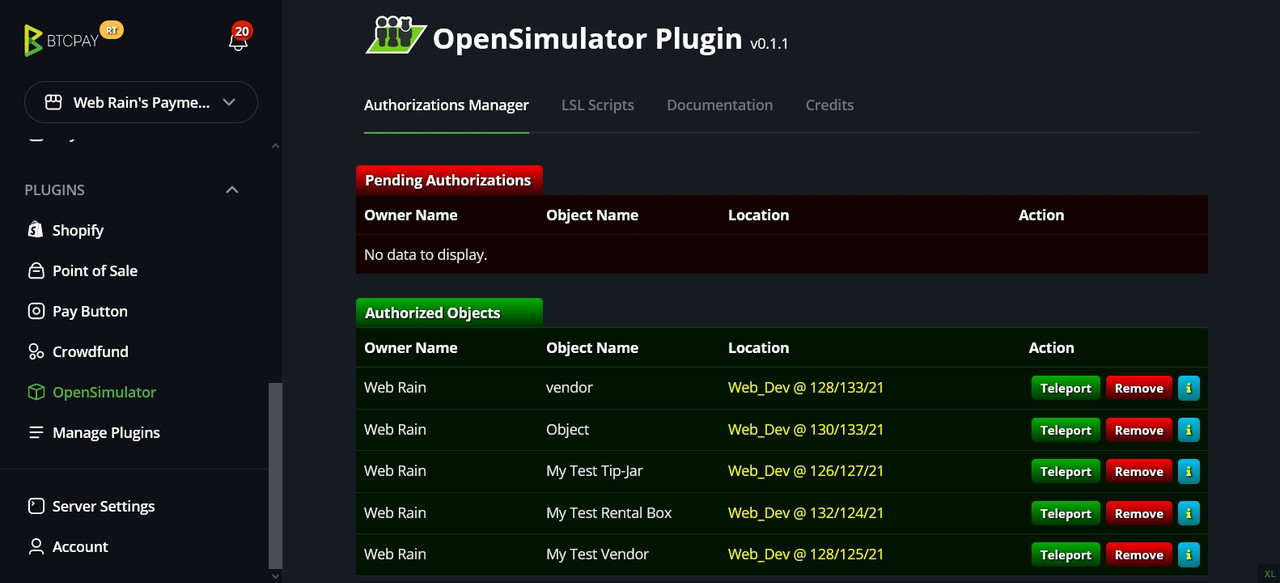
Uninstall the OpenSimulator Plugin
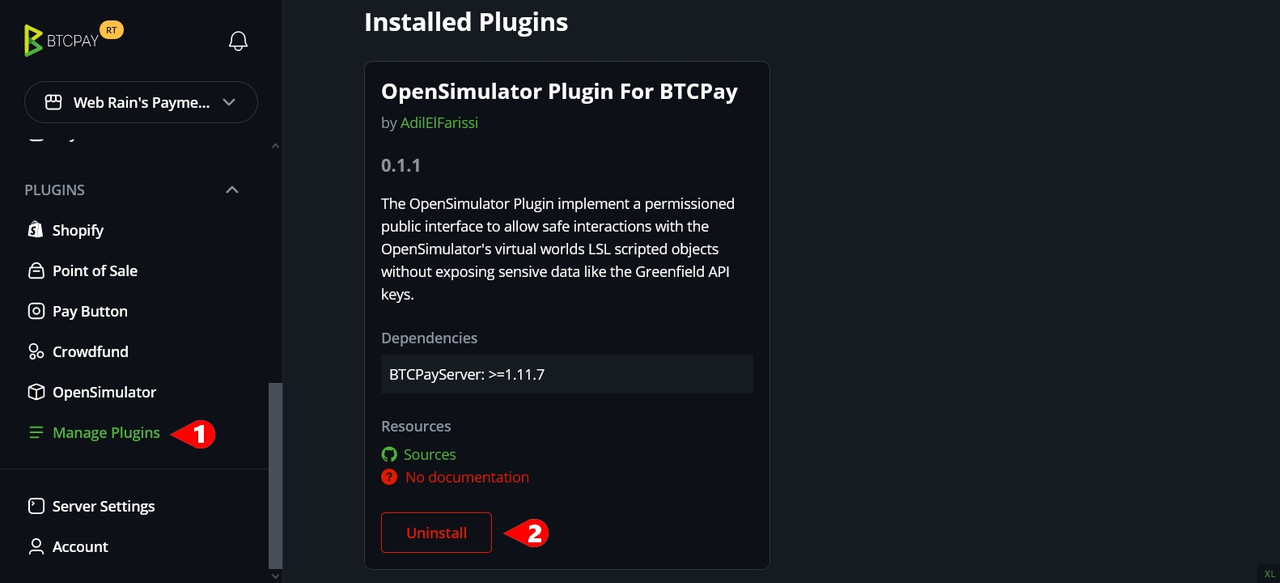
1- Click "Manage Plugins" in the left menu.
2- Click "Uninstall" under the OpenSimulator Plugin box.
3- Restart your BTCPay Server.
Manual Installation
(Not Recommanded !)
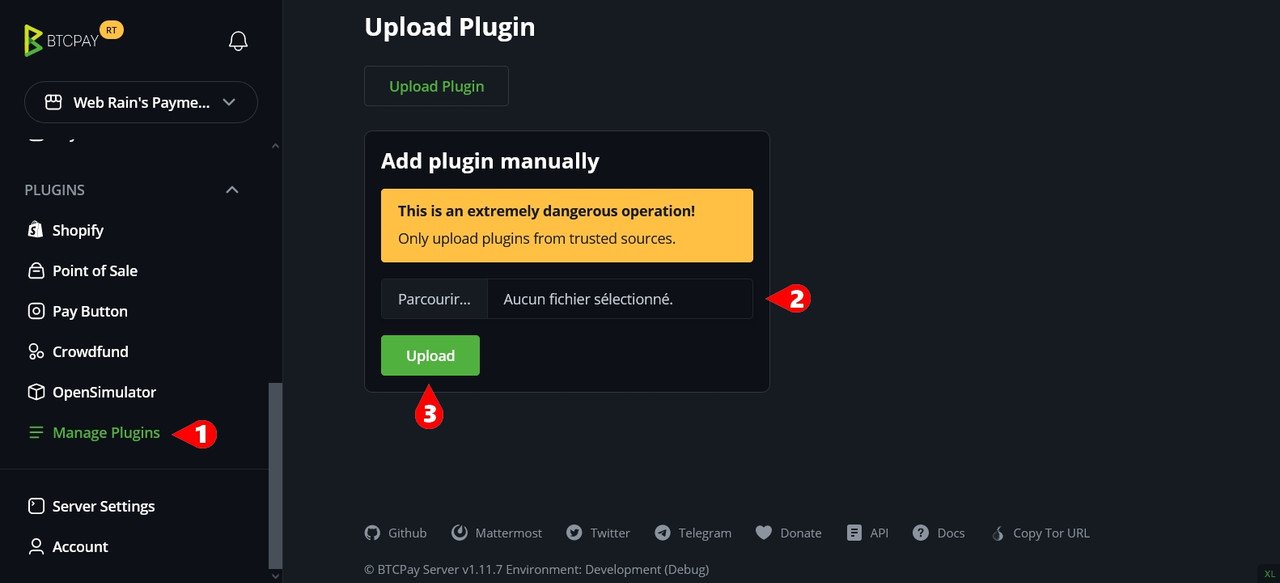
1- Click "Manage Plugins" in the left menu.
2- Scroll down to "Upload Plugin" and select the plugin file (.btcpay extension).
3- Click "Upload".
4- Restart your BTCPay Server.