mirror of
https://github.com/techartdev/OpenClawHomeAssistant.git
synced 2026-08-14 08:52:15 +00:00
Compare commits
| Author | SHA1 | Date | |
|---|---|---|---|
 TechArtDevandroot TechArtDevandroot
|
b0a0cc3f23 | ||
|
TechArtDev
|
00df877305 | ||
|
root
|
a037d8311b | ||
|
PapurHa
|
beb59e8eb6 | ||
|
PapurHa
|
a6af4b78ac | ||
|
root
|
f658885c59 | ||
|
TechArtDev
|
ceb9522648 | ||
|
TechArtDev
|
ca2c7cab82 | ||
|
TechArtDev
|
99be0ed6e6 | ||
|
TechArtDev
|
ec825fa8c5 | ||
|
root
|
971e4bc8e0 | ||
|
root
|
c3a926299f | ||
|
root
|
883f5b8778 | ||
|
root
|
7608357297 | ||
|
TechArtDev
|
9235903ef2 | ||
|
root
|
d5f3831131 | ||
|
TechArtDev
|
b45e665bca | ||
|
root
|
0b799f5fb1 | ||
|
TechArtDev
|
6129b62512 | ||
|
root
|
fe082864ec | ||
|
TechArtDev
|
4d8fa8996a | ||
|
root
|
45d4066d2a | ||
|
TechArtDev
|
28574b28ef | ||
|
root
|
089594a95b | ||
|
TechArtDev
|
08bc68b9e7 | ||
|
TechArtDev
|
3a06c4604f | ||
|
TechArtDev
|
661085afc3 | ||
|
TechArtDev
|
ccde8598d7 | ||
|
root
|
80f86ae030 | ||
|
root
|
082c2c74b2 | ||
|
TechArtDev
|
d070dbe1e1 | ||
|
root
|
9824f7c138 | ||
|
TechArtDev
|
71e3fbe410 | ||
|
root
|
c2398c84a4 | ||
|
techartdev
|
3e5e0877b1 | ||
|
TechArtDev
|
c769cb88e1 | ||
|
root
|
865ca08873 | ||
|
TechArtDev
|
f0a465bf7c | ||
|
TechArtDev
|
80ef635315 | ||
|
TechArtDev
|
2acfc77a3f | ||
|
root
|
91a2ddd01f | ||
|
TechArtDev
|
f66c574611 | ||
|
root
|
57a8bf3868 | ||
|
TechArtDev
|
2b6c875b0e | ||
|
root
|
ff5e1eba1e | ||
|
TechArtDev
|
9a65e66b75 | ||
|
root
|
9b7b701d5b | ||
|
TechArtDev
|
505115e06f | ||
|
root
|
72495984ad | ||
|
TechArtDev
|
ba8fd59571 | ||
|
root
|
dab02d2e22 | ||
|
techartdev
|
38e104d663 | ||
|
techartdev
|
991cc3bcfc | ||
|
techartdev
|
1a4e23e8c3 | ||
|
techartdev
|
4f56a16b91 | ||
|
techartdev
|
6a08c66128 | ||
|
techartdev
|
02814db080 | ||
|
techartdev
|
dd6b7eca6c | ||
|
techartdev
|
c6232b6f5d | ||
|
TechArtDev
|
e6cad868ab | ||
|
root
|
8f91cdc23e | ||
|
TechArtDev
|
04ffef8f9f | ||
|
root
|
60fb692e7d | ||
|
root
|
7d8f7d524d | ||
|
root
|
6707c4ed28 | ||
|
TechArtDev
|
2c5fa46572 | ||
|
root
|
31656139c0 | ||
|
root
|
3aaed98ac0 | ||
|
TechArtDev
|
9259ce16a6 | ||
|
root
|
206cf75889 | ||
|
TechArtDev
|
c0e83c3aac | ||
|
techartdev
|
45bad5f76b | ||
|
techartdev
|
615ea2f1a4 | ||
|
TechArtDev
|
9181b4d22a | ||
|
techartdev
|
ab07454051 | ||
|
techartdev
|
a82df8c851 | ||
|
techartdev
|
90607c867d | ||
|
techartdev
|
dd14dd0f7d | ||
|
techartdev
|
55d678c7ef | ||
|
techartdev
|
b5a3e3ccde | ||
|
TechArtDev
|
8d7caf7ad5 | ||
|
root
|
ec5adcb297 | ||
|
TechArtDev
|
f22c273599 | ||
|
root
|
24ec277043 | ||
|
TechArtDev
|
02a4393822 | ||
|
root
|
6629013d81 | ||
|
root
|
8bfc304009 | ||
|
TechArtDev
|
e014805b4b | ||
|
TechArtDev
|
5117d7c561 | ||
|
macm1
|
1c2694c526 | ||
|
macm1
|
9908db2f99 | ||
|
macm1
|
e64a85bb3a | ||
|
macm1
|
0dea325473 | ||
|
macm1
|
5003263eef | ||
|
techartdev
|
c16b938674 | ||
|
techartdev
|
78353c336f | ||
|
techartdev
|
6eb2e11862 | ||
|
techartdev
|
22c7d8ff4f | ||
|
macm1
|
6990b07d79 | ||
|
macm1
|
94fab5b260 | ||
|
macm1
|
872a52221e | ||
|
macm1
|
b45d2e685a | ||
|
macm1
|
47631c1968 | ||
|
macm1
|
30d95b8798 | ||
|
macm1
|
9b402d3130 | ||
|
macm1
|
5086b88a00 | ||
|
TechArtDev
|
9d0332a36a | ||
|
macm1
|
d118102c11 | ||
|
macm1
|
cb71b0faca | ||
|
macm1
|
ab33e6702f | ||
|
macm1
|
c3ba720d0b | ||
|
TechArtDev
|
e33bcf030a | ||
|
TechArtDev
|
249f98161a | ||
|
techartdev
|
b552684b49 | ||
|
techartdev
|
335a99b88b | ||
|
techartdev
|
05aff8c766 | ||
|
techartdev
|
a5363b9cfc | ||
|
techartdev
|
8d577356b3 | ||
|
techartdev
|
04a71cbf23 | ||
|
TechArtDev
|
6b9699d4cc | ||
|
TechArtDev
|
7625d370c4 | ||
|
Nathan Guenther
|
adbfcfee72 | ||
|
TechArtDev
|
13417f4439 | ||
|
techartdev
|
2f01fa2007 | ||
|
techartdev
|
ff4a5c62eb | ||
|
TechArtDevandCopilot
|
0c4187c119 | ||
|
techartdev
|
d5fae52ad6 | ||
|
TechArtDev
|
7cdf7a2694 | ||
|
techartdev
|
7118e77913 | ||
|
techartdev
|
248e0be97f | ||
|
techartdev
|
437884654e | ||
|
techartdev
|
0d7b4ff760 | ||
|
TechArtDev
|
0596d5b70c | ||
|
Iago Medeiros
|
286afa7f26 | ||
|
techartdev
|
53772be2bd | ||
|
techartdev
|
893911d6b6 | ||
|
techartdev
|
c8e67cb0ba | ||
|
TechArtDev
|
2c619ffc7a | ||
|
Zgredek
|
8f172630bc | ||
|
techartdev
|
2f6ac10f94 | ||
|
techartdev
|
f23079c4fa | ||
|
TechArtDev
|
cbc9f89263 | ||
|
techartdev
|
a1f9afc08a | ||
|
techartdev
|
61e122c101 | ||
|
TechArtDev
|
81bbb22325 | ||
|
techartdev
|
0865958385 | ||
|
TechArtDev
|
fef38a2c56 | ||
|
techartdev
|
1fc2c97509 | ||
|
TechArtDev
|
aa95d6289f | ||
|
TechArtDev
|
b6f3ce0b86 | ||
|
TechArtDev
|
6ca2242cf0 | ||
|
root
|
63af3fd93f | ||
|
TechArtDev
|
57d0a588ac | ||
|
techartdev
|
73646113ae | ||
|
techartdev
|
8007c6e907 | ||
|
techartdev
|
df94522752 | ||
|
techartdev
|
a329088436 | ||
|
TechArtDev
|
d64ed0666f | ||
|
TechArtDev
|
e92947a3ac | ||
|
TechArtDev
|
b057adfaad | ||
|
techartdev
|
0a429df132 | ||
|
TechArtDev
|
779433a66c | ||
|
techartdev
|
ea9c70be5c | ||
|
lukcz
|
6e8a64b15d | ||
|
lukcz
|
378f419cf3 | ||
|
TechArtDev
|
b2c9c17da5 | ||
|
techartdev
|
cf892cd022 | ||
|
TechArtDev
|
6b74131a54 | ||
|
techartdev
|
f9c80534ea | ||
|
techartdev
|
517a4fbbd7 | ||
|
techartdev
|
65de88dc14 | ||
|
TechArtDevandCopilot
|
c3301c2445 | ||
|
techartdev
|
c59417a180 | ||
|
techartdev
|
9e4987d25f | ||
|
techartdev
|
e6d6f62da6 | ||
|
TechArtDev
|
5000cc94b1 | ||
|
root
|
9ff267ca45 | ||
|
TechArtDev
|
71734b49f0 | ||
|
techartdev
|
197a1692f5 | ||
|
techartdev
|
d2251fb4d8 | ||
|
techartdev
|
2dec26b243 | ||
|
techartdev
|
261ad00637 | ||
|
techartdev
|
5d08325190 | ||
|
techartdev
|
1db5009f0b | ||
|
TechArtDev
|
ef9b9a8ce6 | ||
|
techartdev
|
cb68662eb6 |
@@ -0,0 +1,100 @@
|
||||
name: Bug report
|
||||
description: Report a reproducible problem with the OpenClaw Home Assistant add-on.
|
||||
title: "bug: "
|
||||
labels:
|
||||
- bug
|
||||
body:
|
||||
- type: markdown
|
||||
attributes:
|
||||
value: |
|
||||
Thanks for reporting this. Please include concrete, reproducible details.
|
||||
|
||||
- type: checkboxes
|
||||
id: checks
|
||||
attributes:
|
||||
label: Pre-flight checks
|
||||
options:
|
||||
- label: I updated to the latest add-on version and restarted it.
|
||||
required: true
|
||||
- label: I checked the docs/troubleshooting section first.
|
||||
required: true
|
||||
|
||||
- type: textarea
|
||||
id: summary
|
||||
attributes:
|
||||
label: What happened?
|
||||
description: Short description of the bug.
|
||||
placeholder: Describe the broken behavior.
|
||||
validations:
|
||||
required: true
|
||||
|
||||
- type: textarea
|
||||
id: expected
|
||||
attributes:
|
||||
label: What did you expect to happen?
|
||||
placeholder: Describe expected behavior.
|
||||
validations:
|
||||
required: true
|
||||
|
||||
- type: textarea
|
||||
id: steps
|
||||
attributes:
|
||||
label: Steps to reproduce
|
||||
description: Provide exact steps and values.
|
||||
placeholder: |
|
||||
1) Go to ...
|
||||
2) Set ...
|
||||
3) Restart add-on
|
||||
4) Observe ...
|
||||
validations:
|
||||
required: true
|
||||
|
||||
- type: input
|
||||
id: addon_version
|
||||
attributes:
|
||||
label: Add-on version
|
||||
placeholder: e.g. 0.5.52
|
||||
validations:
|
||||
required: true
|
||||
|
||||
- type: input
|
||||
id: openclaw_version
|
||||
attributes:
|
||||
label: OpenClaw version (if known)
|
||||
placeholder: e.g. 2026.2.22-2
|
||||
|
||||
- type: dropdown
|
||||
id: access_mode
|
||||
attributes:
|
||||
label: Access mode
|
||||
options:
|
||||
- custom
|
||||
- local_only
|
||||
- lan_https
|
||||
- lan_reverse_proxy
|
||||
- tailnet_https
|
||||
- unknown
|
||||
validations:
|
||||
required: true
|
||||
|
||||
- type: textarea
|
||||
id: config
|
||||
attributes:
|
||||
label: Relevant add-on configuration (redacted)
|
||||
description: Remove secrets/tokens/passwords.
|
||||
render: yaml
|
||||
|
||||
- type: textarea
|
||||
id: logs
|
||||
attributes:
|
||||
label: Add-on logs
|
||||
description: Paste the relevant log section.
|
||||
render: text
|
||||
validations:
|
||||
required: true
|
||||
|
||||
- type: textarea
|
||||
id: extra
|
||||
attributes:
|
||||
label: Additional context
|
||||
description: Network/proxy/tailscale setup, screenshots, etc.
|
||||
@@ -0,0 +1,14 @@
|
||||
blank_issues_enabled: false
|
||||
contact_links:
|
||||
- name: OpenClaw Home Assistant Add-on Docs (DOCS.md)
|
||||
url: https://github.com/techartdev/OpenClawHomeAssistant/blob/main/DOCS.md
|
||||
about: Add-on specific installation, configuration, and troubleshooting.
|
||||
- name: OpenClaw Home Assistant Discord
|
||||
url: https://discord.gg/xeHeKu9jYp
|
||||
about: Community support for this Home Assistant add-on.
|
||||
- name: OpenClaw Official Docs
|
||||
url: https://docs.openclaw.ai
|
||||
about: Official OpenClaw platform documentation.
|
||||
- name: OpenClaw Official Community Discord
|
||||
url: https://discord.com/invite/clawd
|
||||
about: Official OpenClaw community server.
|
||||
@@ -0,0 +1,58 @@
|
||||
name: Feature request
|
||||
description: Suggest an improvement for the OpenClaw Home Assistant add-on.
|
||||
title: "feat: "
|
||||
labels:
|
||||
- enhancement
|
||||
body:
|
||||
- type: markdown
|
||||
attributes:
|
||||
value: |
|
||||
Thanks for the idea. Concrete use-cases help us prioritize.
|
||||
|
||||
- type: textarea
|
||||
id: problem
|
||||
attributes:
|
||||
label: What problem are you trying to solve?
|
||||
placeholder: As a user, I struggle with...
|
||||
validations:
|
||||
required: true
|
||||
|
||||
- type: textarea
|
||||
id: proposal
|
||||
attributes:
|
||||
label: Proposed solution
|
||||
placeholder: Describe what should be added or changed.
|
||||
validations:
|
||||
required: true
|
||||
|
||||
- type: textarea
|
||||
id: alternatives
|
||||
attributes:
|
||||
label: Alternatives considered
|
||||
placeholder: Workarounds you've tried, and why they are not enough.
|
||||
|
||||
- type: textarea
|
||||
id: user_flow
|
||||
attributes:
|
||||
label: Suggested UX / configuration flow
|
||||
placeholder: |
|
||||
1) User opens ...
|
||||
2) User sets ...
|
||||
3) Add-on does ...
|
||||
|
||||
- type: textarea
|
||||
id: impact
|
||||
attributes:
|
||||
label: Impact
|
||||
description: Who benefits and how often this would be used.
|
||||
placeholder: This helps users who...
|
||||
|
||||
- type: checkboxes
|
||||
id: scope
|
||||
attributes:
|
||||
label: Scope
|
||||
options:
|
||||
- label: This is specific to the Home Assistant add-on (not upstream OpenClaw core).
|
||||
required: false
|
||||
- label: I can help test this on my setup.
|
||||
required: false
|
||||
@@ -0,0 +1,70 @@
|
||||
name: Question / Help
|
||||
description: Ask for setup help, configuration guidance, or troubleshooting clarification.
|
||||
title: "question: "
|
||||
labels:
|
||||
- question
|
||||
body:
|
||||
- type: markdown
|
||||
attributes:
|
||||
value: |
|
||||
Ask your question here. Include enough context so we can help quickly.
|
||||
|
||||
- type: dropdown
|
||||
id: topic
|
||||
attributes:
|
||||
label: Topic
|
||||
options:
|
||||
- Installation
|
||||
- Access mode / HTTPS
|
||||
- Tailscale
|
||||
- Reverse proxy
|
||||
- Telegram / Messaging
|
||||
- Skills / Tools
|
||||
- Assist pipeline
|
||||
- Other
|
||||
validations:
|
||||
required: true
|
||||
|
||||
- type: input
|
||||
id: addon_version
|
||||
attributes:
|
||||
label: Add-on version
|
||||
placeholder: e.g. 0.5.52
|
||||
|
||||
- type: dropdown
|
||||
id: access_mode
|
||||
attributes:
|
||||
label: Access mode (if relevant)
|
||||
options:
|
||||
- custom
|
||||
- local_only
|
||||
- lan_https
|
||||
- lan_reverse_proxy
|
||||
- tailnet_https
|
||||
- not sure
|
||||
|
||||
- type: textarea
|
||||
id: question
|
||||
attributes:
|
||||
label: Your question
|
||||
placeholder: What are you trying to do, and where are you blocked?
|
||||
validations:
|
||||
required: true
|
||||
|
||||
- type: textarea
|
||||
id: what_tried
|
||||
attributes:
|
||||
label: What have you already tried?
|
||||
placeholder: Steps you've tested and results.
|
||||
|
||||
- type: textarea
|
||||
id: logs
|
||||
attributes:
|
||||
label: Relevant logs / errors (optional)
|
||||
render: text
|
||||
|
||||
- type: textarea
|
||||
id: extra
|
||||
attributes:
|
||||
label: Extra context (optional)
|
||||
description: Network setup, screenshots, links to docs you followed, etc.
|
||||
@@ -0,0 +1,56 @@
|
||||
# OpenClaw Home Assistant Add-on Patterns
|
||||
|
||||
Always reuse existing logic in `run.sh`, `oc_config_helper.py`, and `render_nginx.py`.
|
||||
Avoid duplicate implementations for config parsing, gateway patching, or template rendering.
|
||||
Respect guidelines in AGENTS.md
|
||||
|
||||
## Stack
|
||||
|
||||
- Home Assistant add-on (Debian Bookworm base)
|
||||
- Bash runtime orchestrator (`run.sh`)
|
||||
- Python helper scripts for config/template work
|
||||
- nginx template rendering
|
||||
- YAML config schema + 6 locale translation files
|
||||
|
||||
## Source of Truth
|
||||
|
||||
- Add-on options/schema: `openclaw_assistant_dev/config.yaml`
|
||||
- Runtime boot logic: `openclaw_assistant_dev/run.sh`
|
||||
- Safe OpenClaw config edits: `openclaw_assistant_dev/oc_config_helper.py`
|
||||
- nginx + landing rendering: `openclaw_assistant_dev/render_nginx.py`
|
||||
- UI text in Home Assistant: `openclaw_assistant_dev/translations/*.yaml`
|
||||
- User-facing docs: `DOCS.md`
|
||||
|
||||
## Required Sync Rules
|
||||
|
||||
When changing add-on options, update in the same PR:
|
||||
|
||||
1. `config.yaml` option default + schema
|
||||
2. All translation files (`en`, `bg`, `de`, `es`, `pl`, `pt-BR`)
|
||||
3. `DOCS.md` config/troubleshooting sections
|
||||
4. `CHANGELOG.md`
|
||||
|
||||
When changing landing/nginx placeholders:
|
||||
- Keep template keys and `render_nginx.py` replacements in sync.
|
||||
|
||||
## Security Rules
|
||||
|
||||
- Do not log secrets/tokens.
|
||||
- For gateway token docs/UI guidance, do not use `openclaw config get gateway.auth.token` (redacted in v2026.2.22+).
|
||||
- Prefer `jq -r '.gateway.auth.token' /config/.openclaw/openclaw.json`.
|
||||
|
||||
## Editing Rules
|
||||
|
||||
- Keep fixes minimal and root-cause focused.
|
||||
- Preserve backward compatibility for existing add-on options unless migration is explicit.
|
||||
- Do not change unrelated behavior while fixing one issue.
|
||||
|
||||
## Validation Commands
|
||||
|
||||
```sh
|
||||
bash -n openclaw_assistant_dev/run.sh
|
||||
python3 -m py_compile openclaw_assistant_dev/oc_config_helper.py
|
||||
python3 -m py_compile openclaw_assistant_dev/render_nginx.py
|
||||
```
|
||||
|
||||
If behavior changes are user-visible, update `openclaw_assistant_dev/CHANGELOG.md`.
|
||||
@@ -0,0 +1,68 @@
|
||||
name: Announce release to Discord
|
||||
|
||||
on:
|
||||
release:
|
||||
types: [published]
|
||||
|
||||
permissions:
|
||||
contents: read
|
||||
|
||||
jobs:
|
||||
notify-discord:
|
||||
runs-on: ubuntu-latest
|
||||
steps:
|
||||
- name: Post release announcement to Discord
|
||||
env:
|
||||
DISCORD_WEBHOOK_URL: ${{ secrets.DISCORD_WEBHOOK_URL }}
|
||||
RELEASE_NAME: ${{ github.event.release.name }}
|
||||
RELEASE_TAG: ${{ github.event.release.tag_name }}
|
||||
RELEASE_URL: ${{ github.event.release.html_url }}
|
||||
RELEASE_BODY: ${{ github.event.release.body }}
|
||||
REPO: ${{ github.repository }}
|
||||
run: |
|
||||
if [ -z "$DISCORD_WEBHOOK_URL" ]; then
|
||||
echo "DISCORD_WEBHOOK_URL is not configured; skipping."
|
||||
exit 0
|
||||
fi
|
||||
|
||||
if [ -n "$RELEASE_NAME" ]; then
|
||||
TITLE="$RELEASE_NAME"
|
||||
else
|
||||
TITLE="$RELEASE_TAG"
|
||||
fi
|
||||
|
||||
BODY_CLEAN=$(printf '%s' "$RELEASE_BODY" | sed 's/\r//g')
|
||||
BODY_TRIM=$(printf '%s' "$BODY_CLEAN" | sed '/^[[:space:]]*$/d')
|
||||
|
||||
if [ -n "$BODY_TRIM" ]; then
|
||||
SUMMARY=$(printf '%s' "$BODY_TRIM" | head -c 1400)
|
||||
else
|
||||
SUMMARY="No release notes provided."
|
||||
fi
|
||||
|
||||
PAYLOAD=$(jq -n \
|
||||
--arg title "🚀 New App/Add-on release published: $TITLE" \
|
||||
--arg repo "$REPO" \
|
||||
--arg tag "$RELEASE_TAG" \
|
||||
--arg url "$RELEASE_URL" \
|
||||
--arg summary "$SUMMARY" \
|
||||
'{
|
||||
content: "",
|
||||
embeds: [
|
||||
{
|
||||
title: $title,
|
||||
url: $url,
|
||||
color: 5814783,
|
||||
fields: [
|
||||
{name: "Repository", value: $repo, inline: true},
|
||||
{name: "Tag", value: $tag, inline: true},
|
||||
{name: "Release URL", value: $url, inline: false},
|
||||
{name: "Release notes", value: $summary, inline: false}
|
||||
]
|
||||
}
|
||||
]
|
||||
}')
|
||||
|
||||
curl -sS -X POST "$DISCORD_WEBHOOK_URL" \
|
||||
-H "Content-Type: application/json" \
|
||||
-d "$PAYLOAD"
|
||||
Vendored
+9
@@ -0,0 +1,9 @@
|
||||
{
|
||||
"recommendations": [
|
||||
"timonwong.shellcheck",
|
||||
"redhat.vscode-yaml",
|
||||
"ms-python.python",
|
||||
"ms-python.vscode-pylance",
|
||||
"esbenp.prettier-vscode"
|
||||
]
|
||||
}
|
||||
Vendored
+44
@@ -0,0 +1,44 @@
|
||||
{
|
||||
"editor.formatOnSave": true,
|
||||
"files.insertFinalNewline": true,
|
||||
"files.trimFinalNewlines": true,
|
||||
"files.eol": "\n",
|
||||
|
||||
"[shellscript]": {
|
||||
"editor.tabSize": 2,
|
||||
"editor.insertSpaces": true
|
||||
},
|
||||
"[yaml]": {
|
||||
"editor.tabSize": 2,
|
||||
"editor.insertSpaces": true
|
||||
},
|
||||
"[python]": {
|
||||
"editor.tabSize": 4,
|
||||
"editor.insertSpaces": true
|
||||
},
|
||||
"[markdown]": {
|
||||
"editor.wordWrap": "on",
|
||||
"editor.quickSuggestions": {
|
||||
"comments": "off",
|
||||
"strings": "off",
|
||||
"other": "off"
|
||||
}
|
||||
},
|
||||
|
||||
"files.associations": {
|
||||
"*.tpl": "nginx"
|
||||
},
|
||||
|
||||
"yaml.validate": true,
|
||||
"yaml.format.enable": true,
|
||||
|
||||
"shellcheck.enable": true,
|
||||
"shellcheck.run": "onType",
|
||||
|
||||
"python.analysis.typeCheckingMode": "basic",
|
||||
"python.analysis.autoImportCompletions": true,
|
||||
|
||||
"search.exclude": {
|
||||
"**/__pycache__": true
|
||||
}
|
||||
}
|
||||
@@ -0,0 +1,108 @@
|
||||
# Repository Guidelines
|
||||
|
||||
## Project Scope
|
||||
|
||||
This repository builds the **OpenClaw Assistant (DEV)** Home Assistant add-on.
|
||||
The add-on packages OpenClaw + nginx + ttyd and manages startup/configuration glue.
|
||||
|
||||
## Architecture at a Glance
|
||||
|
||||
- Add-on root metadata/docs:
|
||||
- `README.md`
|
||||
- `DOCS.md`
|
||||
- `SECURITY.md`
|
||||
- `repository.yaml`
|
||||
- Runtime implementation (all add-on behavior lives here):
|
||||
- `openclaw_assistant_dev/run.sh` (PID 1 orchestrator)
|
||||
- `openclaw_assistant_dev/oc_config_helper.py` (safe JSON config edits)
|
||||
- `openclaw_assistant_dev/render_nginx.py` (template rendering)
|
||||
- `openclaw_assistant_dev/nginx.conf.tpl`
|
||||
- `openclaw_assistant_dev/landing.html.tpl`
|
||||
- `openclaw_assistant_dev/config.yaml` (HA options + schema)
|
||||
- `openclaw_assistant_dev/translations/*.yaml` (all locale UI strings)
|
||||
- `openclaw_assistant_dev/Dockerfile`
|
||||
- `openclaw_assistant_dev/CHANGELOG.md`
|
||||
|
||||
## Core Rules
|
||||
|
||||
- Fix root causes, not symptoms.
|
||||
- Keep edits surgical; do not refactor unrelated code.
|
||||
- Never introduce insecure defaults.
|
||||
- Never log secrets or auth tokens.
|
||||
- Keep behavior backward-compatible unless the change explicitly requires a migration.
|
||||
|
||||
## Add-on Config Coupling Rules (Critical)
|
||||
|
||||
When adding/changing any add-on option, update **all** of the following in one change:
|
||||
|
||||
1. `openclaw_assistant_dev/config.yaml`
|
||||
- `options:` default
|
||||
- `schema:` validation entry
|
||||
- comments/help text
|
||||
2. `openclaw_assistant_dev/translations/en.yaml`
|
||||
3. `openclaw_assistant_dev/translations/bg.yaml`
|
||||
4. `openclaw_assistant_dev/translations/de.yaml`
|
||||
5. `openclaw_assistant_dev/translations/es.yaml`
|
||||
6. `openclaw_assistant_dev/translations/pl.yaml`
|
||||
7. `openclaw_assistant_dev/translations/pt-BR.yaml`
|
||||
8. `DOCS.md` configuration reference / troubleshooting if user-facing
|
||||
9. `openclaw_assistant_dev/CHANGELOG.md`
|
||||
|
||||
If any of these are skipped, the UX becomes inconsistent in HA.
|
||||
|
||||
## Runtime Safety Rules
|
||||
|
||||
- `run.sh` runs with `set -euo pipefail`; avoid constructs that fail unexpectedly under `set -e`.
|
||||
- Validate all user-provided values from `/data/options.json` before injecting into shell/nginx/openclaw config.
|
||||
- Keep `run.sh` idempotent on restart (multiple starts must not corrupt state).
|
||||
- Treat `/config/` as persistent state; never wipe user data unless explicitly requested.
|
||||
|
||||
## Gateway/Auth/Security Rules
|
||||
|
||||
- OpenClaw v2026.2.22+ redacts sensitive values in `openclaw config get`.
|
||||
- For token retrieval guidance, prefer: `jq -r '.gateway.auth.token' /config/.openclaw/openclaw.json`.
|
||||
- `trusted-proxy` mode may reject direct local CLI WS calls (`trusted_proxy_user_missing`); document this clearly instead of hiding it.
|
||||
- For `lan_https` certificate logic, keep SAN generation deterministic and regeneration-triggered on SAN/IP changes.
|
||||
|
||||
## Template Coupling Rules
|
||||
|
||||
- If adding placeholders in `landing.html.tpl` or `nginx.conf.tpl`, update `render_nginx.py` in the same change.
|
||||
- If landing-page guidance changes (commands/errors), sync corresponding troubleshooting text in `DOCS.md`.
|
||||
|
||||
## Versioning and Changelog
|
||||
|
||||
- User-visible changes should update:
|
||||
- `openclaw_assistant_dev/CHANGELOG.md`
|
||||
- `openclaw_assistant_dev/config.yaml` version
|
||||
- Keep changelog entries user-facing and action-oriented.
|
||||
|
||||
## Coding Style
|
||||
|
||||
- Shell: POSIX-friendly Bash, explicit quoting, descriptive variable names.
|
||||
- Python: small focused helpers, explicit error handling, no hidden side effects.
|
||||
- YAML/Markdown: preserve existing style and structure.
|
||||
- Avoid adding dependencies unless necessary.
|
||||
|
||||
## Validation Checklist (Run After Relevant Changes)
|
||||
|
||||
From repo root:
|
||||
|
||||
```sh
|
||||
bash -n openclaw_assistant_dev/run.sh
|
||||
python3 -m py_compile openclaw_assistant_dev/oc_config_helper.py
|
||||
python3 -m py_compile openclaw_assistant_dev/render_nginx.py
|
||||
```
|
||||
|
||||
For option changes:
|
||||
- verify `config.yaml` option + schema + all translations exist
|
||||
- verify `DOCS.md` matches current behavior
|
||||
|
||||
For startup/auth/proxy/cert changes:
|
||||
- verify log messages remain clear and actionable
|
||||
- verify `landing.html.tpl` instructions match actual commands
|
||||
|
||||
## Commit Scope
|
||||
|
||||
- Group related changes only.
|
||||
- Do not include unrelated formatting churn.
|
||||
- Do not edit generated/cache folders (`__pycache__`, temporary outputs).
|
||||
@@ -1,6 +1,6 @@
|
||||
MIT License
|
||||
|
||||
Copyright (c) 2026 Vanyo (techartdev)
|
||||
Copyright (c) 2026 Vanyo Vanev (techartdev)
|
||||
|
||||
Permission is hereby granted, free of charge, to any person obtaining a copy
|
||||
of this software and associated documentation files (the "Software"), to deal
|
||||
|
||||
@@ -1,30 +1,38 @@
|
||||
# OpenClaw Assistant – Home Assistant Add-on
|
||||
# OpenClaw Assistant – Home Assistant App/Add-on
|
||||
|
||||
## [Join our Discord Server!](https://discord.gg/xeHeKu9jYp)
|
||||
<img width="1038" height="597" alt="image" src="https://github.com/user-attachments/assets/6dae3918-7bad-4e89-9695-c7f549e8abda" />
|
||||
<img width="1536" height="542" alt="ChatGPT Image Feb 25, 2026, 11_37_02 PM" src="https://github.com/user-attachments/assets/ea662d87-5414-4c01-ac48-cb8f731a4988" />
|
||||
|
||||
|
||||
### OpenClaw Home Assistant integration is available now! https://github.com/techartdev/OpenClawHomeAssistantIntegration
|
||||
|
||||
This repository contains a Home Assistant add-on that runs **OpenClaw** inside **Home Assistant OS (HAOS)**.
|
||||
|
||||
> Upstream rename history (FYI): clawdbot → moltbot → **openclaw** (final).
|
||||
|
||||
## What you get
|
||||
## Key Features
|
||||
|
||||
- An always-on OpenClaw gateway running as a Supervisor-managed add-on.
|
||||
- A reliable **Ingress landing page** inside Home Assistant that includes:
|
||||
- an embedded **web terminal** (ttyd)
|
||||
- a button to open the **Gateway Web UI** in a **separate browser tab** (not embedded)
|
||||
- Persistent state under the add-on config directory (in-container: `/config`).
|
||||
- **AI Gateway** — OpenClaw server with chat, skills, and automation capabilities
|
||||
- **Web Terminal** — browser-based terminal embedded in Home Assistant
|
||||
- **Assist Pipeline** — use OpenClaw as a conversation agent via the OpenAI-compatible API
|
||||
- **Browser Automation** — Chromium included for web scraping and automation skills
|
||||
- **Proxy Support** — optional outbound `http_proxy` setting for HTTP/HTTPS traffic
|
||||
- **Persistent Storage** — skills, config, and workspace survive add-on updates
|
||||
- **Bundled Tools** — git, vim, nano, bat, fd, ripgrep, curl, jq, python3, pnpm, Homebrew
|
||||
|
||||
## Why the Gateway UI is not embedded in Ingress
|
||||
## Supported Architectures
|
||||
|
||||
The Gateway Web UI requires WebSockets that can be flaky through HA Ingress depending on proxying/mixed-content.
|
||||
So we **don’t embed** it. Instead, the Ingress page gives you a button that opens the Gateway UI directly using
|
||||
`gateway_public_url`.
|
||||
| Architecture | Supported |
|
||||
|---|---|
|
||||
| amd64 | ✅ |
|
||||
| aarch64 (RPi 4/5) | ✅ |
|
||||
| armv7 (RPi 3) | ✅ |
|
||||
|
||||
## Security model (high level)
|
||||
## Documentation
|
||||
|
||||
- The add-on **does not** manage or overwrite OpenClaw’s full config.
|
||||
- OpenClaw is configured via its own interactive tools (`openclaw setup`, `openclaw onboard`, `openclaw configure`) using the terminal.
|
||||
- On first boot only (when config is missing), the add-on bootstraps a minimal config to let the gateway start:
|
||||
- `gateway.mode=local`
|
||||
- `gateway.auth.mode=token` with a generated token
|
||||
- **[Full documentation →](DOCS.md)** — installation, configuration, use cases, troubleshooting, and more
|
||||
- **[Security Risks & Disclaimer →](SECURITY.md)** — important risks to understand before using this add-on
|
||||
|
||||
## Install
|
||||
|
||||
@@ -34,28 +42,9 @@ So we **don’t embed** it. Instead, the Ingress page gives you a button that op
|
||||
- `https://github.com/techartdev/OpenClawHomeAssistant`
|
||||
4. Install **OpenClaw Assistant**
|
||||
|
||||
## First run (recommended)
|
||||
## Star History
|
||||
|
||||
1. Open the add-on page (Ingress) and use the embedded terminal.
|
||||
2. Run one of:
|
||||
- `openclaw onboard`
|
||||
- `openclaw configure`
|
||||
3. (Optional, but recommended) Set **gateway_public_url** in add-on options.
|
||||
- Then the Ingress page will show an "Open Gateway Web UI" button.
|
||||
|
||||
## Add-on options (kept intentionally small)
|
||||
|
||||
See `openclaw_assistant/config.yaml` for the authoritative schema.
|
||||
|
||||
- `enable_terminal` (default: **true**) — enables the embedded web terminal.
|
||||
- `gateway_public_url` — only used to build the external Gateway UI link.
|
||||
- `timezone`
|
||||
- `homeassistant_token` (optional) — written to `/config/secrets/homeassistant.token` for local scripts.
|
||||
- `router_ssh_*` (optional) — SSH settings for a router/network device (custom automation).
|
||||
|
||||
## Docs
|
||||
|
||||
See **DOCS.md** for a step-by-step first-time setup guide + troubleshooting.
|
||||
[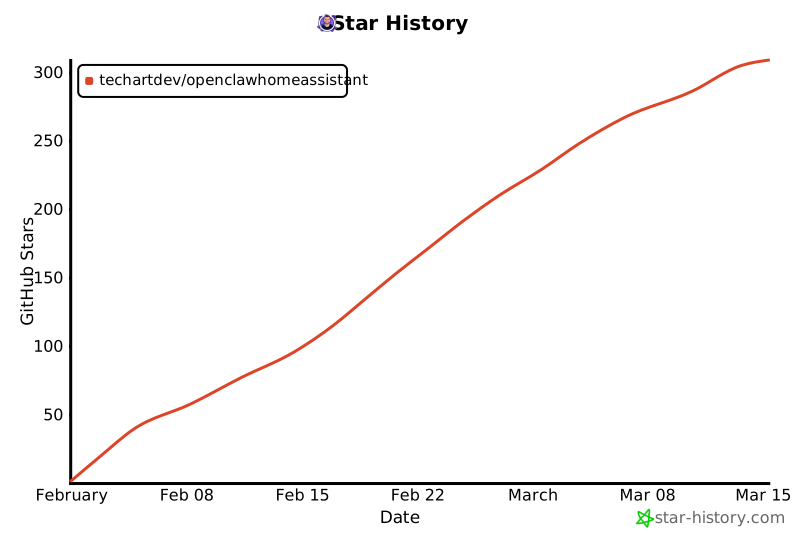](https://www.star-history.com/#techartdev/OpenClawHomeAssistant&type=date&legend=top-left)
|
||||
|
||||
## Support / Donations
|
||||
|
||||
|
||||
+172
@@ -0,0 +1,172 @@
|
||||
# Security Risks & Disclaimer
|
||||
|
||||
This document outlines the security risks associated with running the OpenClaw Assistant Home Assistant add-on and provides best practices for safe usage.
|
||||
|
||||
**By installing and using this add-on, you acknowledge and accept the risks described below.**
|
||||
|
||||
---
|
||||
|
||||
## Disclaimer
|
||||
|
||||
This add-on is provided **"AS IS"**, without warranty of any kind, under the [MIT License](LICENSE).
|
||||
|
||||
The authors and contributors of this add-on are **not responsible** for any damage, data loss, security breach, unauthorized access, financial loss, or any other harm that may occur as a result of installing, configuring, or using this add-on. This includes but is not limited to:
|
||||
|
||||
- Unintended actions performed by the AI agent
|
||||
- Exposure of sensitive data (tokens, credentials, personal information)
|
||||
- Unauthorized access to your Home Assistant instance or network
|
||||
- Damage to smart home devices or connected systems
|
||||
- Actions taken by third-party skills or integrations
|
||||
|
||||
**You use this add-on entirely at your own risk.**
|
||||
|
||||
---
|
||||
|
||||
## Understanding the Risks
|
||||
|
||||
### 1. Autonomous AI Agent
|
||||
|
||||
OpenClaw is an **agentic AI assistant** — it can plan, reason, and execute actions autonomously. Unlike a simple chatbot, it can:
|
||||
|
||||
- Execute shell commands on the add-on container
|
||||
- Control smart home devices (if integrated with Assist pipeline or HA long-lived access token)
|
||||
- Read and write files
|
||||
- Make HTTP requests to external services
|
||||
- Install and run third-party skills
|
||||
|
||||
**Risk**: If the agent is manipulated (e.g., via prompt injection from a malicious webpage or document), it could perform unintended actions within its permissions.
|
||||
|
||||
**Mitigation**: Review what entities you expose to the Assist pipeline. Only expose devices you're comfortable with the AI controlling.
|
||||
|
||||
### 2. Network Exposure
|
||||
|
||||
When `gateway_bind_mode` is set to `lan`, the gateway is accessible to **all devices on your local network**. When exposed to the internet (via port forwarding or reverse proxy), it becomes accessible to **anyone**.
|
||||
|
||||
When `gateway_bind_mode` is set to `tailnet`, the gateway is exposed only on your Tailscale network. This significantly reduces exposure compared with `lan`, but all authenticated tailnet peers can still reach it.
|
||||
|
||||
**Risks**:
|
||||
- Unauthorized users could interact with your AI agent
|
||||
- API tokens could be intercepted over plain HTTP
|
||||
- The gateway endpoint could be discovered by network scanners
|
||||
|
||||
**Mitigations**:
|
||||
- Use HTTPS whenever possible (reverse proxy with TLS)
|
||||
- Never expose the gateway port directly to the internet without authentication and encryption
|
||||
- Use `gateway_bind_mode: loopback` if you only need local access
|
||||
- Prefer `gateway_bind_mode: tailnet` over `lan` when you need remote/private-network access
|
||||
- Keep your gateway auth token secret
|
||||
|
||||
### 3. Plain HTTP Authentication (`allow_insecure_auth`)
|
||||
|
||||
Enabling `allow_insecure_auth` transmits authentication tokens over **unencrypted HTTP**. On a trusted home network this is generally acceptable, but:
|
||||
|
||||
**Risks**:
|
||||
- Anyone on your network can intercept the token
|
||||
- If your Wi-Fi is compromised, the token is exposed
|
||||
- The token grants full access to the gateway
|
||||
|
||||
**Mitigations**:
|
||||
- Only enable on trusted networks
|
||||
- Never enable when the gateway is exposed to the internet
|
||||
- Rotate your gateway token periodically: `openclaw config set gateway.auth.token <new-token>`
|
||||
|
||||
### 4. Home Assistant Token
|
||||
|
||||
The `homeassistant_token` option stores a **long-lived access token** that grants broad access to your Home Assistant instance. This is extremely powerful — it can control devices, read state, trigger automations, and more.
|
||||
|
||||
**Risks**:
|
||||
- If the container is compromised, the attacker gains full HA access
|
||||
- Skills or scripts running inside the add-on have access to this token
|
||||
- The token does not expire unless manually revoked
|
||||
|
||||
**Mitigations**:
|
||||
- Only provide this token if skills specifically require it
|
||||
- Create a dedicated HA user with limited permissions for this token
|
||||
- Revoke and regenerate the token if you suspect compromise
|
||||
- Monitor your HA logs for unexpected API activity
|
||||
|
||||
### 5. Third-Party Skills & Supply Chain
|
||||
|
||||
OpenClaw supports installing skills from the community (ClawHub) and via npm. These are **third-party code** running inside the add-on container.
|
||||
|
||||
**Risks**:
|
||||
- Malicious skills could exfiltrate data, install backdoors, or perform harmful actions
|
||||
- Skills have access to the same permissions as the OpenClaw process
|
||||
- Compromised npm packages could affect your installation
|
||||
- [Security researchers have already found malicious skills](https://thehackernews.com/2026/02/researchers-find-341-malicious-clawhub.html) published to ClawHub
|
||||
|
||||
**Mitigations**:
|
||||
- Only install skills from trusted sources
|
||||
- Review skill code before installing when possible
|
||||
- Monitor the add-on logs for unexpected activity
|
||||
- Keep the add-on updated to get security patches
|
||||
|
||||
### 6. Router SSH Access
|
||||
|
||||
The `router_ssh_*` options allow the add-on to SSH into your router or network devices. This grants **direct access to your network infrastructure**.
|
||||
|
||||
**Risks**:
|
||||
- A compromised add-on could reconfigure your router
|
||||
- Firewall rules could be modified
|
||||
- Network traffic could be intercepted or redirected
|
||||
|
||||
**Mitigations**:
|
||||
- Use a dedicated SSH key with minimal permissions
|
||||
- Restrict the SSH user's capabilities on the router (read-only if possible)
|
||||
- Only enable if you have a specific use case that requires it, and only if you understand the risks very well
|
||||
|
||||
### 7. Browser Automation (Chromium)
|
||||
|
||||
The bundled Chromium runs with `noSandbox` (required in Docker). This reduces browser-level security isolation.
|
||||
|
||||
**Risks**:
|
||||
- A malicious webpage could potentially escape the browser sandbox
|
||||
- Automated browsing could expose session cookies or credentials
|
||||
- Browser automation skills could visit unintended websites
|
||||
|
||||
**Mitigations**:
|
||||
- Only use browser automation with trusted skills
|
||||
- Do not use it to log into sensitive accounts
|
||||
- The container itself provides some isolation from the host
|
||||
|
||||
### 8. Prompt Injection
|
||||
|
||||
AI agents that process external content (web pages, documents, emails) are vulnerable to **prompt injection** — hidden instructions that manipulate the agent's behavior.
|
||||
|
||||
**Risks**:
|
||||
- A webpage or document could contain hidden instructions that cause the agent to perform unintended actions
|
||||
- Data exfiltration through crafted prompts
|
||||
- Actions performed on behalf of an attacker
|
||||
|
||||
**Mitigations**:
|
||||
- Be cautious about what content you ask the agent to process
|
||||
- Review agent actions in the logs
|
||||
- Limit the entities and services exposed to the agent
|
||||
|
||||
---
|
||||
|
||||
## Best Practices Summary
|
||||
|
||||
| Practice | Priority |
|
||||
|---|---|
|
||||
| Use HTTPS for remote access | High |
|
||||
| Keep `gateway_bind_mode: loopback` unless network access is needed | High |
|
||||
| Prefer `gateway_bind_mode: tailnet` over `lan` for remote/private access | High |
|
||||
| Only install skills from trusted sources | High |
|
||||
| Review exposed entities in Assist pipeline | High |
|
||||
| Keep the add-on updated | High |
|
||||
| Use a dedicated HA user for the `homeassistant_token` | Medium |
|
||||
| Monitor add-on logs regularly | Medium |
|
||||
| Rotate gateway tokens periodically | Medium |
|
||||
| Restrict router SSH user permissions | Medium |
|
||||
| Back up your configuration regularly | Low |
|
||||
|
||||
---
|
||||
|
||||
## Reporting Security Issues
|
||||
|
||||
If you discover a security vulnerability in this add-on, please report it responsibly by opening a private security advisory on GitHub rather than a public issue.
|
||||
|
||||
---
|
||||
|
||||
*This document does not constitute legal advice. Consult a qualified professional for legal guidance specific to your situation.*
|
||||

Binary file not shown.
|
After Width: | Height: | Size: 68 KiB |
@@ -0,0 +1,385 @@
|
||||
# Changelog
|
||||
|
||||
All notable changes to the OpenClaw Assistant Home Assistant Add-on will be documented in this file.
|
||||
|
||||
## [0.5.87] - 2026-08-10
|
||||
|
||||
### Fixed
|
||||
- Correct the bundled OpenClaw npm package version in the Docker image build for add-on `0.5.86`, fixing failed installs that requested the nonexistent `openclaw@2026.7.1-2-2`.
|
||||
|
||||
## [0.5.85] - 2026-07-21
|
||||
|
||||
### Changed
|
||||
- Bump OpenClaw to `2026.7.1-2`.
|
||||
|
||||
## [0.5.84] - 2026-07-17
|
||||
|
||||
### Changed
|
||||
- Bundle `mcporter@0.12.3` in the add-on image so `auto_configure_mcp` can register Home Assistant out of the box on fresh installs without a manual global install workaround.
|
||||
- Replace the misleading startup hint that told users to run `openclaw onboard` when `mcporter` was missing. The message now correctly points to a broken image state instead.
|
||||
|
||||
## [0.5.82] - 2026-07-15
|
||||
|
||||
### Fixed
|
||||
- Repair add-on startup automatically when the bundled OpenClaw CLI is older than the persisted `/config/.openclaw/openclaw.json` format version. On mismatch, the add-on now restores the newer runtime before launching the gateway instead of silently coming up broken after a Home Assistant OS update or add-on rebuild.
|
||||
- Regenerate malformed `lan_https` CA/server certificates with proper X.509 extensions (`basicConstraints`, `keyUsage`, `extendedKeyUsage`) so Python/OpenSSL strict verification accepts the built-in HTTPS proxy certificates.
|
||||
|
||||
## [0.5.81] - 2026-07-14
|
||||
|
||||
### Changed
|
||||
- Bump OpenClaw to `2026.7.1`.
|
||||
|
||||
## [0.5.80] - 2026-06-26
|
||||
|
||||
### Changed
|
||||
- Bump OpenClaw to `2026.6.10`.
|
||||
|
||||
## [0.5.78] - 2026-06-16
|
||||
|
||||
### Changed
|
||||
- Bump OpenClaw through the `2026.5.28` and `2026.6.6` upstream releases.
|
||||
|
||||
## [0.5.76] - 2026-05-29
|
||||
|
||||
### Changed
|
||||
- Bump OpenClaw to `2026.5.27`.
|
||||
|
||||
## [0.5.75] - 2026-05-28
|
||||
|
||||
### Changed
|
||||
- **Backup-friendly persistence defaults**: new add-on options `persist_node_global` and `persist_brew_tools`, both defaulting to `false` so large optional toolchains are no longer persisted into Home Assistant backups unless users explicitly opt in.
|
||||
- `run.sh` now keeps npm global installs and Homebrew ephemeral by default, while preserving the old rebuild-survival behavior when the new toggles are enabled.
|
||||
|
||||
### Added
|
||||
- Migration notes and documentation for older installs that already have legacy `/config/.node_global/` or `/config/.linuxbrew/` directories contributing to backup size.
|
||||
|
||||
## [0.5.74] - 2026-05-27
|
||||
|
||||
### Fixed
|
||||
- Bundle `node-llama-cpp` inside the add-on image so the default local memory/embeddings provider works in HAOS without manual package installs.
|
||||
- Add `cmake` to the image so `node-llama-cpp` can fall back to a source build when a prebuilt binary is unavailable for the target architecture.
|
||||
|
||||
## [0.5.73] - 2026-05-26
|
||||
|
||||
### Added
|
||||
- New add-on-native `oc-gateway` helper for container-supervised runtime management:
|
||||
- `oc-gateway status` shows gateway state in the HA add-on model (`run.sh` supervisor, not systemd)
|
||||
- `oc-gateway restart` requests gateway self-restart via `SIGUSR1` without full add-on restart
|
||||
|
||||
### Changed
|
||||
- Troubleshooting and setup docs now use `oc-gateway status` / `oc-gateway restart` in add-on contexts to avoid confusing systemd-related CLI output.
|
||||
|
||||
## [0.5.72] - 2026-05-04
|
||||
|
||||
### Fixed
|
||||
- Repair startup when a persisted OpenClaw config still selects the unavailable `tools.web.search.provider=brave` provider. The add-on now clears that provider before launching the gateway so OpenClaw can start; users can reinstall/enable the Brave provider later if they want web search through Brave.
|
||||
|
||||
## [0.5.71] - 2026-05-03
|
||||
|
||||
### Changed
|
||||
- Bump OpenClaw through the 2026.4.29 and 2026.5.2 upstream releases.
|
||||
|
||||
## [0.5.70] - 2026-04-30
|
||||
|
||||
### Changed
|
||||
- Bump OpenClaw to 2026.4.27.
|
||||
|
||||
## [0.5.69] - 2026-04-27
|
||||
|
||||
### Changed
|
||||
- Bump OpenClaw through the 2026.4.23 and 2026.4.24 upstream releases.
|
||||
|
||||
## [0.5.68] - 2026-04-25
|
||||
|
||||
### Changed
|
||||
- Bump OpenClaw through the 2026.4.14, 2026.4.15, 2026.4.21, and 2026.4.22 upstream releases.
|
||||
|
||||
## [0.5.67] - 2026-04-25
|
||||
|
||||
### Changed
|
||||
- Bump OpenClaw through the 2026.4.5, 2026.4.8, 2026.4.9, 2026.4.10, 2026.4.11, and 2026.4.12 upstream releases.
|
||||
|
||||
## [0.5.66] - 2026-04-04
|
||||
|
||||
### Fixed
|
||||
- **"Open Gateway Web UI" button missing token on first boot / post-onboard** (issue #102): the gateway token was read once at startup, before `openclaw onboard` had a chance to write `openclaw.json`. The landing page now re-renders automatically in the background (up to ~2 min after startup) once the token appears in `openclaw.json`, and nginx is reloaded with SIGHUP — no add-on restart required. Existing installs with a token already present are unaffected.
|
||||
|
||||
## [0.5.65] - 2026-04-04
|
||||
|
||||
### Changed
|
||||
- Bump OpenClaw to 2026.4.2.
|
||||
|
||||
## [0.5.63] - 2026-03-14
|
||||
|
||||
### Changed
|
||||
- Bump OpenClaw to 2026.3.13.
|
||||
|
||||
## [0.5.62] - 2026-03-10
|
||||
|
||||
### Fixed
|
||||
- **Gateway restart loop** (issue #95): `openclaw gateway run` is a thin wrapper that spawns `openclaw-gateway` as a long-running daemon then exits immediately. On self-restart (SIGUSR1 / `openclaw gateway restart`), the old daemon forks a new one and exits — the new PID is not a child of run.sh. The supervisor now uses a 3-tier daemon detection function (`find_gateway_daemon_pid`): (1) port ownership via `ss -tlnp`, (2) process title via `pgrep -f "openclaw-gateway"`, (3) `/proc/*/cmdline` scan for "openclaw" (catches the daemon immediately after fork, even before process.title or port bind — critical on Pi/eMMC where initialization takes 20-30 s). Detection retries up to 10 times with a final port-occupancy guard before any supervisor-initiated restart. Non-child PIDs are monitored with `kill -0` polling instead of `wait`. The loopback relay (tailnet mode) is stopped/restarted around gateway restarts to prevent port conflicts.
|
||||
|
||||
## [0.5.61] - 2026-03-10
|
||||
|
||||
### Fixed
|
||||
- **Gateway restart loop** (issue #95): stop the tailnet loopback relay before supervisor-initiated gateway restarts and start it again after the new daemon is launched, preventing the relay from holding the local port and trapping the add-on in an `already listening` restart loop.
|
||||
|
||||
## [0.5.60] - 2026-03-10
|
||||
|
||||
### Fixed
|
||||
- **Session lock cleanup ignored non-default agents**: `cleanup_session_locks` was hardcoded to `agents/main/sessions`, skipping stale locks for any agent with a custom `forcedAgentId`. Stale locks could block the gateway from opening sessions for those agents, causing silent fallback to `main`. Cleanup now scans all `agents/*/sessions/` directories.
|
||||
|
||||
## [0.5.59] - 2026-03-10
|
||||
|
||||
- **Remote mode URL not propagated** (issue #93): `start_openclaw_runtime` was reading `gateway.remote.url` back via `openclaw config get`, which can time out (2 s limit at startup) or return an empty/redacted result. The function now uses `$GATEWAY_REMOTE_URL` directly from the already-parsed add-on options, which is the same value the config helper writes to `openclaw.json`.
|
||||
- **Terminal CLI unreachable in tailnet mode** (issue #90): when `gateway_bind_mode=tailnet` (or `access_mode=tailnet_https`), the gateway binds only to the Tailscale IP. The local CLI always connects via `ws://127.0.0.1:PORT`, causing "Gateway not running" inside the add-on terminal. A lightweight loopback relay (Node.js) is now started automatically to forward `127.0.0.1:PORT → TAILSCALE_IP:PORT`, making all terminal CLI commands work normally. Token auth is still enforced end-to-end by the gateway.
|
||||
- **Session lock cleanup ignored non-default agents**: `cleanup_session_locks` was hardcoded to `agents/main/sessions`, skipping stale locks for any agent with a custom `forcedAgentId`. Stale locks could block the gateway from opening sessions for those agents, causing silent fallback to `main`. Cleanup now scans all `agents/*/sessions/` directories.
|
||||
|
||||
### Added
|
||||
- **MCP auto-configuration for Home Assistant**: new option `auto_configure_mcp` (default: `false`). When enabled and `homeassistant_token` is set, the add-on automatically registers Home Assistant as an MCP server (`mcporter config add HA ...`) on startup. Auto-detects the HA API URL (supervisor proxy or localhost:8123). Re-configures only when the token changes.
|
||||
- Landing page: new collapsible **MCP setup** section with automatic and manual setup instructions, post-upgrade refresh command, and model tips.
|
||||
- DOCS: new **MCP Integration** guide covering automatic/manual setup, verification, model requirements, and troubleshooting.
|
||||
|
||||
### Changed
|
||||
- Bump OpenClaw to 2026.3.9.
|
||||
|
||||
## [0.5.58] - 2026-03-08
|
||||
|
||||
### Changed
|
||||
- Bump OpenClaw to 2026.3.7.
|
||||
|
||||
## [0.5.57] - 2026-03-07
|
||||
|
||||
### Added
|
||||
- New add-on option `controlui_disable_device_auth` (default: `true`) to control whether `gateway.controlUi.dangerouslyDisableDeviceAuth` is enabled in `lan_https` mode.
|
||||
|
||||
### Changed
|
||||
- `set-control-ui-origins` helper now accepts an explicit device-auth toggle and applies `dangerouslyDisableDeviceAuth` accordingly instead of forcing it on.
|
||||
- `run.sh` now forwards the add-on option to the config helper.
|
||||
- Control UI guidance text and docs were updated to explain when device-pairing bypass should be ON vs OFF.
|
||||
|
||||
### Fixed
|
||||
- Docker build stability: replaced NodeSource `setup_22.x | bash` installer with explicit keyring + apt source configuration for Node.js 22, avoiding intermittent `apt-get install nodejs` exit code 100 failures.
|
||||
|
||||
### Translations
|
||||
- Added `controlui_disable_device_auth` labels/descriptions to: `en`, `bg`, `de`, `es`, `pl`, `pt-BR`.
|
||||
|
||||
## [0.5.55] - 2026-03-04
|
||||
|
||||
### Changed
|
||||
- Bump OpenClaw to 2026.3.2.
|
||||
|
||||
## [0.5.54] - 2026-02-25
|
||||
|
||||
### Changed
|
||||
- Added startup guidance when `gateway_auth_mode=trusted-proxy` is enabled to clarify why direct local CLI gateway calls can show `trusted_proxy_user_missing`/unauthorized.
|
||||
- Bump OpenClaw to 2026.2.24.
|
||||
|
||||
### Added
|
||||
- New add-on option `gateway_additional_allowed_origins` for extra Control UI origins in `lan_https` mode.
|
||||
- **Custom SANs in TLS certificate** (`lan_https` mode): hostnames and IPs from `gateway_additional_allowed_origins` and `gateway_public_url` are now included in the server certificate's Subject Alternative Name. The certificate auto-regenerates when SANs change.
|
||||
|
||||
### Fixed
|
||||
- **Gateway token on landing page**: read token directly from `openclaw.json` instead of via `openclaw config get` which redacts secrets since OpenClaw v2026.2.22+ (fixes "Open Gateway Web UI" button sending `openclaw_redacted` as the token).
|
||||
- **Token retrieval instructions**: all "get your token" references in the landing page and DOCS now use `jq -r '.gateway.auth.token' /config/.openclaw/openclaw.json` with a note explaining why the old `openclaw config get` command no longer works.
|
||||
- `lan_https` startup no longer overwrites `gateway.controlUi.allowedOrigins` with defaults only.
|
||||
- Control UI origins are now merged as: built-in defaults + existing config values + `gateway_additional_allowed_origins` (deduplicated).
|
||||
- In `lan_reverse_proxy` and other non-`lan_https` setups, Control UI origins now also include the origin derived from `gateway_public_url`.
|
||||
- `gateway.controlUi.allowedOrigins` configuration is now consistently applied via merge logic (defaults + existing values + user extras), reducing manual `openclaw.json` edits after upgrades.
|
||||
- Add-on no longer exits/restarts when OpenClaw runtime process is restarted during onboarding or config changes.
|
||||
- `run.sh` now supervises the OpenClaw runtime (`openclaw gateway run` / `openclaw node run`) and auto-restarts it while keeping nginx + terminal alive.
|
||||
|
||||
## [0.5.53] - 2026-02-24
|
||||
- Bump OpenClaw to 2026.2.23.
|
||||
|
||||
## [0.5.52] - 2026-02-23
|
||||
|
||||
### Added
|
||||
- New add-on option `gateway_env_vars` that accepts a list of `{name, value}` objects from Home Assistant UI and safely injects values into the gateway process at startup (max 50 vars, key <=255 chars, value <=10000 chars).
|
||||
- Guard `gateway_env_vars` from overriding reserved runtime/proxy/`OPENCLAW_*` keys.
|
||||
- Keep legacy string/object input formats for backward compatibility.
|
||||
|
||||
## [0.5.51] - 2026-02-23
|
||||
|
||||
### Fixed
|
||||
- **`web_fetch failed: fetch failed`**: changed `force_ipv4_dns` default to **true**. Node 22 tries IPv6 first; most HAOS VMs lack IPv6 egress, causing outbound `web_fetch` / HTTP tool calls to time out.
|
||||
|
||||
### Added
|
||||
- **`nginx_log_level` option** (`minimal` / `full`, default `minimal`): suppresses repetitive Home Assistant health-check and polling requests (`GET /`, `GET /v1/models`, `POST /tools/invoke`) from the nginx access log.
|
||||
|
||||
## [0.5.50] - 2026-02-23
|
||||
|
||||
**[!WARNING!]**
|
||||
This update contains lots of changes. It is adviced to backup before installing!
|
||||
|
||||
### Changed
|
||||
- **Upgraded OpenClaw to v2026.2.22-2** — includes major gateway/auth/pairing fixes and security hardening.
|
||||
- Precreate `$OPENCLAW_CONFIG_DIR/identity` on startup to prevent `EACCES` errors on CLI commands that need device identity.
|
||||
- Gateway token is auto-constructed from detected LAN IP when `lan_https` is active and `gateway_public_url` is empty.
|
||||
- Config helper now receives the effective internal port (gateway_port + 1 in lan_https mode).
|
||||
|
||||
### Notes — v2026.2.22 impact on this add-on
|
||||
- **Pairing fixes (loopback)**: v2026.2.22 auto-approves loopback scope-upgrade pairing requests, includes `operator.read`/`operator.write` in default scope bundles, and treats `operator.admin` as satisfying other scopes. This greatly improves `local_only` mode reliability.
|
||||
- **`dangerouslyDisableDeviceAuth` security warning**: v2026.2.22 now emits a startup warning when this flag is active. The warning is **expected and harmless** for `lan_https` mode — the flag is still required because LAN browser connections through the HTTPS proxy are not considered loopback by the gateway. Token auth remains enforced.
|
||||
- **Gateway lock improvements**: stale-lock detection now uses port reachability, reducing false "already running" errors after unclean restarts.
|
||||
- **Log file size cap**: new `logging.maxFileBytes` default (500 MB) prevents disk exhaustion from log storms.
|
||||
- **`wss://` default for remote onboarding**: validates our HTTPS proxy approach as the correct direction.
|
||||
|
||||
### Added
|
||||
- **Disk-space monitoring on the landing page** — shows total / used / available with colour-coded indicator (🟢 / 🟡 / 🔴).
|
||||
- **Low-disk warning banner** appears automatically when usage exceeds 90 %.
|
||||
- **`oc-cleanup` terminal command** — interactive helper that shows cache sizes (npm, pnpm, OpenClaw, Homebrew, pycache, tmp) and lets users reclaim space with a menu-driven cleanup.
|
||||
- Startup disk-space check with log warnings when the overlay is above 75 % or 90 %.
|
||||
- **`access_mode` preset option** — simplifies secure access configuration with one setting:
|
||||
- `custom` (default, backward-compatible): use individual gateway settings
|
||||
- `local_only`: loopback + token (Ingress/terminal only)
|
||||
- `lan_https`: **built-in HTTPS reverse proxy for LAN access** (recommended for phones/tablets)
|
||||
- `lan_reverse_proxy`: LAN bind + trusted-proxy for external reverse proxy (NPM, Caddy, Traefik)
|
||||
- `tailnet_https`: Tailscale interface bind + token auth
|
||||
- **Built-in TLS certificate generation** (`lan_https` mode):
|
||||
- Auto-generates a local CA + server certificate on first startup
|
||||
- Server cert is regenerated automatically when LAN IP changes
|
||||
- CA certificate downloadable from the landing page for one-tap phone trust
|
||||
- nginx HTTPS server block terminates TLS and proxies to the loopback gateway
|
||||
- **Overhauled landing page** with:
|
||||
- Real-time status cards (gateway health, secure context, access mode)
|
||||
- Access wizard with step-by-step guidance per mode
|
||||
- Error translation — maps raw errors like `1008: requires device identity` to friendly messages with fixes
|
||||
- CA certificate download button (lan_https mode)
|
||||
- Migration banner for users on `custom` mode recommending a preset
|
||||
- Collapsible reverse-proxy recipes (NPM / Caddy / Traefik / Tailscale)
|
||||
- Added `openssl` to Docker image for TLS certificate generation.
|
||||
- Translations for `access_mode` in all 6 languages (EN, BG, DE, ES, PL, PT-BR).
|
||||
|
||||
### Fixed
|
||||
- **`lan_https` — error 1008 "pairing required"**: auto-set `gateway.controlUi.dangerouslyDisableDeviceAuth: true` to skip interactive device pairing (token auth remains enforced). Replaces the invalid `pairingMode` key that caused `Unrecognized key` config errors.
|
||||
- Config helper now removes stale/invalid keys (e.g. `pairingMode`) from `controlUi` on startup.
|
||||
- Landing page error translation now covers "pairing required" and "origin not allowed" errors with correct fix guidance.
|
||||
- Dropdown translations for `access_mode`, `gateway_mode`, `gateway_bind_mode`, and `gateway_auth_mode` now show human-readable labels in all 6 languages.
|
||||
- **`lan_https` — error 1008 "origin not allowed"**: auto-configure `gateway.controlUi.allowedOrigins` with the HTTPS proxy origins (LAN IP, `homeassistant.local`, `homeassistant`) so the Control UI WebSocket is accepted.
|
||||
|
||||
## [0.5.49] - 2026-02-22
|
||||
|
||||
### Added
|
||||
- New add-on option `http_proxy` for configuring outbound HTTP/HTTPS proxy from Home Assistant settings.
|
||||
|
||||
### Changed
|
||||
- Export `HTTP_PROXY`, `HTTPS_PROXY`, `http_proxy`, and `https_proxy` from add-on config at startup.
|
||||
- Add translations for the new `http_proxy` option.
|
||||
- Document proxy configuration in README and DOCS.
|
||||
|
||||
## [0.5.48] - 2026-02-22
|
||||
|
||||
### Changed
|
||||
- Bump OpenClaw to 2026.2.21-2.
|
||||
- Add Home Assistant `share` and `media` mounts to the add-on (`map: share:rw, media:rw`).
|
||||
- Keep official OpenClaw npm release and add startup proxy shim for `HTTP_PROXY/HTTPS_PROXY` support in undici fetch.
|
||||
|
||||
## [0.5.47] - 2026-02-21
|
||||
|
||||
### Added
|
||||
- Add new `gateway_bind_mode` values: `auto` and `tailnet`.
|
||||
|
||||
### Changed
|
||||
- Update startup helper validation and CLI usage to support `auto|loopback|lan|tailnet` bind modes.
|
||||
- Update add-on translations and docs for the expanded gateway bind mode options.
|
||||
|
||||
## [0.5.46] - 2026-02-18
|
||||
|
||||
### Added
|
||||
- New add-on option `force_ipv4_dns` to enable IPv4-first DNS ordering for Node network calls (`NODE_OPTIONS=--dns-result-order=ipv4first`), helping Telegram connectivity on IPv6-broken networks.
|
||||
|
||||
### Changed
|
||||
- Added translations for `force_ipv4_dns` option.
|
||||
- Updated docs with `force_ipv4_dns` configuration and Telegram network troubleshooting note.
|
||||
- Bump OpenClaw to 2026.2.17
|
||||
|
||||
## [0.5.45] - 2026-02-16
|
||||
|
||||
### Changed
|
||||
- Bump OpenClaw to 2026.2.15
|
||||
|
||||
## [0.5.44] - 2026-02-14
|
||||
|
||||
### Changed
|
||||
- Bump OpenClaw to 2026.2.13
|
||||
|
||||
## [0.5.43] - 2026-02-13
|
||||
|
||||
### Changed
|
||||
- Bump OpenClaw to 2026.2.12
|
||||
|
||||
### Added
|
||||
- Portuguese (Brazil) translation (`pt-BR.yaml`) by medeirosiago
|
||||
|
||||
## [0.5.42] - 2026-02-12
|
||||
|
||||
### Changed
|
||||
- Change nginx ingress port from 8099 to 48099 to avoid conflicts with NextCloud and other services
|
||||
- Persist Homebrew and brew-installed packages across container rebuilds (symlink to `/config/.linuxbrew/`)
|
||||
|
||||
### Added
|
||||
- SECURITY.md with risk documentation and disclaimer
|
||||
|
||||
### Improved
|
||||
- Comprehensive DOCS.md overhaul (architecture, use cases, persistence, troubleshooting, FAQ)
|
||||
- README.md rewritten as concise landing page with quick start guide
|
||||
- New branding assets (icon.png, logo.png)
|
||||
- Added Discord server link to README
|
||||
|
||||
## [0.5.41] - 2026-02-11
|
||||
|
||||
### Changed
|
||||
- Update Dockerfile, config.yaml, and run.sh for enhancements
|
||||
- Update icon and logo images for improved quality
|
||||
|
||||
## [0.5.40] - 2026-02-11
|
||||
|
||||
### Added
|
||||
- Additional tools in Dockerfile
|
||||
|
||||
### Changed
|
||||
- Improved nginx process management in run.sh
|
||||
|
||||
## [0.5.39] - 2026-02-10
|
||||
|
||||
### Fixed
|
||||
- Fix OpenClaw installation command in Dockerfile
|
||||
|
||||
## [0.5.38] - 2026-02-10
|
||||
|
||||
### Changed
|
||||
- Bump OpenClaw to 2026.2.9
|
||||
|
||||
## [0.5.37] - 2026-02-09
|
||||
|
||||
### Added
|
||||
- OpenAI API integration for Home Assistant Assist pipeline
|
||||
- Updated translations
|
||||
|
||||
## [0.5.36] - 2026-02-08
|
||||
|
||||
### Changed
|
||||
- Documentation updates
|
||||
|
||||
## [0.5.35] - 2026-02-08
|
||||
|
||||
### Changed
|
||||
- Update Dockerfile for Homebrew installation improvements
|
||||
|
||||
## [0.5.34] - 2026-02-08
|
||||
|
||||
### Added
|
||||
- Install pnpm globally
|
||||
|
||||
### Changed
|
||||
- Upgrade OpenClaw version to 2026.2.6-3
|
||||
|
||||
## [0.5.33] - 2026-02-06
|
||||
|
||||
### Changed
|
||||
- Enhanced README with images and updated setup instructions
|
||||
|
||||
---
|
||||
|
||||
For the full commit history, see [GitHub commits](https://github.com/techartdev/OpenClawHomeAssistant/commits/main).
|
||||
+120
-16
@@ -4,7 +4,8 @@ FROM ${BUILD_FROM}
|
||||
# Base image is Debian Bookworm (glibc). This avoids musl-related native module issues
|
||||
# that occur on Alpine (e.g. clipboard, node-llama-cpp).
|
||||
|
||||
# Install base packages (without nodejs/npm - we'll get Node 22 from NodeSource)
|
||||
# Install base packages (without nodejs/npm - we'll get Node 24 from NodeSource)
|
||||
# build-essential provides gcc/cc needed by Homebrew for OpenClaw's brew-managed dependencies
|
||||
RUN apt-get update && apt-get install -y --no-install-recommends \
|
||||
bash \
|
||||
git \
|
||||
@@ -17,35 +18,138 @@ RUN apt-get update && apt-get install -y --no-install-recommends \
|
||||
xz-utils \
|
||||
file \
|
||||
python3 \
|
||||
cmake \
|
||||
nginx \
|
||||
gnupg \
|
||||
&& apt-get clean \
|
||||
&& rm -rf /var/lib/apt/lists/*
|
||||
build-essential \
|
||||
sudo \
|
||||
vim \
|
||||
nano \
|
||||
fd-find \
|
||||
ripgrep \
|
||||
rsync \
|
||||
bat \
|
||||
less \
|
||||
openssl \
|
||||
&& apt-get clean \
|
||||
&& rm -rf /var/lib/apt/lists/*
|
||||
|
||||
# Install Node.js 22 LTS from NodeSource (Debian Bookworm ships Node 18, but OpenClaw requires 20+)
|
||||
RUN curl -fsSL https://deb.nodesource.com/setup_22.x | bash - \
|
||||
&& apt-get install -y nodejs \
|
||||
&& apt-get clean \
|
||||
&& rm -rf /var/lib/apt/lists/*
|
||||
# Install Node.js 24 LTS from NodeSource.
|
||||
# OpenClaw supports Node >=24.15.0, and this keeps the image compatible with the
|
||||
# current mcporter releases without relying on an older pinned CLI line.
|
||||
# Use explicit keyring + apt source instead of setup_24.x pipe script for deterministic builds.
|
||||
RUN mkdir -p /etc/apt/keyrings \
|
||||
&& curl -fsSL https://deb.nodesource.com/gpgkey/nodesource-repo.gpg.key \
|
||||
| gpg --dearmor -o /etc/apt/keyrings/nodesource.gpg \
|
||||
&& chmod 644 /etc/apt/keyrings/nodesource.gpg \
|
||||
&& echo "deb [signed-by=/etc/apt/keyrings/nodesource.gpg] https://deb.nodesource.com/node_24.x nodistro main" \
|
||||
> /etc/apt/sources.list.d/nodesource.list \
|
||||
&& apt-get update \
|
||||
&& apt-get install -y --no-install-recommends nodejs \
|
||||
&& NODE_VERSION="$(node -v)" \
|
||||
&& echo "$NODE_VERSION" \
|
||||
&& echo "$NODE_VERSION" | grep -E '^v24\.' \
|
||||
&& rm -f /etc/apt/sources.list.d/nodesource.list /etc/apt/keyrings/nodesource.gpg \
|
||||
&& apt-get clean \
|
||||
&& rm -rf /var/lib/apt/lists/*
|
||||
|
||||
# Install ttyd (web terminal) - not in Debian repos, download binary
|
||||
# Docker TARGETARCH: amd64, arm64, arm/v7 → ttyd filenames: x86_64, aarch64, armhf
|
||||
ARG TARGETARCH
|
||||
RUN ARCH=$(echo ${TARGETARCH:-$(dpkg --print-architecture)} | sed 's|arm64|aarch64|;s|arm/v7|armhf|;s|armv7|armhf|;s|amd64|x86_64|') \
|
||||
&& echo "Downloading ttyd for arch: ${ARCH}" \
|
||||
&& curl -fsSL "https://github.com/tsl0922/ttyd/releases/download/1.7.7/ttyd.${ARCH}" -o /usr/local/bin/ttyd \
|
||||
&& chmod +x /usr/local/bin/ttyd
|
||||
&& echo "Downloading ttyd for arch: ${ARCH}" \
|
||||
&& curl -fsSL "https://github.com/tsl0922/ttyd/releases/download/1.7.7/ttyd.${ARCH}" -o /usr/local/bin/ttyd \
|
||||
&& chmod +x /usr/local/bin/ttyd
|
||||
|
||||
RUN node -v && npm -v
|
||||
|
||||
# Install OpenClaw globally
|
||||
RUN npm config set fund false && npm config set audit false \
|
||||
&& npm install -g openclaw@2026.1.30
|
||||
# Install pnpm globally (required by some OpenClaw skills like clawhub)
|
||||
RUN npm install -g pnpm && pnpm -v
|
||||
|
||||
# Install Chromium for website automation tasks
|
||||
# Includes necessary dependencies for headless browser operation
|
||||
RUN apt-get update && apt-get install -y --no-install-recommends \
|
||||
chromium \
|
||||
chromium-driver \
|
||||
&& apt-get clean \
|
||||
&& rm -rf /var/lib/apt/lists/*
|
||||
|
||||
# Install Homebrew (Linuxbrew) for OpenClaw skill dependencies
|
||||
# Homebrew is optional - some skills need CLI tools like gemini, aider, etc.
|
||||
# NOTE: Homebrew requires CPU with SSSE3 support (Intel Core 2 or newer, ~2006+)
|
||||
# If installation fails (e.g., older CPUs), the add-on will still work but some skills may not install
|
||||
ENV HOMEBREW_NO_AUTO_UPDATE=1 \
|
||||
HOMEBREW_NO_INSTALL_CLEANUP=1 \
|
||||
HOMEBREW_NO_ANALYTICS=1
|
||||
|
||||
RUN useradd -m -s /bin/bash linuxbrew \
|
||||
&& mkdir -p /home/linuxbrew/.linuxbrew \
|
||||
&& chown -R linuxbrew:linuxbrew /home/linuxbrew
|
||||
|
||||
USER linuxbrew
|
||||
RUN /bin/bash -c "$(curl -fsSL https://raw.githubusercontent.com/Homebrew/install/HEAD/install.sh)" || \
|
||||
(echo "WARNING: Homebrew installation failed (likely unsupported CPU - requires SSSE3). Some skills may not work." && exit 0)
|
||||
RUN if [ -d /home/linuxbrew/.linuxbrew/Homebrew ]; then \
|
||||
cd /home/linuxbrew/.linuxbrew/Homebrew && \
|
||||
git config --global --add safe.directory /home/linuxbrew/.linuxbrew/Homebrew && \
|
||||
/home/linuxbrew/.linuxbrew/bin/brew update --force || true; \
|
||||
fi
|
||||
USER root
|
||||
|
||||
# Add Homebrew to PATH for all users (wrapper comes first to intercept root calls)
|
||||
# PATH is set even if brew failed - wrapper will handle missing brew gracefully
|
||||
ENV PATH="/usr/local/bin:/home/linuxbrew/.linuxbrew/bin:/home/linuxbrew/.linuxbrew/sbin:${PATH}"
|
||||
|
||||
# Copy brew wrapper that allows root to run brew by delegating to linuxbrew user
|
||||
COPY brew-wrapper.sh /usr/local/bin/brew
|
||||
RUN chmod +x /usr/local/bin/brew
|
||||
|
||||
# Verify brew is available and install gcc (needed for compiling some brew packages)
|
||||
# Skip if brew installation failed
|
||||
USER linuxbrew
|
||||
RUN if [ -x /home/linuxbrew/.linuxbrew/bin/brew ]; then \
|
||||
/home/linuxbrew/.linuxbrew/bin/brew --version && \
|
||||
/home/linuxbrew/.linuxbrew/bin/brew install gcc || true; \
|
||||
else \
|
||||
echo "Skipping gcc installation - Homebrew not available"; \
|
||||
fi
|
||||
USER root
|
||||
|
||||
# Install OpenClaw globally.
|
||||
# Bundle node-llama-cpp so the default local memory/embeddings provider works
|
||||
# in HAOS without requiring manual npm installs in /usr/lib.
|
||||
# Bundle mcporter so Home Assistant MCP auto-configuration works out of the box.
|
||||
# The image now ships Node 24, so use the current mcporter line.
|
||||
RUN npm config set fund false && npm config set audit false \
|
||||
&& npm install -g openclaw@2026.7.1-2 node-llama-cpp@3.18.1 mcporter@0.12.3
|
||||
|
||||
# Shell aliases and color options for interactive use
|
||||
RUN tee -a /etc/bash.bashrc <<'EOF'
|
||||
|
||||
# Aliases
|
||||
alias bat="batcat"
|
||||
alias fd="fdfind"
|
||||
|
||||
# Enable colors
|
||||
alias ls="ls --color=auto"
|
||||
alias grep="grep --color=auto"
|
||||
alias egrep="grep -E --color=auto"
|
||||
alias fgrep="grep -F --color=auto"
|
||||
alias diff="diff --color=auto"
|
||||
alias ip="ip --color=auto"
|
||||
if [ -z "${LS_COLORS+x}" ]; then
|
||||
export LS_COLORS="di=1;34:ln=1;36:so=1;pi=33:ex=1;32:bd=1;33:cd=1;33:su=1;31:sg=1;31:tw=1;34:ow=1;34"
|
||||
fi
|
||||
EOF
|
||||
COPY run.sh /run.sh
|
||||
COPY oc_config_helper.py /oc_config_helper.py
|
||||
COPY render_nginx.py /render_nginx.py
|
||||
COPY oc-cleanup.sh /usr/local/bin/oc-cleanup
|
||||
COPY oc-gateway /usr/local/bin/oc-gateway
|
||||
COPY openclaw-proxy-shim.cjs /usr/local/lib/openclaw-proxy-shim.cjs
|
||||
COPY nginx.conf.tpl /etc/nginx/nginx.conf.tpl
|
||||
COPY landing.html.tpl /etc/nginx/landing.html.tpl
|
||||
RUN chmod +x /run.sh \
|
||||
&& mkdir -p /run/nginx
|
||||
RUN chmod +x /run.sh /oc_config_helper.py /render_nginx.py /usr/local/bin/oc-cleanup /usr/local/bin/oc-gateway \
|
||||
&& mkdir -p /run/nginx
|
||||
|
||||
CMD [ "/run.sh" ]
|
||||
|
||||
@@ -0,0 +1,27 @@
|
||||
#!/usr/bin/env bash
|
||||
# Wrapper script for brew that runs as linuxbrew user when called by root
|
||||
# This is needed because Homebrew refuses to run as root
|
||||
|
||||
REAL_BREW="/home/linuxbrew/.linuxbrew/bin/brew"
|
||||
|
||||
# Check if Homebrew is actually installed
|
||||
if [ ! -x "$REAL_BREW" ]; then
|
||||
echo "ERROR: Homebrew is not installed (likely due to unsupported CPU - requires SSSE3)." >&2
|
||||
echo "Some OpenClaw skills that depend on CLI tools (gemini, aider, etc.) will not work." >&2
|
||||
echo "Consider using a newer CPU or installing dependencies manually." >&2
|
||||
exit 127
|
||||
fi
|
||||
|
||||
if [ "$(id -u)" = "0" ]; then
|
||||
# Running as root - use sudo to run as linuxbrew user
|
||||
# Preserve necessary environment variables and properly pass all arguments
|
||||
exec sudo -u linuxbrew \
|
||||
HOMEBREW_NO_AUTO_UPDATE="${HOMEBREW_NO_AUTO_UPDATE:-1}" \
|
||||
HOMEBREW_NO_ANALYTICS="${HOMEBREW_NO_ANALYTICS:-1}" \
|
||||
HOME="/home/linuxbrew" \
|
||||
PATH="/home/linuxbrew/.linuxbrew/bin:/home/linuxbrew/.linuxbrew/sbin:$PATH" \
|
||||
"$REAL_BREW" "$@"
|
||||
else
|
||||
# Not root - run directly
|
||||
exec "$REAL_BREW" "$@"
|
||||
fi
|
||||
@@ -1,5 +1,5 @@
|
||||
name: OpenClaw Assistant
|
||||
version: "0.5.25"
|
||||
version: "0.5.87"
|
||||
slug: openclaw_assistant
|
||||
description: Run OpenClaw Assistant (OpenClaw-compatible) as a Home Assistant add-on.
|
||||
url: https://github.com/techartdev/OpenClawHomeAssistant
|
||||
@@ -16,18 +16,23 @@ host_network: true
|
||||
|
||||
# Home Assistant Ingress (UI inside the add-on page)
|
||||
ingress: true
|
||||
ingress_port: 8099
|
||||
ingress_port: 48099
|
||||
panel_title: OpenClaw Assistant
|
||||
panel_icon: mdi:robot
|
||||
|
||||
map:
|
||||
- addon_config:rw
|
||||
- share:rw
|
||||
- media:rw
|
||||
options:
|
||||
timezone: "Europe/Sofia"
|
||||
|
||||
# Enable web terminal inside Home Assistant (Ingress) via ttyd
|
||||
enable_terminal: true
|
||||
|
||||
# Terminal port (change if 7681 conflicts with another service)
|
||||
terminal_port: 7681
|
||||
|
||||
# Public base URL for opening the Gateway Web UI in a new tab (not embedded).
|
||||
# Recommended: NO trailing slash.
|
||||
# Example: "https://example.duckdns.org:12345" or "http://192.168.1.10:18789"
|
||||
@@ -36,6 +41,10 @@ options:
|
||||
# Optional: Home Assistant long-lived token (for local HA API scripts/tools)
|
||||
homeassistant_token: ""
|
||||
|
||||
# Optional: outbound HTTP/HTTPS proxy for OpenClaw network access.
|
||||
# Example: "http://192.168.2.1:3128"
|
||||
http_proxy: ""
|
||||
|
||||
# Optional: Router SSH defaults (leave empty if you don't need router automation)
|
||||
# This is a generic SSH configuration intended for a router/firewall or any network device
|
||||
# reachable from inside the HA host LAN.
|
||||
@@ -47,12 +56,101 @@ options:
|
||||
clean_session_locks_on_start: true
|
||||
clean_session_locks_on_exit: true
|
||||
|
||||
# Persist heavy optional tooling across add-on rebuilds.
|
||||
# Disabled by default to keep Home Assistant backups small.
|
||||
persist_node_global: false
|
||||
persist_brew_tools: false
|
||||
|
||||
# Gateway mode:
|
||||
# - local: Run gateway locally (recommended for most users)
|
||||
# - remote: Connect to a remote gateway
|
||||
# Default is local.
|
||||
gateway_mode: local
|
||||
|
||||
# Remote gateway URL (used when gateway_mode=remote)
|
||||
# Example: "ws://192.168.1.20:18789" or "wss://gateway.example.com:443"
|
||||
gateway_remote_url: ""
|
||||
|
||||
# Gateway network bind mode:
|
||||
# - loopback: bind to 127.0.0.1 only (local access only, most secure)
|
||||
# - lan: bind to all interfaces (accessible from local network)
|
||||
# - tailnet: bind to Tailscale IP only (accessible only via Tailscale — recommended for remote access)
|
||||
# Default is loopback for security.
|
||||
gateway_bind_mode: loopback
|
||||
|
||||
# Gateway port to listen on
|
||||
gateway_port: 18789
|
||||
|
||||
# Access mode preset — simplifies secure access configuration.
|
||||
# custom: use individual gateway_bind_mode / auth_mode settings (backward compatible)
|
||||
# local_only: loopback + token auth (Ingress / terminal only, most secure)
|
||||
# lan_https: Built-in HTTPS reverse proxy for LAN access (recommended for phones/tablets)
|
||||
# lan_reverse_proxy: LAN bind + trusted-proxy for an external reverse proxy (NPM, Caddy, …)
|
||||
# tailnet_https: Tailscale interface bind + token auth
|
||||
access_mode: custom
|
||||
|
||||
# Gateway authentication mode:
|
||||
# - token: standard token auth (default)
|
||||
# - trusted-proxy: trust auth headers from configured reverse proxies
|
||||
gateway_auth_mode: token
|
||||
|
||||
# Comma-separated trusted proxy IP/CIDR list for trusted-proxy mode.
|
||||
# Example: "127.0.0.1,192.168.88.0/24"
|
||||
gateway_trusted_proxies: ""
|
||||
|
||||
# Additional allowed origins for gateway.controlUi.allowedOrigins.
|
||||
# Merged with built-in defaults and existing configured origins.
|
||||
# In lan_https mode, hostnames/IPs from these origins are also added to the
|
||||
# TLS certificate SAN so the cert is valid for custom domains.
|
||||
# Example: "https://ha.example.com:8443,capacitor://localhost"
|
||||
gateway_additional_allowed_origins: ""
|
||||
|
||||
# In lan_https mode, disable per-device Control UI auth ceremony.
|
||||
# Default true (recommended) to avoid interactive pairing error 1008 on LAN.
|
||||
# Set false only if you explicitly want strict per-device approvals.
|
||||
controlui_disable_device_auth: true
|
||||
|
||||
# Enable OpenAI-compatible Chat Completions API endpoint
|
||||
# When enabled, OpenClaw can be used as a conversation agent in HA Assist pipeline
|
||||
# via Extended OpenAI Conversation (HACS) or any OpenAI-compatible client
|
||||
enable_openai_api: false
|
||||
|
||||
# Force IPv4-first DNS result ordering for Node fetch/network calls.
|
||||
# Most HAOS VMs lack IPv6 egress, causing web_fetch / Telegram timeouts.
|
||||
# Default: true (recommended). Set to false only if you need IPv6.
|
||||
force_ipv4_dns: true
|
||||
|
||||
# Nginx access log verbosity:
|
||||
# full: log all requests (useful for debugging)
|
||||
# minimal: suppress repetitive HA health-check and polling requests (default)
|
||||
nginx_log_level: minimal
|
||||
|
||||
# Environment variables to pass to the gateway process at startup.
|
||||
# Format: list of objects with name/value fields.
|
||||
# Example:
|
||||
# gateway_env_vars:
|
||||
# - name: OPENAI_API_KEY
|
||||
# value: "sk-abc123"
|
||||
# - name: LOG_LEVEL
|
||||
# value: "debug"
|
||||
# Reserved keys are blocked to protect runtime/security
|
||||
# (e.g. PATH, HOME, NODE_OPTIONS, NODE_PATH, OPENCLAW_*, proxy vars).
|
||||
# Limits: max 50 variables, max key length 255 chars, max value length 10000 chars
|
||||
gateway_env_vars: []
|
||||
|
||||
# Auto-configure MCP (Model Context Protocol) for Home Assistant.
|
||||
# When enabled and homeassistant_token is set, automatically registers HA as an
|
||||
# MCP server in OpenClaw so the AI can control Home Assistant entities/services.
|
||||
auto_configure_mcp: false
|
||||
|
||||
|
||||
schema:
|
||||
timezone: str
|
||||
enable_terminal: bool?
|
||||
terminal_port: int(1024,65535)?
|
||||
gateway_public_url: str?
|
||||
homeassistant_token: str?
|
||||
http_proxy: str?
|
||||
|
||||
router_ssh_host: str
|
||||
router_ssh_user: str
|
||||
@@ -60,4 +158,21 @@ schema:
|
||||
|
||||
clean_session_locks_on_start: bool?
|
||||
clean_session_locks_on_exit: bool?
|
||||
|
||||
persist_node_global: bool?
|
||||
persist_brew_tools: bool?
|
||||
gateway_mode: list(local|remote)?
|
||||
gateway_remote_url: str?
|
||||
gateway_bind_mode: list(loopback|lan|tailnet)?
|
||||
gateway_port: int(1,65535)?
|
||||
access_mode: list(custom|local_only|lan_https|lan_reverse_proxy|tailnet_https)?
|
||||
gateway_auth_mode: list(token|trusted-proxy)?
|
||||
gateway_trusted_proxies: str?
|
||||
gateway_additional_allowed_origins: str?
|
||||
controlui_disable_device_auth: bool?
|
||||
enable_openai_api: bool?
|
||||
force_ipv4_dns: bool?
|
||||
gateway_env_vars:
|
||||
- name: "match(^[A-Z_][A-Z0-9_]*$)"
|
||||
value: str
|
||||
nginx_log_level: list(full|minimal)?
|
||||
auto_configure_mcp: bool?
|
||||
|
||||

Binary file not shown.
|
Before Width: | Height: | Size: 614 B After Width: | Height: | Size: 62 KiB |
@@ -9,36 +9,353 @@
|
||||
a,button{font:inherit}
|
||||
.card{max-width:1100px;margin:0 auto;background:#111827;border:1px solid #1f2937;border-radius:12px;padding:16px}
|
||||
.row{display:flex;gap:12px;flex-wrap:wrap;align-items:center}
|
||||
.btn{background:#2563eb;color:white;border:0;border-radius:10px;padding:10px 14px;cursor:pointer;text-decoration:none;display:inline-block}
|
||||
.btn{background:#2563eb;color:white;border:0;border-radius:10px;padding:10px 14px;cursor:pointer;text-decoration:none;display:inline-block;font-size:14px}
|
||||
.btn.secondary{background:#334155}
|
||||
.btn.green{background:#059669}
|
||||
.btn.amber{background:#d97706}
|
||||
.btn:hover{filter:brightness(1.15)}
|
||||
.muted{color:#9ca3af;font-size:14px}
|
||||
.term{margin-top:14px;height:70vh;min-height:420px;border:1px solid #1f2937;border-radius:10px;overflow:hidden}
|
||||
.term{margin-top:14px;height:60vh;min-height:360px;border:1px solid #1f2937;border-radius:10px;overflow:hidden}
|
||||
iframe{width:100%;height:100%;border:0;background:black}
|
||||
code{background:#0b1220;padding:2px 6px;border-radius:6px}
|
||||
code{background:#0b1220;padding:2px 6px;border-radius:6px;font-size:13px}
|
||||
.status-grid{display:grid;grid-template-columns:repeat(auto-fit,minmax(220px,1fr));gap:10px;margin:12px 0}
|
||||
.status-item{padding:10px 14px;border-radius:10px;background:#0d1117;border:1px solid #1f2937;font-size:14px;display:flex;align-items:center;gap:8px}
|
||||
.status-item .icon{font-size:18px;flex-shrink:0}
|
||||
.banner{padding:12px 16px;border-radius:10px;margin:10px 0;font-size:14px;line-height:1.5}
|
||||
.banner.info{background:#1e3a5f;border:1px solid #2563eb}
|
||||
.banner.warn{background:#422006;border:1px solid #d97706}
|
||||
.banner.error{background:#3b0d0d;border:1px solid #dc2626}
|
||||
.banner.success{background:#052e16;border:1px solid #059669}
|
||||
.wizard{background:#0d1117;border:1px solid #1f2937;border-radius:10px;padding:14px;margin:12px 0}
|
||||
.wizard h3{margin:0 0 8px;font-size:15px}
|
||||
.wizard ol{margin:6px 0;padding-left:22px;font-size:14px;line-height:1.8}
|
||||
.wizard code{font-size:12px}
|
||||
details{margin:8px 0}
|
||||
details>summary{cursor:pointer;font-size:14px;color:#60a5fa;font-weight:500}
|
||||
details>summary:hover{text-decoration:underline}
|
||||
.hidden{display:none}
|
||||
.badge{display:inline-block;padding:2px 8px;border-radius:6px;font-size:12px;font-weight:600;vertical-align:middle}
|
||||
.badge.secure{background:#059669;color:#fff}
|
||||
.badge.insecure{background:#dc2626;color:#fff}
|
||||
.badge.mode{background:#2563eb;color:#fff}
|
||||
</style>
|
||||
</head>
|
||||
<body>
|
||||
<div class="card">
|
||||
<h2 style="margin:0 0 8px 0">OpenClaw Assistant</h2>
|
||||
<h2 style="margin:0 0 4px 0">OpenClaw Assistant</h2>
|
||||
<div style="margin-bottom:10px">
|
||||
<span class="badge mode" id="modeBadge">__ACCESS_MODE__</span>
|
||||
<span class="badge" id="secureBadge"></span>
|
||||
</div>
|
||||
|
||||
<!-- ==================== STATUS GRID ==================== -->
|
||||
<div class="status-grid">
|
||||
<div class="status-item" id="statusGateway">
|
||||
<span class="icon">⏳</span>
|
||||
<span>Gateway: checking…</span>
|
||||
</div>
|
||||
<div class="status-item" id="statusSecure">
|
||||
<span class="icon">🔒</span>
|
||||
<span>Secure context: checking…</span>
|
||||
</div>
|
||||
<div class="status-item" id="statusAccess">
|
||||
<span class="icon">📡</span>
|
||||
<span>Access mode: <b>__ACCESS_MODE__</b></span>
|
||||
</div>
|
||||
<div class="status-item" id="statusDisk">
|
||||
<span class="icon" id="diskIcon">💾</span>
|
||||
<span id="diskText">Disk: __DISK_USED__ / __DISK_TOTAL__ (__DISK_PCT__) — __DISK_AVAIL__ free</span>
|
||||
</div>
|
||||
</div>
|
||||
|
||||
<!-- ==================== ACTION BUTTONS ==================== -->
|
||||
<div class="row" style="margin-bottom:6px">
|
||||
<a class="btn" id="gwbtn" href="__GATEWAY_PUBLIC_URL____GW_PUBLIC_URL_PATH__?token=__GATEWAY_TOKEN__" target="_blank" rel="noopener noreferrer">Open Gateway Web UI</a>
|
||||
<a class="btn secondary" href="./terminal/" target="_self">Open Terminal (full page)</a>
|
||||
<a class="btn green hidden" id="certBtn" href="" target="_blank" rel="noopener noreferrer">Download CA Certificate</a>
|
||||
</div>
|
||||
|
||||
<div class="muted">
|
||||
Tip: The gateway UI is intentionally opened outside of Ingress to avoid websocket/proxy issues.
|
||||
Set <code>gateway_public_url</code> in the add-on options.
|
||||
<!-- ==================== MIGRATION BANNER ==================== -->
|
||||
<div class="banner warn hidden" id="migrationBanner">
|
||||
<b>⚠️ Migration notice:</b> OpenClaw v2026.2.21+ requires HTTPS or localhost for Control UI.
|
||||
Plain HTTP LAN access no longer works. Switch <code>access_mode</code> to <b>lan_https</b>
|
||||
in add-on Configuration for one-click secure LAN access, then restart.
|
||||
</div>
|
||||
|
||||
<div class="muted" style="margin-top:8px">
|
||||
If the Gateway UI says <b>Unauthorized</b>, you need the token. In the terminal run:
|
||||
<code>openclaw config get gateway.auth.token</code>
|
||||
<!-- ==================== LOW DISK SPACE BANNER ==================== -->
|
||||
<div class="banner warn hidden" id="diskBanner">
|
||||
<b>⚠️ Low disk space:</b> <span id="diskBannerText"></span><br>
|
||||
Add-on updates and Docker builds may fail. Open the terminal and run <code>oc-cleanup</code> to free space.
|
||||
For Docker-level cleanup, open a <strong>host root shell</strong> (Advanced SSH add-on with Protection Mode off, or type <code>login</code> at the HAOS console) and run <code>docker image prune -a</code>.
|
||||
</div>
|
||||
|
||||
<!-- ==================== ERROR BANNER (populated by JS) ==================== -->
|
||||
<div class="banner error hidden" id="errorBanner"></div>
|
||||
|
||||
<!-- ==================== SUCCESS BANNER ==================== -->
|
||||
<div class="banner success hidden" id="successBanner"></div>
|
||||
|
||||
<!-- ==================== ACCESS WIZARD ==================== -->
|
||||
<div class="wizard hidden" id="wizard">
|
||||
<h3>🧭 Quick-Start: Secure LAN Access</h3>
|
||||
<div id="wizardContent"></div>
|
||||
</div>
|
||||
|
||||
<!-- ==================== TIPS ==================== -->
|
||||
<details>
|
||||
<summary>Tips & token help</summary>
|
||||
<div class="muted" style="margin-top:6px">
|
||||
The gateway UI opens in a separate tab to avoid websocket/proxy issues with Ingress.
|
||||
Set <code>gateway_public_url</code> in add-on options if the button URL is wrong.
|
||||
</div>
|
||||
<div class="muted" style="margin-top:6px">
|
||||
If the Gateway UI says <b>Unauthorized</b>, get your token from the terminal:<br>
|
||||
<code>jq -r '.gateway.auth.token' /config/.openclaw/openclaw.json</code><br>
|
||||
<small style="color:#6b7280">(Since OpenClaw v2026.2.22+, <code>openclaw config get</code> redacts secrets — read the file directly instead.)</small>
|
||||
</div>
|
||||
</details>
|
||||
|
||||
<!-- ==================== PROXY RECIPES ==================== -->
|
||||
<details>
|
||||
<summary>MCP setup (Home Assistant control)</summary>
|
||||
<div style="margin-top:8px;font-size:13px;color:#9ca3af;line-height:1.7">
|
||||
<p><b>MCP (Model Context Protocol)</b> lets OpenClaw control Home Assistant entities, services, and automations directly.</p>
|
||||
|
||||
<b>Automatic (recommended)</b>
|
||||
<ol style="margin:4px 0;padding-left:22px;line-height:1.8">
|
||||
<li>Create a <b>Long-Lived Access Token</b> in HA: click your profile avatar → scroll to <b>Long-Lived Access Tokens</b> → <b>Create Token</b></li>
|
||||
<li>Paste it into add-on option <code>homeassistant_token</code> in <b>Settings → Add-ons → Configuration</b></li>
|
||||
<li>Set <code>auto_configure_mcp</code> to <b>ON</b> in add-on Configuration</li>
|
||||
<li>Restart the add-on — MCP is configured automatically</li>
|
||||
</ol>
|
||||
|
||||
<b>Manual (terminal)</b>
|
||||
<pre style="background:#0b1220;padding:8px;border-radius:6px;overflow-x:auto;font-size:12px">mcporter config add HA "http://localhost:8123/api/mcp" \
|
||||
--header "Authorization=Bearer YOUR_LONG_LIVED_TOKEN" \
|
||||
--scope home</pre>
|
||||
|
||||
<b>After upgrades</b> — if OpenClaw has stale HA data:
|
||||
<pre style="background:#0b1220;padding:8px;border-radius:6px;overflow-x:auto;font-size:12px">mcporter call home-assistant.GetLiveContext</pre>
|
||||
|
||||
<p><b>Tip:</b> The first MCP session needs a capable model (Gemini 3.1 Pro, Claude Sonnet 4, GPT-4.1). After setup, cheaper models work fine.</p>
|
||||
</div>
|
||||
</details>
|
||||
|
||||
<details>
|
||||
<summary>Reverse-proxy recipes (NPM / Caddy / Traefik / Tailscale)</summary>
|
||||
<div style="margin-top:8px;font-size:13px;color:#9ca3af;line-height:1.7">
|
||||
|
||||
<b>Nginx Proxy Manager (NPM)</b>
|
||||
<pre style="background:#0b1220;padding:8px;border-radius:6px;overflow-x:auto;font-size:12px">Scheme: https
|
||||
Forward: <HA-IP>:18789
|
||||
WS: ON
|
||||
SSL tab: Request a new SSL certificate (Let's Encrypt or custom)</pre>
|
||||
|
||||
<b>Caddy</b>
|
||||
<pre style="background:#0b1220;padding:8px;border-radius:6px;overflow-x:auto;font-size:12px">openclaw.example.com {
|
||||
reverse_proxy <HA-IP>:18789
|
||||
}</pre>
|
||||
|
||||
<b>Traefik (docker labels)</b>
|
||||
<pre style="background:#0b1220;padding:8px;border-radius:6px;overflow-x:auto;font-size:12px">- "traefik.http.routers.openclaw.rule=Host(`openclaw.example.com`)"
|
||||
- "traefik.http.routers.openclaw.tls.certresolver=le"
|
||||
- "traefik.http.services.openclaw.loadbalancer.server.port=18789"</pre>
|
||||
|
||||
<b>Tailscale HTTPS</b>
|
||||
<pre style="background:#0b1220;padding:8px;border-radius:6px;overflow-x:auto;font-size:12px"># 1. Set access_mode to tailnet_https in add-on configuration
|
||||
# 2. Enable Tailscale HTTPS in your Tailnet admin: DNS → HTTPS Certificates
|
||||
# 3. On the HA host: tailscale cert <machine-name>.ts.net
|
||||
# 4. Set gateway_public_url to https://<machine-name>.ts.net:18789</pre>
|
||||
</div>
|
||||
</details>
|
||||
|
||||
<!-- ==================== TERMINAL ==================== -->
|
||||
<div class="term">
|
||||
<iframe src="./terminal/" title="Terminal"></iframe>
|
||||
</div>
|
||||
</div>
|
||||
|
||||
<!-- ==================== CLIENT-SIDE LOGIC ==================== -->
|
||||
<script>
|
||||
(function() {
|
||||
const ACCESS_MODE = '__ACCESS_MODE__';
|
||||
const HTTPS_PORT = '__HTTPS_PORT__';
|
||||
const GW_PUBLIC_URL = '__GATEWAY_PUBLIC_URL__';
|
||||
const GW_TOKEN = '__GATEWAY_TOKEN__';
|
||||
const DISK_PCT = '__DISK_PCT__';
|
||||
const DISK_AVAIL = '__DISK_AVAIL__';
|
||||
const DISK_USED = '__DISK_USED__';
|
||||
const DISK_TOTAL = '__DISK_TOTAL__';
|
||||
|
||||
const $ = id => document.getElementById(id);
|
||||
|
||||
// ---------- Secure context detection ----------
|
||||
const isSecure = window.isSecureContext;
|
||||
const secureBadge = $('secureBadge');
|
||||
const statusSecure = $('statusSecure');
|
||||
if (isSecure) {
|
||||
secureBadge.textContent = 'secure';
|
||||
secureBadge.className = 'badge secure';
|
||||
statusSecure.innerHTML = '<span class="icon">✅</span><span>Secure context: <b>yes</b></span>';
|
||||
} else {
|
||||
secureBadge.textContent = 'not secure';
|
||||
secureBadge.className = 'badge insecure';
|
||||
statusSecure.innerHTML = '<span class="icon">❌</span><span>Secure context: <b>no</b> — HTTPS required for Control UI</span>';
|
||||
}
|
||||
|
||||
// ---------- Gateway health check ----------
|
||||
(async function checkGateway() {
|
||||
const statusEl = $('statusGateway');
|
||||
try {
|
||||
const url = GW_PUBLIC_URL
|
||||
? GW_PUBLIC_URL.replace(/\/$/, '') + '/api/health'
|
||||
: '/api/health'; // fallback to relative (only works if proxied)
|
||||
const r = await fetch(url, { mode: 'no-cors', cache: 'no-store' }).catch(() => null);
|
||||
if (r && (r.ok || r.type === 'opaque')) {
|
||||
statusEl.innerHTML = '<span class="icon">✅</span><span>Gateway: <b>running</b></span>';
|
||||
} else {
|
||||
statusEl.innerHTML = '<span class="icon">⚠️</span><span>Gateway: <b>unreachable</b> (may still be starting)</span>';
|
||||
}
|
||||
} catch {
|
||||
statusEl.innerHTML = '<span class="icon">❌</span><span>Gateway: <b>unreachable</b></span>';
|
||||
}
|
||||
})();
|
||||
|
||||
// ---------- Error translation ----------
|
||||
const ERROR_MAP = {
|
||||
'control ui requires device identity': {
|
||||
friendly: 'The Gateway UI requires HTTPS or localhost (secure context). Plain HTTP over LAN is blocked since OpenClaw v2026.2.21.',
|
||||
fix: ACCESS_MODE === 'lan_https'
|
||||
? 'Your add-on is configured for lan_https. Open the gateway via the HTTPS URL above and install the CA certificate on your device.'
|
||||
: 'Switch <code>access_mode</code> to <b>lan_https</b> in add-on Configuration, then restart. This enables a built-in HTTPS proxy for LAN access.'
|
||||
},
|
||||
'requires secure context': {
|
||||
friendly: 'The browser is not in a secure context. HTTPS or localhost is required.',
|
||||
fix: 'Use the HTTPS URL provided by the add-on, or set up a reverse proxy with TLS.'
|
||||
},
|
||||
'pairing required': {
|
||||
friendly: 'The Gateway requires device pairing before the Control UI can connect.',
|
||||
fix: ACCESS_MODE === 'lan_https'
|
||||
? 'Restart the add-on — by default it sets <code>controlUi.dangerouslyDisableDeviceAuth: true</code> to skip pairing (token auth is still enforced). You can change this via <code>controlui_disable_device_auth</code> in add-on options. <br><small>Note: v2026.2.22+ shows an <em>expected</em> security warning for this flag in the gateway logs — it is safe to ignore.</small>'
|
||||
: 'Set <code>access_mode</code> to <b>lan_https</b> and restart. Or from the terminal: edit <code>/config/.openclaw/openclaw.json</code> and set <code>gateway.controlUi.dangerouslyDisableDeviceAuth: true</code>, then restart the gateway.'
|
||||
},
|
||||
'origin not allowed': {
|
||||
friendly: 'The Gateway rejected the browser origin. The Control UI URL is not in the allow-list.',
|
||||
fix: ACCESS_MODE === 'lan_https'
|
||||
? 'Restart the add-on — it auto-adds HTTPS origins to <code>controlUi.allowedOrigins</code>. If you changed your LAN IP, a restart regenerates the config.'
|
||||
: 'Manually add your origin: <code>openclaw config set gateway.controlUi.allowedOrigins \'["https://YOUR_IP:18789"]\' </code>'
|
||||
},
|
||||
'1008': {
|
||||
friendly: 'WebSocket disconnected (1008).',
|
||||
fix: 'Ensure you are connecting over HTTPS. Check the add-on logs for the specific sub-error (device identity / origin / pairing).'
|
||||
}
|
||||
};
|
||||
|
||||
// Expose for manual use: translateError('1008')
|
||||
window.translateError = function(rawError) {
|
||||
const lower = (rawError || '').toLowerCase();
|
||||
for (const [pattern, info] of Object.entries(ERROR_MAP)) {
|
||||
if (lower.includes(pattern)) {
|
||||
return info;
|
||||
}
|
||||
}
|
||||
return null;
|
||||
};
|
||||
|
||||
// ---------- Migration banner ----------
|
||||
if (ACCESS_MODE === 'custom') {
|
||||
$('migrationBanner').classList.remove('hidden');
|
||||
}
|
||||
|
||||
// ---------- Disk space monitoring ----------
|
||||
if (DISK_PCT) {
|
||||
const pctNum = parseInt(DISK_PCT, 10);
|
||||
const diskIcon = $('diskIcon');
|
||||
const statusDisk = $('statusDisk');
|
||||
if (pctNum >= 90) {
|
||||
diskIcon.textContent = '🔴';
|
||||
statusDisk.style.borderColor = '#dc2626';
|
||||
$('diskBanner').classList.remove('hidden');
|
||||
$('diskBannerText').textContent =
|
||||
`Disk is ${DISK_PCT} full (${DISK_AVAIL} free of ${DISK_TOTAL}).`;
|
||||
} else if (pctNum >= 75) {
|
||||
diskIcon.textContent = '🟡';
|
||||
statusDisk.style.borderColor = '#d97706';
|
||||
$('diskBanner').classList.remove('hidden');
|
||||
$('diskBannerText').textContent =
|
||||
`Disk is ${DISK_PCT} full (${DISK_AVAIL} free of ${DISK_TOTAL}). Consider cleaning up soon.`;
|
||||
} else {
|
||||
diskIcon.textContent = '🟢';
|
||||
}
|
||||
}
|
||||
|
||||
// ---------- CA certificate download ----------
|
||||
if (ACCESS_MODE === 'lan_https' && HTTPS_PORT) {
|
||||
const certBtn = $('certBtn');
|
||||
// Build cert URL relative to the gateway's HTTPS port
|
||||
const host = window.location.hostname || 'homeassistant.local';
|
||||
certBtn.href = 'https://' + host + ':' + HTTPS_PORT + '/cert/ca.crt';
|
||||
certBtn.classList.remove('hidden');
|
||||
}
|
||||
|
||||
// ---------- Access wizard ----------
|
||||
const wizardEl = $('wizard');
|
||||
const wizardContent = $('wizardContent');
|
||||
|
||||
if (ACCESS_MODE === 'lan_https') {
|
||||
wizardEl.classList.remove('hidden');
|
||||
wizardContent.innerHTML = `
|
||||
<div class="banner success">✅ Built-in HTTPS proxy is active on port <b>${HTTPS_PORT}</b>.</div>
|
||||
<ol>
|
||||
<li>Click <b>Open Gateway Web UI</b> above — it will use HTTPS automatically.</li>
|
||||
<li>Your browser may show a certificate warning the first time. Click <b>Advanced → Proceed</b> to continue.</li>
|
||||
<li><b>For phones/tablets (one-time):</b> Click <b>Download CA Certificate</b>, then install it:
|
||||
<ul style="margin:4px 0;padding-left:18px">
|
||||
<li><b>Android:</b> Settings → Security → Install certificate → CA certificate → select the file</li>
|
||||
<li><b>iOS:</b> Open the .crt file → Install Profile → Settings → General → About → Certificate Trust Settings → enable</li>
|
||||
</ul>
|
||||
After installing the CA, the browser will trust the gateway without warnings.
|
||||
</li>
|
||||
</ol>`;
|
||||
} else if (ACCESS_MODE === 'lan_reverse_proxy') {
|
||||
wizardEl.classList.remove('hidden');
|
||||
wizardContent.innerHTML = `
|
||||
<ol>
|
||||
<li>Configure your reverse proxy (NPM / Caddy / Traefik) to forward HTTPS to <code><HA-IP>:${GW_PUBLIC_URL ? new URL(GW_PUBLIC_URL).port || '18789' : '18789'}</code>.</li>
|
||||
<li>Set <code>gateway_public_url</code> to your HTTPS URL (e.g. <code>https://openclaw.example.com</code>).</li>
|
||||
<li>Set <code>gateway_trusted_proxies</code> to your proxy's IP/CIDR.</li>
|
||||
<li>Restart the add-on. See <b>Reverse-proxy recipes</b> below for copy-paste configs.</li>
|
||||
</ol>`;
|
||||
} else if (ACCESS_MODE === 'tailnet_https') {
|
||||
wizardEl.classList.remove('hidden');
|
||||
wizardContent.innerHTML = `
|
||||
<ol>
|
||||
<li>Ensure Tailscale is installed on the HA host and this device.</li>
|
||||
<li>Enable HTTPS certificates in Tailnet admin: <b>DNS → HTTPS Certificates</b>.</li>
|
||||
<li>On the HA host: <code>tailscale cert <machine-name>.ts.net</code></li>
|
||||
<li>Set <code>gateway_public_url</code> to <code>https://<machine-name>.ts.net:18789</code></li>
|
||||
<li>Restart the add-on.</li>
|
||||
</ol>`;
|
||||
} else if (ACCESS_MODE === 'local_only') {
|
||||
wizardEl.classList.remove('hidden');
|
||||
wizardContent.innerHTML = `
|
||||
<div class="banner info">Gateway is bound to localhost only. Use the embedded terminal or Ingress.</div>
|
||||
<p style="font-size:14px;">To access from phones or other devices, switch <code>access_mode</code> to <b>lan_https</b> in add-on Configuration.</p>`;
|
||||
} else if (ACCESS_MODE === 'custom' && !isSecure) {
|
||||
wizardEl.classList.remove('hidden');
|
||||
wizardContent.innerHTML = `
|
||||
<div class="banner warn">You are using custom settings and this page is not in a secure context.
|
||||
The Gateway Control UI will reject connections over plain HTTP.</div>
|
||||
<p style="font-size:14px"><b>Recommended:</b> Go to <b>Settings → Add-ons → OpenClaw Assistant → Configuration</b>
|
||||
and set <code>access_mode</code> to one of:</p>
|
||||
<ul style="font-size:14px;line-height:1.8;padding-left:22px">
|
||||
<li><b>lan_https</b> — easiest, adds built-in HTTPS proxy (no external setup needed)</li>
|
||||
<li><b>lan_reverse_proxy</b> — if you already have NPM / Caddy / Traefik</li>
|
||||
<li><b>tailnet_https</b> — if you use Tailscale</li>
|
||||
</ul>`;
|
||||
}
|
||||
|
||||
})();
|
||||
</script>
|
||||
</body>
|
||||
</html>
|
||||
|
||||

Binary file not shown.
|
Before Width: | Height: | Size: 614 B After Width: | Height: | Size: 62 KiB |
@@ -9,8 +9,8 @@ http {
|
||||
include /etc/nginx/mime.types;
|
||||
default_type application/octet-stream;
|
||||
|
||||
# Log to stdout/stderr (container-friendly)
|
||||
access_log /dev/stdout;
|
||||
# Logging (configurable via nginx_log_level option)
|
||||
__NGINX_ACCESS_LOG__
|
||||
error_log /dev/stderr notice;
|
||||
|
||||
sendfile on;
|
||||
@@ -19,7 +19,7 @@ http {
|
||||
# Ingress note: keep redirects relative so we stay under HA Ingress.
|
||||
|
||||
server {
|
||||
listen 8099;
|
||||
listen 48099;
|
||||
|
||||
# Web terminal (ttyd)
|
||||
# ttyd base-path is configured as /terminal (no trailing slash).
|
||||
@@ -31,7 +31,7 @@ http {
|
||||
# Proxy everything under /terminal/ (including websocket /terminal/ws)
|
||||
location ^~ /terminal/ {
|
||||
# IMPORTANT: no trailing slash in proxy_pass so nginx preserves the full URI
|
||||
proxy_pass http://127.0.0.1:7681;
|
||||
proxy_pass http://127.0.0.1:__TERMINAL_PORT__;
|
||||
proxy_http_version 1.1;
|
||||
proxy_set_header Upgrade $http_upgrade;
|
||||
proxy_set_header Connection "upgrade";
|
||||
@@ -59,4 +59,6 @@ http {
|
||||
return 404;
|
||||
}
|
||||
}
|
||||
|
||||
__HTTPS_GATEWAY_BLOCK__
|
||||
}
|
||||
|
||||
@@ -0,0 +1,144 @@
|
||||
#!/usr/bin/env bash
|
||||
# ──────────────────────────────────────────────────────────────
|
||||
# oc-cleanup — Disk space monitor & cleanup helper for OpenClaw
|
||||
# Run from the add-on terminal: oc-cleanup
|
||||
# ──────────────────────────────────────────────────────────────
|
||||
set -euo pipefail
|
||||
|
||||
BOLD="\033[1m"
|
||||
RED="\033[91m"
|
||||
GREEN="\033[92m"
|
||||
YELLOW="\033[93m"
|
||||
CYAN="\033[96m"
|
||||
RESET="\033[0m"
|
||||
|
||||
echo -e "${BOLD}${CYAN}═══════════════════════════════════════════${RESET}"
|
||||
echo -e "${BOLD}${CYAN} OpenClaw Disk Space Monitor & Cleanup${RESET}"
|
||||
echo -e "${BOLD}${CYAN}═══════════════════════════════════════════${RESET}"
|
||||
echo ""
|
||||
|
||||
# ── Disk usage ───────────────────────────────────────────────
|
||||
DATA_MOUNT="/config"
|
||||
if df -h "$DATA_MOUNT" >/dev/null 2>&1; then
|
||||
DISK_TOTAL=$(df -h "$DATA_MOUNT" | awk 'NR==2{print $2}')
|
||||
DISK_USED=$(df -h "$DATA_MOUNT" | awk 'NR==2{print $3}')
|
||||
DISK_AVAIL=$(df -h "$DATA_MOUNT" | awk 'NR==2{print $4}')
|
||||
DISK_PCT=$(df -h "$DATA_MOUNT" | awk 'NR==2{print $5}')
|
||||
DISK_PCT_NUM=${DISK_PCT//%/}
|
||||
|
||||
echo -e "${BOLD}Disk usage (data partition):${RESET}"
|
||||
echo -e " Total: ${DISK_TOTAL}"
|
||||
echo -e " Used: ${DISK_USED} (${DISK_PCT})"
|
||||
echo -e " Available: ${DISK_AVAIL}"
|
||||
echo ""
|
||||
|
||||
if [ "$DISK_PCT_NUM" -ge 90 ]; then
|
||||
echo -e "${RED}${BOLD}⚠ CRITICAL: Disk is ${DISK_PCT} full!${RESET}"
|
||||
echo -e "${RED} Add-on updates and Docker builds may fail.${RESET}"
|
||||
echo ""
|
||||
elif [ "$DISK_PCT_NUM" -ge 75 ]; then
|
||||
echo -e "${YELLOW}${BOLD}⚠ WARNING: Disk is ${DISK_PCT} full.${RESET}"
|
||||
echo -e "${YELLOW} Consider cleaning up to avoid future build failures.${RESET}"
|
||||
echo ""
|
||||
else
|
||||
echo -e "${GREEN}✓ Disk usage looks healthy.${RESET}"
|
||||
echo ""
|
||||
fi
|
||||
fi
|
||||
|
||||
# ── Add-on cache sizes ──────────────────────────────────────
|
||||
echo -e "${BOLD}Add-on cache sizes:${RESET}"
|
||||
|
||||
show_size() {
|
||||
local label="$1" path="$2"
|
||||
if [ -d "$path" ]; then
|
||||
local size
|
||||
size=$(du -sh "$path" 2>/dev/null | cut -f1)
|
||||
printf " %-30s %s\n" "$label" "$size"
|
||||
fi
|
||||
}
|
||||
|
||||
show_size "npm cache" "/config/.npm"
|
||||
show_size "npm global packages" "/config/.node_global"
|
||||
show_size "pnpm store" "/config/.node_global/pnpm"
|
||||
show_size "OpenClaw config + skills" "/config/.openclaw"
|
||||
show_size "Homebrew" "/config/.linuxbrew"
|
||||
show_size "Agent workspace" "/config/clawd"
|
||||
show_size "Python __pycache__" "/config/.openclaw/__pycache__"
|
||||
show_size "Temp files (/tmp)" "/tmp"
|
||||
echo ""
|
||||
|
||||
# ── Cleanup menu ────────────────────────────────────────────
|
||||
echo -e "${BOLD}What can be cleaned from inside the add-on:${RESET}"
|
||||
echo " 1) npm cache (safe — rebuilds on demand)"
|
||||
echo " 2) pnpm store cache (safe — rebuilds on demand)"
|
||||
echo " 3) Python __pycache__ (safe — regenerated automatically)"
|
||||
echo " 4) /tmp files (safe — transient data)"
|
||||
echo " 5) All of the above"
|
||||
echo " 6) Show Docker prune commands (must run from HA host SSH)"
|
||||
echo " q) Quit"
|
||||
echo ""
|
||||
read -r -p "Choose [1-6/q]: " choice
|
||||
|
||||
cleanup_npm() {
|
||||
echo -e "${CYAN}Cleaning npm cache...${RESET}"
|
||||
npm cache clean --force 2>/dev/null || true
|
||||
rm -rf /config/.npm/_cacache 2>/dev/null || true
|
||||
echo " Done."
|
||||
}
|
||||
|
||||
cleanup_pnpm() {
|
||||
echo -e "${CYAN}Cleaning pnpm store...${RESET}"
|
||||
pnpm store prune 2>/dev/null || true
|
||||
echo " Done."
|
||||
}
|
||||
|
||||
cleanup_pycache() {
|
||||
echo -e "${CYAN}Cleaning Python __pycache__...${RESET}"
|
||||
find /config -type d -name __pycache__ -exec rm -rf {} + 2>/dev/null || true
|
||||
echo " Done."
|
||||
}
|
||||
|
||||
cleanup_tmp() {
|
||||
echo -e "${CYAN}Cleaning /tmp...${RESET}"
|
||||
rm -rf /tmp/* 2>/dev/null || true
|
||||
echo " Done."
|
||||
}
|
||||
|
||||
show_docker_commands() {
|
||||
echo ""
|
||||
echo -e "${BOLD}${YELLOW}Run these from a HOST root shell (not this add-on terminal):${RESET}"
|
||||
echo ""
|
||||
echo -e " ${BOLD}Option A — Advanced SSH & Web Terminal add-on:${RESET}"
|
||||
echo " Install it, disable Protection Mode, then open its terminal."
|
||||
echo ""
|
||||
echo -e " ${BOLD}Option B — HAOS console (VirtualBox / keyboard):${RESET}"
|
||||
echo " Type 'login' at the HAOS prompt to get a root shell."
|
||||
echo ""
|
||||
echo -e " ${BOLD}# Then run:${RESET}"
|
||||
echo " docker image prune -a # remove unused images"
|
||||
echo " docker builder prune -a # remove build cache"
|
||||
echo " docker system df # check Docker disk usage"
|
||||
echo ""
|
||||
echo -e "${YELLOW}Important: The 'ha docker' CLI does NOT support prune."
|
||||
echo -e "You must use the raw 'docker' command from a host root shell.${RESET}"
|
||||
}
|
||||
|
||||
case "${choice:-q}" in
|
||||
1) cleanup_npm ;;
|
||||
2) cleanup_pnpm ;;
|
||||
3) cleanup_pycache ;;
|
||||
4) cleanup_tmp ;;
|
||||
5) cleanup_npm; cleanup_pnpm; cleanup_pycache; cleanup_tmp ;;
|
||||
6) show_docker_commands ;;
|
||||
q|Q) echo "Bye." ;;
|
||||
*) echo "Unknown option." ;;
|
||||
esac
|
||||
|
||||
echo ""
|
||||
# Show result
|
||||
if df -h "$DATA_MOUNT" >/dev/null 2>&1; then
|
||||
DISK_AVAIL_NOW=$(df -h "$DATA_MOUNT" | awk 'NR==2{print $4}')
|
||||
DISK_PCT_NOW=$(df -h "$DATA_MOUNT" | awk 'NR==2{print $5}')
|
||||
echo -e "${BOLD}Disk now: ${DISK_PCT_NOW} used, ${DISK_AVAIL_NOW} available${RESET}"
|
||||
fi
|
||||
Executable
+133
@@ -0,0 +1,133 @@
|
||||
#!/usr/bin/env bash
|
||||
set -euo pipefail
|
||||
|
||||
cmd="${1:-status}"
|
||||
shift || true
|
||||
|
||||
find_gateway_pid() {
|
||||
local port="${1:-18789}"
|
||||
local pid=""
|
||||
|
||||
# 1) Port owner (most accurate)
|
||||
if command -v ss >/dev/null 2>&1; then
|
||||
pid=$(ss -tlnp 2>/dev/null \
|
||||
| grep ":${port} " \
|
||||
| sed -n 's/.*pid=\([0-9]*\).*/\1/p' \
|
||||
| head -1 || true)
|
||||
if [ -n "$pid" ] && [ -r "/proc/$pid/cmdline" ]; then
|
||||
local cmdline
|
||||
cmdline=$(tr '\0' ' ' < "/proc/$pid/cmdline" 2>/dev/null || true)
|
||||
if echo "$cmdline" | grep -qi "openclaw\|node"; then
|
||||
echo "$pid"
|
||||
return 0
|
||||
fi
|
||||
fi
|
||||
fi
|
||||
|
||||
# 2) Process title
|
||||
pid=$(pgrep -f "openclaw-gateway" 2>/dev/null | head -1 || true)
|
||||
if [ -n "$pid" ]; then
|
||||
echo "$pid"
|
||||
return 0
|
||||
fi
|
||||
|
||||
# 3) /proc cmdline fallback
|
||||
for f in /proc/[0-9]*/cmdline; do
|
||||
[ -r "$f" ] || continue
|
||||
if tr '\0' ' ' < "$f" 2>/dev/null | grep -qi "openclaw"; then
|
||||
echo "${f#/proc/}" | cut -d/ -f1
|
||||
return 0
|
||||
fi
|
||||
done
|
||||
|
||||
return 1
|
||||
}
|
||||
|
||||
get_gateway_port() {
|
||||
python3 - <<'PY'
|
||||
import json, os
|
||||
p = os.environ.get('OPENCLAW_CONFIG_PATH', '/config/.openclaw/openclaw.json')
|
||||
try:
|
||||
with open(p, 'r', encoding='utf-8') as f:
|
||||
cfg = json.load(f)
|
||||
print(int(cfg.get('gateway', {}).get('port', 18789)))
|
||||
except Exception:
|
||||
print(18789)
|
||||
PY
|
||||
}
|
||||
|
||||
status_cmd() {
|
||||
local port pid
|
||||
port="$(get_gateway_port)"
|
||||
pid="$(find_gateway_pid "$port" || true)"
|
||||
|
||||
echo "OpenClaw add-on gateway status"
|
||||
echo "Supervisor: run.sh (not systemd)"
|
||||
echo "Configured port: ${port}"
|
||||
|
||||
if [ -n "$pid" ] && kill -0 "$pid" 2>/dev/null; then
|
||||
echo "Gateway process: running (PID ${pid})"
|
||||
if command -v ss >/dev/null 2>&1 && ss -tlnp 2>/dev/null | grep -q ":${port} "; then
|
||||
echo "Listener: active on :${port}"
|
||||
else
|
||||
echo "Listener: process found, port bind not detected yet"
|
||||
fi
|
||||
exit 0
|
||||
fi
|
||||
|
||||
echo "Gateway process: not detected"
|
||||
echo "Tip: Check add-on logs in Home Assistant for startup errors."
|
||||
exit 1
|
||||
}
|
||||
|
||||
restart_cmd() {
|
||||
local port pid
|
||||
port="$(get_gateway_port)"
|
||||
pid="$(find_gateway_pid "$port" || true)"
|
||||
|
||||
if [ -z "$pid" ] || ! kill -0 "$pid" 2>/dev/null; then
|
||||
echo "No running gateway process found to restart."
|
||||
echo "Tip: If startup failed, inspect add-on logs."
|
||||
exit 1
|
||||
fi
|
||||
|
||||
echo "Requesting gateway self-restart via SIGUSR1 (PID ${pid})..."
|
||||
kill -USR1 "$pid"
|
||||
|
||||
for _ in $(seq 1 20); do
|
||||
sleep 1
|
||||
local new_pid
|
||||
new_pid="$(find_gateway_pid "$port" || true)"
|
||||
if [ -n "$new_pid" ] && kill -0 "$new_pid" 2>/dev/null; then
|
||||
echo "Gateway active (PID ${new_pid})"
|
||||
exit 0
|
||||
fi
|
||||
done
|
||||
|
||||
echo "Restart signal sent; gateway may still be reinitializing."
|
||||
echo "Run 'oc-gateway status' again in a few seconds."
|
||||
exit 0
|
||||
}
|
||||
|
||||
case "$cmd" in
|
||||
status)
|
||||
status_cmd
|
||||
;;
|
||||
restart|reload)
|
||||
restart_cmd
|
||||
;;
|
||||
help|-h|--help)
|
||||
cat <<'EOF'
|
||||
Usage: oc-gateway <status|restart|reload>
|
||||
|
||||
status Show add-on-native gateway status (run.sh-supervised)
|
||||
restart Request gateway self-restart via SIGUSR1
|
||||
reload Alias of restart
|
||||
EOF
|
||||
;;
|
||||
*)
|
||||
echo "Unknown command: $cmd" >&2
|
||||
echo "Run: oc-gateway help" >&2
|
||||
exit 2
|
||||
;;
|
||||
esac
|
||||
@@ -0,0 +1,367 @@
|
||||
#!/usr/bin/env python3
|
||||
"""
|
||||
OpenClaw config helper for Home Assistant add-on.
|
||||
Safely reads/writes openclaw.json without corrupting it.
|
||||
"""
|
||||
|
||||
import json
|
||||
import os
|
||||
import re
|
||||
import sys
|
||||
from pathlib import Path
|
||||
|
||||
CONFIG_PATH = Path(os.environ.get("OPENCLAW_CONFIG_PATH", "/config/.openclaw/openclaw.json"))
|
||||
|
||||
|
||||
|
||||
def read_config():
|
||||
"""Read and parse openclaw.json."""
|
||||
if not CONFIG_PATH.exists():
|
||||
return None
|
||||
try:
|
||||
return json.loads(CONFIG_PATH.read_text(encoding="utf-8"))
|
||||
except (json.JSONDecodeError, IOError) as e:
|
||||
print(f"ERROR: Failed to read config: {e}", file=sys.stderr)
|
||||
return None
|
||||
|
||||
|
||||
def write_config(cfg):
|
||||
"""Write config back to file with nice formatting."""
|
||||
try:
|
||||
CONFIG_PATH.parent.mkdir(parents=True, exist_ok=True)
|
||||
CONFIG_PATH.write_text(json.dumps(cfg, indent=2) + "\n", encoding="utf-8")
|
||||
return True
|
||||
except IOError as e:
|
||||
print(f"ERROR: Failed to write config: {e}", file=sys.stderr)
|
||||
return False
|
||||
|
||||
|
||||
def get_gateway_setting(key, default=None):
|
||||
"""Get a gateway setting from config."""
|
||||
cfg = read_config()
|
||||
if cfg is None:
|
||||
return default
|
||||
return cfg.get("gateway", {}).get(key, default)
|
||||
|
||||
|
||||
def set_gateway_setting(key, value):
|
||||
"""Set a gateway setting, preserving other config."""
|
||||
cfg = read_config()
|
||||
if cfg is None:
|
||||
cfg = {}
|
||||
|
||||
if "gateway" not in cfg:
|
||||
cfg["gateway"] = {}
|
||||
|
||||
cfg["gateway"][key] = value
|
||||
return write_config(cfg)
|
||||
|
||||
|
||||
def apply_gateway_settings(mode: str, remote_url: str, bind_mode: str, port: int, enable_openai_api: bool, auth_mode: str, trusted_proxies_csv: str):
|
||||
"""
|
||||
Apply gateway settings to OpenClaw config.
|
||||
|
||||
Args:
|
||||
mode: "local" or "remote"
|
||||
remote_url: remote Gateway websocket URL (used when mode=remote)
|
||||
bind_mode: "loopback", "lan", or "tailnet"
|
||||
port: Port number to listen on (must be 1-65535)
|
||||
enable_openai_api: Enable OpenAI-compatible Chat Completions endpoint
|
||||
auth_mode: Gateway auth mode (token|trusted-proxy)
|
||||
trusted_proxies_csv: Comma-separated trusted proxy IP/CIDR list
|
||||
"""
|
||||
# Validate gateway mode
|
||||
if mode not in ["local", "remote"]:
|
||||
print(f"ERROR: Invalid mode '{mode}'. Must be 'local' or 'remote'")
|
||||
return False
|
||||
|
||||
# Validate bind mode
|
||||
if bind_mode not in ["loopback", "lan", "tailnet"]:
|
||||
print(f"ERROR: Invalid bind_mode '{bind_mode}'. Must be 'loopback', 'lan', or 'tailnet'")
|
||||
return False
|
||||
|
||||
# Validate port range
|
||||
if port < 1 or port > 65535:
|
||||
print(f"ERROR: Invalid port {port}. Must be between 1 and 65535")
|
||||
return False
|
||||
|
||||
# Validate auth mode
|
||||
if auth_mode not in ["token", "trusted-proxy"]:
|
||||
print(f"ERROR: Invalid auth_mode '{auth_mode}'. Must be 'token' or 'trusted-proxy'")
|
||||
return False
|
||||
|
||||
cfg = read_config()
|
||||
if cfg is None:
|
||||
cfg = {}
|
||||
|
||||
if "gateway" not in cfg:
|
||||
cfg["gateway"] = {}
|
||||
|
||||
gateway = cfg["gateway"]
|
||||
|
||||
# gateway.remote settings
|
||||
if "remote" not in gateway or not isinstance(gateway.get("remote"), dict):
|
||||
gateway["remote"] = {}
|
||||
remote_cfg = gateway["remote"]
|
||||
|
||||
# auth should be nested inside gateway
|
||||
if "auth" not in gateway:
|
||||
gateway["auth"] = {}
|
||||
|
||||
# http.endpoints.chatCompletions should be nested inside gateway
|
||||
if "http" not in gateway:
|
||||
gateway["http"] = {}
|
||||
if "endpoints" not in gateway["http"]:
|
||||
gateway["http"]["endpoints"] = {}
|
||||
if "chatCompletions" not in gateway["http"]["endpoints"]:
|
||||
gateway["http"]["endpoints"]["chatCompletions"] = {}
|
||||
|
||||
auth = gateway["auth"]
|
||||
chat_completions = gateway["http"]["endpoints"]["chatCompletions"]
|
||||
|
||||
trusted_proxies = [p.strip() for p in trusted_proxies_csv.split(",") if p.strip()]
|
||||
|
||||
# OpenClaw trusted-proxy mode requires nested auth.trustedProxy config.
|
||||
# Use a sane default user header expected from reverse proxies.
|
||||
trusted_proxy_cfg_default = {"userHeader": "x-forwarded-user"}
|
||||
|
||||
current_mode = gateway.get("mode", "")
|
||||
current_remote_url = remote_cfg.get("url", "")
|
||||
current_bind = gateway.get("bind", "")
|
||||
current_port = gateway.get("port", 18789)
|
||||
current_openai_api = chat_completions.get("enabled", False)
|
||||
current_auth_mode = auth.get("mode", "token")
|
||||
current_trusted_proxies = gateway.get("trustedProxies", [])
|
||||
current_trusted_proxy_cfg = auth.get("trustedProxy")
|
||||
|
||||
changes = []
|
||||
|
||||
if current_mode != mode:
|
||||
gateway["mode"] = mode
|
||||
changes.append(f"mode: {current_mode} -> {mode}")
|
||||
|
||||
if current_remote_url != remote_url:
|
||||
remote_cfg["url"] = remote_url
|
||||
changes.append(f"remote.url: {current_remote_url} -> {remote_url}")
|
||||
|
||||
if current_bind != bind_mode:
|
||||
gateway["bind"] = bind_mode
|
||||
changes.append(f"bind: {current_bind} -> {bind_mode}")
|
||||
|
||||
if current_port != port:
|
||||
gateway["port"] = port
|
||||
changes.append(f"port: {current_port} -> {port}")
|
||||
|
||||
if current_openai_api != enable_openai_api:
|
||||
chat_completions["enabled"] = enable_openai_api
|
||||
changes.append(f"chatCompletions.enabled: {current_openai_api} -> {enable_openai_api}")
|
||||
|
||||
if current_auth_mode != auth_mode:
|
||||
auth["mode"] = auth_mode
|
||||
changes.append(f"auth.mode: {current_auth_mode} -> {auth_mode}")
|
||||
|
||||
if current_trusted_proxies != trusted_proxies:
|
||||
gateway["trustedProxies"] = trusted_proxies
|
||||
changes.append(f"trustedProxies: {current_trusted_proxies} -> {trusted_proxies}")
|
||||
|
||||
if auth_mode == "trusted-proxy":
|
||||
if current_trusted_proxy_cfg != trusted_proxy_cfg_default:
|
||||
auth["trustedProxy"] = trusted_proxy_cfg_default
|
||||
changes.append("auth.trustedProxy: configured default userHeader=x-forwarded-user")
|
||||
|
||||
if changes:
|
||||
if write_config(cfg):
|
||||
print(f"INFO: Updated gateway settings: {', '.join(changes)}")
|
||||
return True
|
||||
else:
|
||||
print("ERROR: Failed to write config")
|
||||
return False
|
||||
else:
|
||||
print(f"INFO: Gateway settings already correct (mode={mode}, remoteUrl={remote_url}, bind={bind_mode}, port={port}, chatCompletions={enable_openai_api}, authMode={auth_mode}, trustedProxies={trusted_proxies})")
|
||||
return True
|
||||
|
||||
|
||||
def set_control_ui_origins(origins_csv: str, additional_origins_csv: str = "", disable_device_auth: bool = True):
|
||||
"""
|
||||
Configure gateway.controlUi for the built-in HTTPS proxy.
|
||||
|
||||
Sets:
|
||||
- allowedOrigins: the HTTPS proxy origins so the browser WebSocket
|
||||
is accepted (required since v2026.2.21).
|
||||
- dangerouslyDisableDeviceAuth: controlled by add-on option
|
||||
`controlui_disable_device_auth` (default true). When true, skips
|
||||
interactive device pairing; token auth remains enforced.
|
||||
|
||||
Also removes any stale/invalid keys (e.g. pairingMode) that may have
|
||||
been written by earlier add-on versions.
|
||||
|
||||
Args:
|
||||
origins_csv: Comma-separated list of default origins provided by the add-on.
|
||||
additional_origins_csv: Comma-separated list of user-provided extra origins.
|
||||
"""
|
||||
cfg = read_config()
|
||||
if cfg is None:
|
||||
cfg = {}
|
||||
|
||||
if "gateway" not in cfg:
|
||||
cfg["gateway"] = {}
|
||||
gateway = cfg["gateway"]
|
||||
|
||||
if "controlUi" not in gateway:
|
||||
gateway["controlUi"] = {}
|
||||
|
||||
control_ui = gateway["controlUi"]
|
||||
default_origins = [o.strip() for o in origins_csv.split(",") if o.strip()]
|
||||
additional_origins = [o.strip() for o in (additional_origins_csv or "").split(",") if o.strip()]
|
||||
changes = []
|
||||
|
||||
# --- allowedOrigins ---
|
||||
current_origins = control_ui.get("allowedOrigins", [])
|
||||
if not isinstance(current_origins, list):
|
||||
current_origins = []
|
||||
|
||||
merged_origins = []
|
||||
for origin in [*default_origins, *current_origins, *additional_origins]:
|
||||
if isinstance(origin, str) and origin and origin not in merged_origins:
|
||||
merged_origins.append(origin)
|
||||
|
||||
if current_origins != merged_origins:
|
||||
control_ui["allowedOrigins"] = merged_origins
|
||||
changes.append(f"allowedOrigins: {current_origins} -> {merged_origins}")
|
||||
|
||||
# --- dangerouslyDisableDeviceAuth ---
|
||||
# Optional bypass of interactive per-device pairing (error 1008: pairing required).
|
||||
# Token auth is still enforced; this only controls the approval ceremony.
|
||||
desired_device_auth_flag = True if disable_device_auth else False
|
||||
if control_ui.get("dangerouslyDisableDeviceAuth") is not desired_device_auth_flag:
|
||||
prev = control_ui.get("dangerouslyDisableDeviceAuth")
|
||||
control_ui["dangerouslyDisableDeviceAuth"] = desired_device_auth_flag
|
||||
changes.append(f"dangerouslyDisableDeviceAuth: {prev} -> {desired_device_auth_flag}")
|
||||
|
||||
# --- Remove invalid keys from earlier add-on versions ---
|
||||
for stale_key in ("pairingMode",):
|
||||
if stale_key in control_ui:
|
||||
del control_ui[stale_key]
|
||||
changes.append(f"removed invalid key: {stale_key}")
|
||||
|
||||
if not changes:
|
||||
status = "disabled" if desired_device_auth_flag else "enabled"
|
||||
print(f"INFO: controlUi already correct: origins={merged_origins}, deviceAuth={status}")
|
||||
return True
|
||||
|
||||
if write_config(cfg):
|
||||
print(f"INFO: Updated controlUi: {', '.join(changes)}")
|
||||
return True
|
||||
print("ERROR: Failed to write config")
|
||||
return False
|
||||
|
||||
|
||||
def repair_known_invalid_settings():
|
||||
"""Repair known config values that prevent OpenClaw from starting."""
|
||||
cfg = read_config()
|
||||
if cfg is None:
|
||||
return True
|
||||
|
||||
tools = cfg.get("tools")
|
||||
if not isinstance(tools, dict):
|
||||
return True
|
||||
|
||||
web = tools.get("web")
|
||||
if not isinstance(web, dict):
|
||||
return True
|
||||
|
||||
search = web.get("search")
|
||||
if not isinstance(search, dict):
|
||||
return True
|
||||
|
||||
provider = search.get("provider")
|
||||
changes = []
|
||||
|
||||
if provider == "brave":
|
||||
del search["provider"]
|
||||
changes.append("removed unavailable tools.web.search.provider=brave")
|
||||
|
||||
if not changes:
|
||||
print("INFO: No known invalid OpenClaw config settings found")
|
||||
return True
|
||||
|
||||
if write_config(cfg):
|
||||
print(f"INFO: Repaired OpenClaw config: {', '.join(changes)}")
|
||||
return True
|
||||
|
||||
print("ERROR: Failed to write config")
|
||||
return False
|
||||
|
||||
|
||||
def main():
|
||||
"""CLI entry point for use by run.sh"""
|
||||
if len(sys.argv) < 2:
|
||||
print("Usage: oc_config_helper.py <command> [args...]")
|
||||
sys.exit(1)
|
||||
|
||||
cmd = sys.argv[1]
|
||||
|
||||
if cmd == "apply-gateway-settings":
|
||||
if len(sys.argv) != 9:
|
||||
print("Usage: oc_config_helper.py apply-gateway-settings <local|remote> <remote_url> <loopback|lan|tailnet> <port> <enable_openai_api:true|false> <auth_mode:token|trusted-proxy> <trusted_proxies_csv>")
|
||||
sys.exit(1)
|
||||
mode = sys.argv[2]
|
||||
remote_url = sys.argv[3]
|
||||
bind_mode = sys.argv[4]
|
||||
port = int(sys.argv[5])
|
||||
enable_openai_api = sys.argv[6].lower() == "true"
|
||||
auth_mode = sys.argv[7]
|
||||
trusted_proxies_csv = sys.argv[8]
|
||||
success = apply_gateway_settings(mode, remote_url, bind_mode, port, enable_openai_api, auth_mode, trusted_proxies_csv)
|
||||
sys.exit(0 if success else 1)
|
||||
|
||||
elif cmd == "get":
|
||||
if len(sys.argv) != 3:
|
||||
print("Usage: oc_config_helper.py get <key>")
|
||||
sys.exit(1)
|
||||
key = sys.argv[2]
|
||||
value = get_gateway_setting(key)
|
||||
if value is not None:
|
||||
print(value)
|
||||
sys.exit(0)
|
||||
|
||||
elif cmd == "set-control-ui-origins":
|
||||
if len(sys.argv) not in (3, 4, 5):
|
||||
print("Usage: oc_config_helper.py set-control-ui-origins <origins_csv> [additional_origins_csv] [disable_device_auth:true|false]")
|
||||
sys.exit(1)
|
||||
origins_csv = sys.argv[2]
|
||||
additional_origins_csv = sys.argv[3] if len(sys.argv) >= 4 else ""
|
||||
disable_device_auth = True
|
||||
if len(sys.argv) == 5:
|
||||
disable_device_auth = sys.argv[4].strip().lower() == "true"
|
||||
success = set_control_ui_origins(origins_csv, additional_origins_csv, disable_device_auth)
|
||||
sys.exit(0 if success else 1)
|
||||
|
||||
elif cmd == "repair-known-invalid-settings":
|
||||
if len(sys.argv) != 2:
|
||||
print("Usage: oc_config_helper.py repair-known-invalid-settings")
|
||||
sys.exit(1)
|
||||
success = repair_known_invalid_settings()
|
||||
sys.exit(0 if success else 1)
|
||||
|
||||
elif cmd == "set":
|
||||
if len(sys.argv) != 4:
|
||||
print("Usage: oc_config_helper.py set <key> <value>")
|
||||
sys.exit(1)
|
||||
key = sys.argv[2]
|
||||
value = sys.argv[3]
|
||||
# Try to convert to int if it looks like a number
|
||||
try:
|
||||
value = int(value)
|
||||
except ValueError:
|
||||
pass
|
||||
success = set_gateway_setting(key, value)
|
||||
sys.exit(0 if success else 1)
|
||||
|
||||
else:
|
||||
print(f"Unknown command: {cmd}")
|
||||
sys.exit(1)
|
||||
|
||||
|
||||
if __name__ == "__main__":
|
||||
main()
|
||||
@@ -0,0 +1,29 @@
|
||||
"use strict";
|
||||
|
||||
/**
|
||||
* Enable HTTP(S) proxy support for Node/undici before OpenClaw initializes.
|
||||
* We load undici from OpenClaw's own node_modules path to avoid relying on
|
||||
* global module resolution from this shim's location.
|
||||
*/
|
||||
(function applyProxyFromEnv() {
|
||||
const hasProxyEnv =
|
||||
!!process.env.HTTPS_PROXY ||
|
||||
!!process.env.HTTP_PROXY ||
|
||||
!!process.env.https_proxy ||
|
||||
!!process.env.http_proxy;
|
||||
|
||||
if (!hasProxyEnv) {
|
||||
return;
|
||||
}
|
||||
|
||||
try {
|
||||
const path = require("node:path");
|
||||
const globalModulesRoot =
|
||||
process.env.OPENCLAW_GLOBAL_NODE_MODULES || "/usr/lib/node_modules";
|
||||
const undiciPath = path.join(globalModulesRoot, "openclaw", "node_modules", "undici");
|
||||
const { EnvHttpProxyAgent, setGlobalDispatcher } = require(undiciPath);
|
||||
setGlobalDispatcher(new EnvHttpProxyAgent());
|
||||
} catch (_err) {
|
||||
// Keep startup resilient if module layout changes in future releases.
|
||||
}
|
||||
})();
|
||||
@@ -0,0 +1,133 @@
|
||||
#!/usr/bin/env python3
|
||||
"""
|
||||
Render nginx.conf and landing page HTML from templates.
|
||||
|
||||
Called by run.sh with the following env vars:
|
||||
GW_PUBLIC_URL, GW_TOKEN, TERMINAL_PORT,
|
||||
ENABLE_HTTPS_PROXY, HTTPS_PROXY_PORT,
|
||||
GATEWAY_INTERNAL_PORT, ACCESS_MODE,
|
||||
DISK_TOTAL, DISK_USED, DISK_AVAIL, DISK_PCT
|
||||
"""
|
||||
|
||||
import os
|
||||
import subprocess
|
||||
from pathlib import Path
|
||||
|
||||
|
||||
def main():
|
||||
tpl = Path('/etc/nginx/nginx.conf.tpl').read_text()
|
||||
landing_tpl = Path('/etc/nginx/landing.html.tpl').read_text()
|
||||
|
||||
public_url = os.environ.get('GW_PUBLIC_URL', '')
|
||||
terminal_port = os.environ.get('TERMINAL_PORT', '7681')
|
||||
enable_https = os.environ.get('ENABLE_HTTPS_PROXY', 'false') == 'true'
|
||||
https_port = os.environ.get('HTTPS_PROXY_PORT', '')
|
||||
internal_gw_port = os.environ.get('GATEWAY_INTERNAL_PORT', '')
|
||||
access_mode = os.environ.get('ACCESS_MODE', 'custom')
|
||||
|
||||
# Disk usage info (collected by run.sh)
|
||||
disk_total = os.environ.get('DISK_TOTAL', '')
|
||||
disk_used = os.environ.get('DISK_USED', '')
|
||||
disk_avail = os.environ.get('DISK_AVAIL', '')
|
||||
disk_pct = os.environ.get('DISK_PCT', '')
|
||||
nginx_log_level = os.environ.get('NGINX_LOG_LEVEL', 'minimal')
|
||||
|
||||
# Token comes from environment (best-effort CLI query in run.sh)
|
||||
token = os.environ.get('GW_TOKEN', '')
|
||||
|
||||
gw_path = '' if public_url.endswith('/') else '/'
|
||||
|
||||
# ── nginx.conf ──────────────────────────────────────────────
|
||||
# Build access_log directive (minimal suppresses HA health-check / polling noise)
|
||||
if nginx_log_level == 'minimal':
|
||||
access_log_block = (
|
||||
'# Suppress repetitive HA health-check / polling requests\n'
|
||||
' map $http_user_agent $loggable {\n'
|
||||
' ~HomeAssistant 0;\n'
|
||||
' default 1;\n'
|
||||
' }\n'
|
||||
' access_log /dev/stdout combined if=$loggable;'
|
||||
)
|
||||
else:
|
||||
access_log_block = 'access_log /dev/stdout;'
|
||||
|
||||
conf = tpl.replace('__NGINX_ACCESS_LOG__', access_log_block)
|
||||
conf = conf.replace('__TERMINAL_PORT__', terminal_port)
|
||||
|
||||
# Build HTTPS gateway proxy block (only for lan_https mode)
|
||||
https_block = ''
|
||||
if enable_https and https_port and internal_gw_port:
|
||||
https_block = f"""
|
||||
# --- HTTPS Gateway Proxy (lan_https mode) ---
|
||||
server {{
|
||||
listen {https_port} ssl;
|
||||
|
||||
ssl_certificate /config/certs/gateway.crt;
|
||||
ssl_certificate_key /config/certs/gateway.key;
|
||||
ssl_protocols TLSv1.2 TLSv1.3;
|
||||
ssl_ciphers HIGH:!aNULL:!MD5;
|
||||
|
||||
# Proxy all traffic to the loopback gateway with WebSocket support
|
||||
location / {{
|
||||
proxy_pass http://127.0.0.1:{internal_gw_port};
|
||||
proxy_http_version 1.1;
|
||||
proxy_set_header Upgrade $http_upgrade;
|
||||
proxy_set_header Connection "upgrade";
|
||||
proxy_set_header Host $host;
|
||||
proxy_set_header X-Real-IP $remote_addr;
|
||||
proxy_set_header X-Forwarded-For $proxy_add_x_forwarded_for;
|
||||
proxy_set_header X-Forwarded-Proto https;
|
||||
proxy_read_timeout 86400s;
|
||||
proxy_send_timeout 86400s;
|
||||
proxy_buffering off;
|
||||
}}
|
||||
|
||||
# Download the local CA certificate (install on phone for trusted access)
|
||||
location = /cert/ca.crt {{
|
||||
alias /etc/nginx/html/openclaw-ca.crt;
|
||||
default_type application/x-x509-ca-cert;
|
||||
add_header Content-Disposition 'attachment; filename="openclaw-ca.crt"';
|
||||
}}
|
||||
}}
|
||||
"""
|
||||
|
||||
conf = conf.replace('__HTTPS_GATEWAY_BLOCK__', https_block)
|
||||
Path('/etc/nginx/nginx.conf').write_text(conf)
|
||||
|
||||
# ── landing page ────────────────────────────────────────────
|
||||
# If lan_https and no explicit public URL, auto-construct one
|
||||
if enable_https and not public_url:
|
||||
try:
|
||||
lan_ip = subprocess.check_output(
|
||||
['hostname', '-I'], text=True, timeout=2
|
||||
).split()[0]
|
||||
except Exception:
|
||||
lan_ip = '127.0.0.1'
|
||||
public_url = f'https://{lan_ip}:{https_port}'
|
||||
gw_path = '/'
|
||||
|
||||
landing = landing_tpl.replace('__GATEWAY_TOKEN__', token)
|
||||
landing = landing.replace('__GATEWAY_PUBLIC_URL__', public_url)
|
||||
landing = landing.replace('__GW_PUBLIC_URL_PATH__', gw_path)
|
||||
landing = landing.replace('__ACCESS_MODE__', access_mode)
|
||||
landing = landing.replace('__HTTPS_PORT__', https_port if enable_https else '')
|
||||
landing = landing.replace('__DISK_TOTAL__', disk_total)
|
||||
landing = landing.replace('__DISK_USED__', disk_used)
|
||||
landing = landing.replace('__DISK_AVAIL__', disk_avail)
|
||||
landing = landing.replace('__DISK_PCT__', disk_pct)
|
||||
|
||||
out_dir = Path('/etc/nginx/html')
|
||||
out_dir.mkdir(parents=True, exist_ok=True)
|
||||
out_file = out_dir / 'index.html'
|
||||
out_file.write_text(landing)
|
||||
|
||||
# Ensure nginx can read it even if base image uses restrictive umask/permissions.
|
||||
try:
|
||||
out_dir.chmod(0o755)
|
||||
out_file.chmod(0o644)
|
||||
except Exception:
|
||||
pass
|
||||
|
||||
|
||||
if __name__ == '__main__':
|
||||
main()
|
||||
+1136
-53
File diff suppressed because it is too large
Load Diff
@@ -0,0 +1,123 @@
|
||||
configuration:
|
||||
timezone:
|
||||
name: Часова зона
|
||||
description: Часова зона за добавката (напр. Europe/Sofia, America/New_York)
|
||||
|
||||
enable_terminal:
|
||||
name: Активиране на уеб терминал
|
||||
description: Активиране на уеб терминал бутона в Home Assistant (Ingress) чрез ttyd
|
||||
|
||||
terminal_port:
|
||||
name: Порт на терминал
|
||||
description: Номер на порт за уеб терминала (по подразбиране - 7681). Променете, ако този порт е в конфликт с друга услуга.
|
||||
|
||||
gateway_public_url:
|
||||
name: Публичен URL на Gateway
|
||||
description: Публичен базов URL за отваряне на Gateway уеб интерфейса в нов таб (не вграден). Пример - https://example.duckdns.org:12345 или http://192.168.1.10:18789
|
||||
|
||||
homeassistant_token:
|
||||
name: Home Assistant токен
|
||||
description: Опционално - дълготраен токен на Home Assistant за локални API скриптове/инструменти
|
||||
|
||||
http_proxy:
|
||||
name: Изходящ HTTP прокси
|
||||
description: Опционално - URL на прокси за изходящи HTTP/HTTPS заявки (пример - http://192.168.2.1:3128)
|
||||
|
||||
router_ssh_host:
|
||||
name: SSH хост на рутер
|
||||
description: Опционално - SSH име на хост или IP адрес на рутер/защитна стена
|
||||
|
||||
router_ssh_user:
|
||||
name: SSH потребител на рутер
|
||||
description: Опционално - SSH потребителско име за рутер/защитна стена
|
||||
|
||||
router_ssh_key_path:
|
||||
name: Път до SSH ключ на рутер
|
||||
description: Път до SSH частен ключ за достъп до рутер (по подразбиране - /data/keys/router_ssh)
|
||||
|
||||
clean_session_locks_on_start:
|
||||
name: Изчистване на заключвания при стартиране
|
||||
description: Изчистване на остарели заключващи файлове на сесии след срив/рестарт при стартиране на добавката
|
||||
|
||||
clean_session_locks_on_exit:
|
||||
name: Изчистване на заключвания при изход
|
||||
description: Изчистване на заключващи файлове на сесии при нормално спиране на добавката
|
||||
|
||||
persist_node_global:
|
||||
name: Запазване на npm глобални умения
|
||||
description: Когато е ВКЛ., съхранява инсталираните от потребителя npm умения и глобални пакети в /config/.node_global, за да оцелеят при преизграждане на добавката. По подразбиране е ИЗКЛ. за по-малки HA архиви.
|
||||
|
||||
persist_brew_tools:
|
||||
name: Запазване на Homebrew инструменти
|
||||
description: Когато е ВКЛ., съхранява Homebrew и инсталираните с brew CLI инструменти в /config/.linuxbrew, за да оцелеят при преизграждане на добавката. По подразбиране е ИЗКЛ. за по-малки HA архиви.
|
||||
|
||||
gateway_mode:
|
||||
name: Режим на Gateway
|
||||
description: Режим на работа на Gateway - local (локално изпълнение на gateway, препоръчително) или remote (свързване към отдалечен gateway)
|
||||
options:
|
||||
local: "Локален (препоръчително)"
|
||||
remote: "Отдалечен"
|
||||
|
||||
gateway_remote_url:
|
||||
name: URL на отдалечен Gateway
|
||||
description: WebSocket URL на отдалечения gateway, използван когато Gateway Mode е remote (пример - ws://192.168.1.20:18789 или wss://gateway.example.com:443)
|
||||
|
||||
gateway_additional_allowed_origins:
|
||||
name: Допълнителни разрешени origins
|
||||
description: Допълнителни origins за Control UI, разделени със запетая; сливат се в gateway.controlUi.allowedOrigins при lan_https (пример - https://ha.example.com:8443,capacitor://localhost)
|
||||
|
||||
controlui_disable_device_auth:
|
||||
name: Изключи device pairing за Control UI (lan_https)
|
||||
description: "Когато е ВКЛ. (препоръчително), задава gateway.controlUi.dangerouslyDisableDeviceAuth=true и пропуска одобрението по устройство, за да избегне error 1008 в LAN HTTPS режим. Остави ВКЛ. за домашна/доверена мрежа. Изключи само ако искаш стриктно pairing потвърждение за всеки нов браузър/устройство."
|
||||
|
||||
gateway_bind_mode:
|
||||
name: Режим на свързване на Gateway
|
||||
description: Режим на мрежово свързване - loopback (само 127.0.0.1, най-сигурен), lan (всички интерфейси) или tailnet (само Tailscale интерфейс). Пренебрегва се от предварителните режими на достъп.
|
||||
options:
|
||||
loopback: "Loopback (само 127.0.0.1, най-сигурен)"
|
||||
lan: "LAN (всички интерфейси)"
|
||||
tailnet: "Tailnet (само Tailscale)"
|
||||
|
||||
gateway_port:
|
||||
name: Порт на Gateway
|
||||
description: Номер на порт, на който OpenClaw gateway да слуша (по подразбиране - 18789)
|
||||
|
||||
access_mode:
|
||||
name: Режим на достъп
|
||||
description: "Опростява настройката на сигурен достъп. Пренебрегва gateway_bind_mode и gateway_auth_mode, когато не е зададен на Потребителски."
|
||||
options:
|
||||
custom: "Потребителски (индивидуални настройки)"
|
||||
local_only: "Само локален (loopback + token, само Ingress)"
|
||||
lan_https: "LAN HTTPS (вграден HTTPS прокси — препоръчително за телефони)"
|
||||
lan_reverse_proxy: "LAN Reverse Proxy (външен прокси с trusted-proxy удостоверяване)"
|
||||
tailnet_https: "Tailscale HTTPS (Tailscale + token)"
|
||||
|
||||
gateway_auth_mode:
|
||||
name: Режим на удостоверяване на Gateway
|
||||
description: Режим на удостоверяване - token (по подразбиране) или trusted-proxy (за HTTPS reverse proxy). Пренебрегва се, когато access_mode не е Потребителски.
|
||||
options:
|
||||
token: "Token (по подразбиране)"
|
||||
trusted-proxy: "Доверен прокси (за reverse proxy)"
|
||||
|
||||
gateway_trusted_proxies:
|
||||
name: Доверени прокси на Gateway
|
||||
description: Списък с доверени прокси IP/CIDR, разделени със запетая, за trusted-proxy режим (пример - 127.0.0.1,192.168.88.0/24).
|
||||
|
||||
enable_openai_api:
|
||||
name: Активиране на OpenAI API
|
||||
description: Активиране на OpenAI-съвместим Chat Completions ендпойнт. Позволява използването на OpenClaw като разговорен агент в HA Assist pipeline чрез Extended OpenAI Conversation (HACS) или всеки OpenAI-съвместим клиент.
|
||||
force_ipv4_dns:
|
||||
name: Принудителен IPv4 DNS ред
|
||||
description: Принудително задава IPv4-приоритет при DNS резолв. Повечето HAOS VM нямат IPv6 изход — предизвиква web_fetch и Telegram грешки. Препоръчително ВКЛЮЧЕНО (по подразбиране).
|
||||
nginx_log_level:
|
||||
name: Nginx ниво на логове
|
||||
description: "Подробност на логовете на nginx проксито. 'minimal' (по подразбиране) потиска повтарящи се HA health-check заявки. 'full' логва всичко."
|
||||
options:
|
||||
minimal: "Минимално (потискане на HA polling шум)"
|
||||
full: "Пълно (логване на всички заявки)"
|
||||
gateway_env_vars:
|
||||
name: Променливи на средата за Gateway
|
||||
description: Променливи на средата, предавани на OpenClaw gateway процеса при стартиране (списък от записи name/value в Home Assistant UI; макс. 50 променливи, ключове до 255 знака, стойности до 10000 знака).
|
||||
auto_configure_mcp:
|
||||
name: Автоматично конфигуриране на MCP за Home Assistant
|
||||
description: "Когато е ВКЛ. и Home Assistant Token е зададен, автоматично регистрира Home Assistant като MCP сървър при всяко стартиране. Това позволява на OpenClaw да контролира HA устройства, услуги и автоматизации чрез Model Context Protocol. Изключете само ако управлявате mcporter конфигурацията ръчно."
|
||||
@@ -0,0 +1,123 @@
|
||||
configuration:
|
||||
timezone:
|
||||
name: Zeitzone
|
||||
description: Zeitzone für das Add-on (z.B. Europe/Sofia, America/New_York)
|
||||
|
||||
enable_terminal:
|
||||
name: Web-Terminal aktivieren
|
||||
description: Web-Terminal-Schaltfläche in Home Assistant (Ingress) über ttyd aktivieren
|
||||
|
||||
terminal_port:
|
||||
name: Terminal-Port
|
||||
description: Portnummer für das Web-Terminal (Standard - 7681). Ändern Sie diese, wenn dieser Port mit einem anderen Dienst in Konflikt steht.
|
||||
|
||||
gateway_public_url:
|
||||
name: Öffentliche Gateway-URL
|
||||
description: Öffentliche Basis-URL zum Öffnen der Gateway-Weboberfläche in einem neuen Tab (nicht eingebettet). Beispiel - https://example.duckdns.org:12345 oder http://192.168.1.10:18789
|
||||
|
||||
homeassistant_token:
|
||||
name: Home Assistant Token
|
||||
description: Optional - Langlebiger Home Assistant Token für lokale API-Skripte/Tools
|
||||
|
||||
http_proxy:
|
||||
name: Ausgehender HTTP-Proxy
|
||||
description: Optional - Proxy-URL für ausgehende HTTP/HTTPS-Anfragen (Beispiel - http://192.168.2.1:3128)
|
||||
|
||||
router_ssh_host:
|
||||
name: Router SSH-Host
|
||||
description: Optional - SSH-Hostname oder IP-Adresse des Routers/der Firewall
|
||||
|
||||
router_ssh_user:
|
||||
name: Router SSH-Benutzer
|
||||
description: Optional - SSH-Benutzername für Router/Firewall
|
||||
|
||||
router_ssh_key_path:
|
||||
name: Router SSH-Schlüsselpfad
|
||||
description: Pfad zum privaten SSH-Schlüssel für Router-Zugriff (Standard - /data/keys/router_ssh)
|
||||
|
||||
clean_session_locks_on_start:
|
||||
name: Sitzungssperren beim Start bereinigen
|
||||
description: Veraltete Sitzungssperrdateien nach Abstürzen/Neustarts beim Start des Add-ons bereinigen
|
||||
|
||||
clean_session_locks_on_exit:
|
||||
name: Sitzungssperren beim Beenden bereinigen
|
||||
description: Sitzungssperrdateien beim ordnungsgemäßen Stoppen des Add-ons bereinigen
|
||||
|
||||
persist_node_global:
|
||||
name: npm-Globale Skills dauerhaft speichern
|
||||
description: Wenn EIN, werden benutzerinstallierte npm-Skills und globale Pakete unter /config/.node_global gespeichert und über Add-on-Neubuilds hinweg behalten. Standard ist AUS, um Home-Assistant-Backups klein zu halten.
|
||||
|
||||
persist_brew_tools:
|
||||
name: Homebrew-Tools dauerhaft speichern
|
||||
description: Wenn EIN, werden Homebrew und per brew installierte CLI-Tools unter /config/.linuxbrew gespeichert und über Add-on-Neubuilds hinweg behalten. Standard ist AUS, um Home-Assistant-Backups klein zu halten.
|
||||
|
||||
gateway_mode:
|
||||
name: Gateway-Modus
|
||||
description: Gateway-Betriebsmodus - local (Gateway lokal ausführen, empfohlen) oder remote (mit einem entfernten Gateway verbinden)
|
||||
options:
|
||||
local: "Lokal (empfohlen)"
|
||||
remote: "Remote"
|
||||
|
||||
gateway_remote_url:
|
||||
name: Remote Gateway-URL
|
||||
description: Remote-Gateway-WebSocket-URL, verwendet wenn Gateway-Modus auf Remote steht (Beispiel - ws://192.168.1.20:18789 oder wss://gateway.example.com:443)
|
||||
|
||||
gateway_additional_allowed_origins:
|
||||
name: Zusätzliche erlaubte Origins
|
||||
description: Kommagetrennte zusätzliche Control-UI-Origins, die bei lan_https in gateway.controlUi.allowedOrigins zusammengeführt werden (Beispiel - https://ha.example.com:8443,capacitor://localhost)
|
||||
|
||||
controlui_disable_device_auth:
|
||||
name: Control-UI-Geräte-Pairing deaktivieren (lan_https)
|
||||
description: "Wenn EIN (empfohlen), setzt dies gateway.controlUi.dangerouslyDisableDeviceAuth=true, überspringt die Gerätefreigabe und vermeidet Fehler 1008 im LAN-HTTPS-Modus. Für Heim-/vertrauenswürdiges LAN eingeschaltet lassen. Nur AUS schalten, wenn du striktes Geräte-Pairing für jeden neuen Browser/jedes neue Gerät willst."
|
||||
|
||||
gateway_bind_mode:
|
||||
name: Gateway-Bindungsmodus
|
||||
description: Netzwerk-Bindungsmodus - loopback (nur 127.0.0.1, am sichersten), lan (alle Schnittstellen) oder tailnet (nur Tailscale-Schnittstelle). Wird durch Zugriffsmodus-Voreinstellungen überschrieben.
|
||||
options:
|
||||
loopback: "Loopback (nur 127.0.0.1, am sichersten)"
|
||||
lan: "LAN (alle Schnittstellen)"
|
||||
tailnet: "Tailnet (nur Tailscale)"
|
||||
|
||||
gateway_port:
|
||||
name: Gateway-Port
|
||||
description: Portnummer, auf der das OpenClaw-Gateway lauscht (Standard - 18789)
|
||||
|
||||
access_mode:
|
||||
name: Zugriffsmodus
|
||||
description: "Vereinfacht die sichere Zugriffskonfiguration. Überschreibt gateway_bind_mode und gateway_auth_mode wenn nicht auf Benutzerdefiniert gesetzt."
|
||||
options:
|
||||
custom: "Benutzerdefiniert (individuelle Einstellungen)"
|
||||
local_only: "Nur lokal (Loopback + Token, nur Ingress)"
|
||||
lan_https: "LAN HTTPS (eingebauter HTTPS-Proxy — empfohlen für Smartphones)"
|
||||
lan_reverse_proxy: "LAN Reverse-Proxy (externer Proxy mit Trusted-Proxy-Auth)"
|
||||
tailnet_https: "Tailscale HTTPS (Tailscale-Bindung + Token)"
|
||||
|
||||
gateway_auth_mode:
|
||||
name: Gateway-Authentifizierungsmodus
|
||||
description: Gateway-Auth-Modus - token (Standard) oder trusted-proxy (für HTTPS-Reverse-Proxys). Wird überschrieben wenn access_mode nicht Benutzerdefiniert ist.
|
||||
options:
|
||||
token: "Token (Standard)"
|
||||
trusted-proxy: "Vertrauenswürdiger Proxy (für Reverse-Proxys)"
|
||||
|
||||
gateway_trusted_proxies:
|
||||
name: Vertrauenswürdige Gateway-Proxys
|
||||
description: Komma-getrennte Liste vertrauenswürdiger Proxy-IPs/CIDRs für den Trusted-Proxy-Modus (Beispiel - 127.0.0.1,192.168.88.0/24).
|
||||
|
||||
enable_openai_api:
|
||||
name: OpenAI API aktivieren
|
||||
description: OpenAI-kompatiblen Chat Completions Endpunkt aktivieren. Ermöglicht die Verwendung von OpenClaw als Gesprächsagent in der HA Assist Pipeline über Extended OpenAI Conversation (HACS) oder jeden OpenAI-kompatiblen Client.
|
||||
force_ipv4_dns:
|
||||
name: IPv4-DNS-Reihenfolge erzwingen
|
||||
description: Erzwingt IPv4-vorrangige DNS-Auflösung. Die meisten HAOS-VMs haben keinen IPv6-Ausgang — verursacht web_fetch- und Telegram-Timeouts. Empfohlen EIN (Standard).
|
||||
nginx_log_level:
|
||||
name: Nginx Log-Level
|
||||
description: "Ausführlichkeit des Nginx-Zugriffslogs. 'minimal' (Standard) unterdrückt wiederholte HA-Healthcheck- und Polling-Anfragen. 'full' protokolliert alles."
|
||||
options:
|
||||
minimal: "Minimal (HA-Polling-Rauschen unterdrücken)"
|
||||
full: "Vollständig (alle Anfragen protokollieren)"
|
||||
gateway_env_vars:
|
||||
name: Gateway-Umgebungsvariablen
|
||||
description: Umgebungsvariablen, die beim Start an den OpenClaw-Gateway-Prozess übergeben werden (Liste mit name/value-Einträgen in der Home Assistant UI; max. 50 Variablen, Schlüssel bis 255 Zeichen, Werte bis 10.000 Zeichen).
|
||||
auto_configure_mcp:
|
||||
name: MCP für Home Assistant automatisch konfigurieren
|
||||
description: "Wenn AN und Home Assistant Token gesetzt ist, wird Home Assistant bei jedem Start automatisch als MCP-Server registriert. Das erlaubt OpenClaw, HA-Geräte, -Dienste und -Automatisierungen über das Model Context Protocol zu steuern. Nur deaktivieren, wenn Sie die mcporter-Konfiguration manuell verwalten."
|
||||
@@ -0,0 +1,123 @@
|
||||
configuration:
|
||||
timezone:
|
||||
name: Timezone
|
||||
description: Timezone for the add-on (e.g., Europe/Sofia, America/New_York)
|
||||
|
||||
enable_terminal:
|
||||
name: Enable Web Terminal
|
||||
description: Enable web terminal Button inside Home Assistant (Ingress) via ttyd
|
||||
|
||||
terminal_port:
|
||||
name: Terminal Port
|
||||
description: Port number for the web terminal (default - 7681). Change if this port conflicts with another service.
|
||||
|
||||
gateway_public_url:
|
||||
name: Gateway Public URL
|
||||
description: Public base URL for opening the Gateway Web UI in a new tab (not embedded). Example - https://example.duckdns.org:12345 or http://192.168.1.10:18789
|
||||
|
||||
homeassistant_token:
|
||||
name: Home Assistant Token
|
||||
description: Optional - Home Assistant long-lived token for local HA API scripts/tools
|
||||
|
||||
http_proxy:
|
||||
name: Outbound HTTP Proxy
|
||||
description: Optional - Proxy URL for outbound HTTP/HTTPS requests (example - http://192.168.2.1:3128)
|
||||
|
||||
router_ssh_host:
|
||||
name: Router SSH Host
|
||||
description: Optional - Router/firewall SSH hostname or IP address
|
||||
|
||||
router_ssh_user:
|
||||
name: Router SSH User
|
||||
description: Optional - Router/firewall SSH username
|
||||
|
||||
router_ssh_key_path:
|
||||
name: Router SSH Key Path
|
||||
description: Path to SSH private key for router access (default - /data/keys/router_ssh)
|
||||
|
||||
clean_session_locks_on_start:
|
||||
name: Clean Session Locks on Start
|
||||
description: Cleanup stale session lock files left after crashes/restarts when add-on starts
|
||||
|
||||
clean_session_locks_on_exit:
|
||||
name: Clean Session Locks on Exit
|
||||
description: Cleanup session lock files when add-on stops gracefully
|
||||
|
||||
persist_node_global:
|
||||
name: Persist npm Global Skills
|
||||
description: When ON, store user-installed npm skills and global packages under /config/.node_global so they survive add-on rebuilds. Default OFF to keep Home Assistant backups smaller.
|
||||
|
||||
persist_brew_tools:
|
||||
name: Persist Homebrew Tools
|
||||
description: When ON, store Homebrew and brew-installed CLI tools under /config/.linuxbrew so they survive add-on rebuilds. Default OFF to keep Home Assistant backups smaller.
|
||||
|
||||
gateway_mode:
|
||||
name: Gateway Mode
|
||||
description: Gateway operation mode - local (run gateway locally, recommended) or remote (connect to a remote gateway)
|
||||
options:
|
||||
local: "Local (recommended)"
|
||||
remote: "Remote"
|
||||
|
||||
gateway_remote_url:
|
||||
name: Remote Gateway URL
|
||||
description: Remote gateway WebSocket URL used when Gateway Mode is Remote (example - ws://192.168.1.20:18789 or wss://gateway.example.com:443)
|
||||
|
||||
gateway_additional_allowed_origins:
|
||||
name: Additional Allowed Origins
|
||||
description: Comma-separated extra Control UI origins to merge into gateway.controlUi.allowedOrigins in lan_https mode (example - https://ha.example.com:8443,capacitor://localhost)
|
||||
|
||||
controlui_disable_device_auth:
|
||||
name: Disable Control UI Device Pairing (lan_https)
|
||||
description: "When ON (recommended), sets gateway.controlUi.dangerouslyDisableDeviceAuth=true to skip per-device approval and avoid error 1008 in LAN HTTPS mode. Keep ON for home/trusted LAN. Turn OFF only when you want strict per-device pairing prompts on every new browser/device."
|
||||
|
||||
gateway_bind_mode:
|
||||
name: Gateway Bind Mode
|
||||
description: Network bind mode - loopback (127.0.0.1 only, most secure), lan (all interfaces), or tailnet (Tailscale interface only). Overridden by access_mode presets.
|
||||
options:
|
||||
loopback: "Loopback (127.0.0.1 only, most secure)"
|
||||
lan: "LAN (all interfaces)"
|
||||
tailnet: "Tailnet (Tailscale only)"
|
||||
|
||||
gateway_port:
|
||||
name: Gateway Port
|
||||
description: Port number for the OpenClaw gateway to listen on (default - 18789)
|
||||
|
||||
access_mode:
|
||||
name: Access Mode
|
||||
description: "Simplifies secure access setup. Overrides gateway_bind_mode and gateway_auth_mode when not set to Custom."
|
||||
options:
|
||||
custom: "Custom (use individual settings)"
|
||||
local_only: "Local Only (loopback + token, Ingress only)"
|
||||
lan_https: "LAN HTTPS (built-in HTTPS proxy — recommended for phones)"
|
||||
lan_reverse_proxy: "LAN Reverse Proxy (external proxy with trusted-proxy auth)"
|
||||
tailnet_https: "Tailscale HTTPS (Tailscale bind + token)"
|
||||
|
||||
gateway_auth_mode:
|
||||
name: Gateway Auth Mode
|
||||
description: Gateway auth mode - token (default) or trusted-proxy (for HTTPS reverse proxies). Overridden when access_mode is not Custom.
|
||||
options:
|
||||
token: "Token (default)"
|
||||
trusted-proxy: "Trusted Proxy (for reverse proxies)"
|
||||
|
||||
gateway_trusted_proxies:
|
||||
name: Gateway Trusted Proxies
|
||||
description: Comma-separated trusted proxy IP/CIDR list for trusted-proxy mode (example - 127.0.0.1,192.168.88.0/24).
|
||||
|
||||
enable_openai_api:
|
||||
name: Enable OpenAI API
|
||||
description: Enable OpenAI-compatible Chat Completions endpoint. Allows using OpenClaw as a conversation agent in HA Assist pipeline via Extended OpenAI Conversation (HACS) or any OpenAI-compatible client.
|
||||
force_ipv4_dns:
|
||||
name: Force IPv4 DNS Order
|
||||
description: Force IPv4-first DNS ordering for Node network calls. Most HAOS VMs lack IPv6 egress, causing web_fetch and Telegram timeouts. Recommended ON (default).
|
||||
nginx_log_level:
|
||||
name: Nginx Log Level
|
||||
description: "Access log verbosity for the built-in nginx proxy. 'minimal' (default) suppresses repetitive HA health-check and polling requests. 'full' logs everything."
|
||||
options:
|
||||
minimal: "Minimal (suppress HA polling noise)"
|
||||
full: "Full (log all requests)"
|
||||
gateway_env_vars:
|
||||
name: Gateway Environment Variables
|
||||
description: Environment variables passed to the OpenClaw gateway process at startup (list entries with name/value in Home Assistant UI; max 50 variables, keys up to 255 characters, values up to 10,000 characters).
|
||||
auto_configure_mcp:
|
||||
name: Auto-Configure MCP for Home Assistant
|
||||
description: "When ON and Home Assistant Token is set, automatically registers Home Assistant as an MCP server on each startup. This lets OpenClaw control HA entities, services, and automations via the Model Context Protocol. Disable only if you manage mcporter configuration manually."
|
||||
@@ -0,0 +1,123 @@
|
||||
configuration:
|
||||
timezone:
|
||||
name: Zona horaria
|
||||
description: Zona horaria para el complemento (ej. Europe/Sofia, America/New_York)
|
||||
|
||||
enable_terminal:
|
||||
name: Activar terminal web
|
||||
description: Activar botón de terminal web dentro de Home Assistant (Ingress) mediante ttyd
|
||||
|
||||
terminal_port:
|
||||
name: Puerto del terminal
|
||||
description: Número de puerto para el terminal web (predeterminado - 7681). Cambie si este puerto entra en conflicto con otro servicio.
|
||||
|
||||
gateway_public_url:
|
||||
name: URL pública del Gateway
|
||||
description: URL base pública para abrir la interfaz web del Gateway en una nueva pestaña (no integrada). Ejemplo - https://example.duckdns.org:12345 o http://192.168.1.10:18789
|
||||
|
||||
homeassistant_token:
|
||||
name: Token de Home Assistant
|
||||
description: Opcional - Token de larga duración de Home Assistant para scripts/herramientas de API local
|
||||
|
||||
http_proxy:
|
||||
name: Proxy HTTP de salida
|
||||
description: Opcional - URL de proxy para solicitudes HTTP/HTTPS salientes (ejemplo - http://192.168.2.1:3128)
|
||||
|
||||
router_ssh_host:
|
||||
name: Host SSH del router
|
||||
description: Opcional - Nombre de host SSH o dirección IP del router/firewall
|
||||
|
||||
router_ssh_user:
|
||||
name: Usuario SSH del router
|
||||
description: Opcional - Nombre de usuario SSH del router/firewall
|
||||
|
||||
router_ssh_key_path:
|
||||
name: Ruta de clave SSH del router
|
||||
description: Ruta a la clave privada SSH para acceso al router (predeterminado - /data/keys/router_ssh)
|
||||
|
||||
clean_session_locks_on_start:
|
||||
name: Limpiar bloqueos de sesión al iniciar
|
||||
description: Limpiar archivos de bloqueo de sesión obsoletos dejados después de fallos/reinicios cuando se inicia el complemento
|
||||
|
||||
clean_session_locks_on_exit:
|
||||
name: Limpiar bloqueos de sesión al salir
|
||||
description: Limpiar archivos de bloqueo de sesión cuando el complemento se detiene correctamente
|
||||
|
||||
persist_node_global:
|
||||
name: Conservar habilidades globales de npm
|
||||
description: Cuando está activado, guarda las habilidades npm instaladas por el usuario y los paquetes globales en /config/.node_global para que sobrevivan a reconstrucciones del complemento. Por defecto está desactivado para mantener pequeñas las copias de seguridad de Home Assistant.
|
||||
|
||||
persist_brew_tools:
|
||||
name: Conservar herramientas de Homebrew
|
||||
description: Cuando está activado, guarda Homebrew y las herramientas CLI instaladas con brew en /config/.linuxbrew para que sobrevivan a reconstrucciones del complemento. Por defecto está desactivado para mantener pequeñas las copias de seguridad de Home Assistant.
|
||||
|
||||
gateway_mode:
|
||||
name: Modo del Gateway
|
||||
description: Modo de operación del Gateway - local (ejecutar gateway localmente, recomendado) o remote (conectar a un gateway remoto)
|
||||
options:
|
||||
local: "Local (recomendado)"
|
||||
remote: "Remoto"
|
||||
|
||||
gateway_remote_url:
|
||||
name: URL del Gateway Remoto
|
||||
description: URL WebSocket del gateway remoto utilizada cuando Gateway Mode es Remote (ejemplo - ws://192.168.1.20:18789 o wss://gateway.example.com:443)
|
||||
|
||||
gateway_additional_allowed_origins:
|
||||
name: Orígenes permitidos adicionales
|
||||
description: Orígenes extra de Control UI separados por comas que se combinan en gateway.controlUi.allowedOrigins en modo lan_https (ejemplo - https://ha.example.com:8443,capacitor://localhost)
|
||||
|
||||
controlui_disable_device_auth:
|
||||
name: Desactivar emparejamiento por dispositivo en Control UI (lan_https)
|
||||
description: "Cuando está ACTIVADO (recomendado), establece gateway.controlUi.dangerouslyDisableDeviceAuth=true para omitir la aprobación por dispositivo y evitar el error 1008 en modo LAN HTTPS. Déjalo ACTIVADO en redes domésticas/de confianza. Desactívalo solo si quieres emparejamiento estricto para cada navegador/dispositivo nuevo."
|
||||
|
||||
gateway_bind_mode:
|
||||
name: Modo de enlace del Gateway
|
||||
description: "Modo de enlace de red: loopback (solo 127.0.0.1, más seguro), lan (todas las interfaces) o tailnet (solo interfaz Tailscale). Se anula con las preselecciones del modo de acceso."
|
||||
options:
|
||||
loopback: "Loopback (solo 127.0.0.1, más seguro)"
|
||||
lan: "LAN (todas las interfaces)"
|
||||
tailnet: "Tailnet (solo Tailscale)"
|
||||
|
||||
gateway_port:
|
||||
name: Puerto del Gateway
|
||||
description: Número de puerto en el que el gateway de OpenClaw escuchará (predeterminado - 18789)
|
||||
|
||||
access_mode:
|
||||
name: Modo de acceso
|
||||
description: "Simplifica la configuración de acceso seguro. Anula gateway_bind_mode y gateway_auth_mode cuando no es Personalizado."
|
||||
options:
|
||||
custom: "Personalizado (configuración individual)"
|
||||
local_only: "Solo local (loopback + token, solo Ingress)"
|
||||
lan_https: "LAN HTTPS (proxy HTTPS integrado — recomendado para teléfonos)"
|
||||
lan_reverse_proxy: "LAN Proxy inverso (proxy externo con auth trusted-proxy)"
|
||||
tailnet_https: "Tailscale HTTPS (Tailscale + token)"
|
||||
|
||||
gateway_auth_mode:
|
||||
name: Modo de autenticación del Gateway
|
||||
description: Modo de autenticación - token (predeterminado) o trusted-proxy (para proxys inversos HTTPS). Se anula cuando access_mode no es Personalizado.
|
||||
options:
|
||||
token: "Token (predeterminado)"
|
||||
trusted-proxy: "Proxy de confianza (para proxys inversos)"
|
||||
|
||||
gateway_trusted_proxies:
|
||||
name: Proxys de confianza del Gateway
|
||||
description: Lista de IPs/CIDR de proxys de confianza separados por comas para el modo trusted-proxy (ejemplo - 127.0.0.1,192.168.88.0/24).
|
||||
|
||||
enable_openai_api:
|
||||
name: Activar API OpenAI
|
||||
description: Activar endpoint de Chat Completions compatible con OpenAI. Permite usar OpenClaw como agente de conversación en HA Assist pipeline mediante Extended OpenAI Conversation (HACS) o cualquier cliente compatible con OpenAI.
|
||||
force_ipv4_dns:
|
||||
name: Forzar orden DNS IPv4
|
||||
description: Fuerza prioridad IPv4 en DNS. La mayoría de VMs HAOS no tienen salida IPv6 — causa errores en web_fetch y Telegram. Recomendado ACTIVADO (por defecto).
|
||||
nginx_log_level:
|
||||
name: Nivel de log Nginx
|
||||
description: "Nivel de detalle del log de acceso de nginx. 'minimal' (por defecto) suprime las solicitudes repetitivas de health-check y polling de HA. 'full' registra todo."
|
||||
options:
|
||||
minimal: "Mínimo (suprimir ruido de polling HA)"
|
||||
full: "Completo (registrar todas las solicitudes)"
|
||||
gateway_env_vars:
|
||||
name: Variables de entorno del Gateway
|
||||
description: Variables de entorno que se pasan al proceso del gateway OpenClaw al iniciarse (lista de entradas name/value en la UI de Home Assistant; maximo 50 variables, claves de hasta 255 caracteres, valores de hasta 10 000 caracteres).
|
||||
auto_configure_mcp:
|
||||
name: Configurar MCP automáticamente para Home Assistant
|
||||
description: "Cuando está ACTIVADO y el token de Home Assistant está configurado, registra automáticamente Home Assistant como servidor MCP en cada inicio. Esto permite a OpenClaw controlar entidades, servicios y automatizaciones de HA mediante el Model Context Protocol. Desactive solo si administra la configuración de mcporter manualmente."
|
||||
@@ -0,0 +1,123 @@
|
||||
configuration:
|
||||
timezone:
|
||||
name: Strefa czasowa
|
||||
description: Strefa czasowa dla dodatku (np. Europe/Warsaw, America/New_York)
|
||||
|
||||
enable_terminal:
|
||||
name: Włącz terminal webowy
|
||||
description: Włącz przycisk terminala webowego w Home Assistant (Ingress) przez ttyd
|
||||
|
||||
terminal_port:
|
||||
name: Port terminala
|
||||
description: Numer portu dla terminala webowego (domyślnie - 7681). Zmień jeśli ten port koliduje z inną usługą.
|
||||
|
||||
gateway_public_url:
|
||||
name: Publiczny URL Gateway
|
||||
description: Publiczny bazowy URL do otwierania Web UI Gateway w nowej karcie (nie osadzone). Przykład - https://example.duckdns.org:12345 lub http://192.168.1.10:18789
|
||||
|
||||
homeassistant_token:
|
||||
name: Token Home Assistant
|
||||
description: Opcjonalnie - długoterminowy token Home Assistant dla lokalnych skryptów/narzędzi API HA
|
||||
|
||||
http_proxy:
|
||||
name: Wychodzący proxy HTTP
|
||||
description: Opcjonalnie - URL proxy dla wychodzących żądań HTTP/HTTPS (przykład - http://192.168.2.1:3128)
|
||||
|
||||
router_ssh_host:
|
||||
name: Host SSH routera
|
||||
description: Opcjonalnie - nazwa hosta SSH routera/firewalla lub adres IP
|
||||
|
||||
router_ssh_user:
|
||||
name: Użytkownik SSH routera
|
||||
description: Opcjonalnie - nazwa użytkownika SSH routera/firewalla
|
||||
|
||||
router_ssh_key_path:
|
||||
name: Ścieżka klucza SSH routera
|
||||
description: Ścieżka do klucza prywatnego SSH dla dostępu do routera (domyślnie - /data/keys/router_ssh)
|
||||
|
||||
clean_session_locks_on_start:
|
||||
name: Wyczyść blokady sesji przy starcie
|
||||
description: Usuń przestarzałe pliki blokad sesji pozostawione po awariach/restartach gdy dodatek się uruchamia
|
||||
|
||||
clean_session_locks_on_exit:
|
||||
name: Wyczyść blokady sesji przy wyjściu
|
||||
description: Usuń pliki blokad sesji gdy dodatek zatrzymuje się poprawnie
|
||||
|
||||
persist_node_global:
|
||||
name: Zachowuj globalne umiejętności npm
|
||||
description: Po włączeniu zapisuje umiejętności npm instalowane przez użytkownika i pakiety globalne w /config/.node_global, aby przetrwały przebudowę dodatku. Domyślnie wyłączone, aby kopie zapasowe Home Assistant były mniejsze.
|
||||
|
||||
persist_brew_tools:
|
||||
name: Zachowuj narzędzia Homebrew
|
||||
description: Po włączeniu zapisuje Homebrew i narzędzia CLI instalowane przez brew w /config/.linuxbrew, aby przetrwały przebudowę dodatku. Domyślnie wyłączone, aby kopie zapasowe Home Assistant były mniejsze.
|
||||
|
||||
gateway_remote_url:
|
||||
name: URL zdalnego Gateway
|
||||
description: Adres WebSocket zdalnego gateway używany gdy Gateway Mode = Remote (przykład - ws://192.168.1.20:18789 lub wss://gateway.example.com:443)
|
||||
|
||||
gateway_additional_allowed_origins:
|
||||
name: Dodatkowe dozwolone origins
|
||||
description: Dodatkowe origins Control UI rozdzielone przecinkami; łączone z gateway.controlUi.allowedOrigins w trybie lan_https (przykład - https://ha.example.com:8443,capacitor://localhost)
|
||||
|
||||
controlui_disable_device_auth:
|
||||
name: Wyłącz parowanie urządzeń Control UI (lan_https)
|
||||
description: "Gdy WŁĄCZONE (zalecane), ustawia gateway.controlUi.dangerouslyDisableDeviceAuth=true, pomija akceptację per-urządzenie i zapobiega błędowi 1008 w trybie LAN HTTPS. Zostaw WŁĄCZONE w domowej/zaufanej sieci. Wyłącz tylko jeśli chcesz ścisłe parowanie dla każdej nowej przeglądarki/urządzenia."
|
||||
|
||||
gateway_bind_mode:
|
||||
name: Tryb bindowania Gateway
|
||||
description: Tryb bindowania sieci - loopback (tylko 127.0.0.1, najbezpieczniejszy), lan (wszystkie interfejsy) lub tailnet (tylko interfejs Tailscale). Nadpisywane przez ustawienia trybu dostępu.
|
||||
options:
|
||||
loopback: "Loopback (tylko 127.0.0.1, najbezpieczniejszy)"
|
||||
lan: "LAN (wszystkie interfejsy)"
|
||||
tailnet: "Tailnet (tylko Tailscale)"
|
||||
|
||||
gateway_port:
|
||||
name: Port Gateway
|
||||
description: Numer portu na którym gateway OpenClaw będzie nasłuchiwał (domyślnie - 18789)
|
||||
|
||||
gateway_mode:
|
||||
name: Tryb Gateway
|
||||
description: Tryb działania gateway - local (uruchom gateway lokalnie, zalecane) lub remote (połącz się ze zdalnym gateway)
|
||||
options:
|
||||
local: "Lokalny (zalecane)"
|
||||
remote: "Zdalny"
|
||||
|
||||
access_mode:
|
||||
name: Tryb dostępu
|
||||
description: "Upraszcza konfigurację bezpiecznego dostępu. Nadpisuje gateway_bind_mode i gateway_auth_mode gdy nie jest ustawiony na Niestandardowy."
|
||||
options:
|
||||
custom: "Niestandardowy (indywidualne ustawienia)"
|
||||
local_only: "Tylko lokalny (loopback + token, tylko Ingress)"
|
||||
lan_https: "LAN HTTPS (wbudowany proxy HTTPS — zalecane dla telefonów)"
|
||||
lan_reverse_proxy: "LAN Reverse Proxy (zewnętrzny proxy z auth trusted-proxy)"
|
||||
tailnet_https: "Tailscale HTTPS (Tailscale + token)"
|
||||
|
||||
gateway_auth_mode:
|
||||
name: Tryb uwierzytelniania Gateway
|
||||
description: Tryb uwierzytelniania - token (domyślnie) lub trusted-proxy (dla reverse proxy HTTPS). Nadpisywane gdy access_mode nie jest Niestandardowy.
|
||||
options:
|
||||
token: "Token (domyślnie)"
|
||||
trusted-proxy: "Zaufany proxy (dla reverse proxy)"
|
||||
|
||||
gateway_trusted_proxies:
|
||||
name: Zaufane proxy Gateway
|
||||
description: Lista zaufanych IP/CIDR proxy rozdzielona przecinkami dla trybu trusted-proxy (przykład - 127.0.0.1,192.168.88.0/24).
|
||||
|
||||
enable_openai_api:
|
||||
name: Włącz API OpenAI
|
||||
description: Włącz endpoint Chat Completions kompatybilny z OpenAI. Pozwala używać OpenClaw jako agenta konwersacji w HA Assist pipeline przez Extended OpenAI Conversation (HACS) lub dowolnego klienta kompatybilnego z OpenAI.
|
||||
force_ipv4_dns:
|
||||
name: Wymuś kolejność DNS IPv4
|
||||
description: Wymusza priorytet IPv4 w DNS. Większość VM HAOS nie ma wyjścia IPv6 — powoduje błędy web_fetch i Telegram. Zalecane WŁĄCZONE (domyślnie).
|
||||
nginx_log_level:
|
||||
name: Poziom logów Nginx
|
||||
description: "Szczegółowość logów dostępu nginx. 'minimal' (domyślnie) pomija powtarzające się żądania health-check i polling HA. 'full' loguje wszystko."
|
||||
options:
|
||||
minimal: "Minimalny (pominięcie szumu polling HA)"
|
||||
full: "Pełny (logowanie wszystkich żądań)"
|
||||
gateway_env_vars:
|
||||
name: Zmienne środowiskowe gateway
|
||||
description: Zmienne środowiskowe przekazywane do procesu gateway OpenClaw podczas uruchamiania (lista wpisow name/value w UI Home Assistant; maks. 50 zmiennych, klucze do 255 znakow, wartosci do 10000 znakow).
|
||||
auto_configure_mcp:
|
||||
name: Automatyczna konfiguracja MCP dla Home Assistant
|
||||
description: "Gdy WŁĄCZONE i token Home Assistant jest ustawiony, automatycznie rejestruje Home Assistant jako serwer MCP przy każdym starcie. Pozwala to OpenClaw kontrolować urządzenia HA, usługi i automatyzacje przez Model Context Protocol. Wyłącz tylko jeśli zarządzasz konfiguracją mcporter ręcznie."
|
||||
@@ -0,0 +1,123 @@
|
||||
configuration:
|
||||
timezone:
|
||||
name: Fuso Horário
|
||||
description: Fuso horário do add-on (ex., America/Sao_Paulo, America/Fortaleza)
|
||||
|
||||
enable_terminal:
|
||||
name: Habilitar Terminal Web
|
||||
description: Habilitar botão do terminal web dentro do Home Assistant (Ingress) via ttyd
|
||||
|
||||
terminal_port:
|
||||
name: Porta do Terminal
|
||||
description: Número da porta para o terminal web (padrão - 7681). Altere se esta porta conflitar com outro serviço.
|
||||
|
||||
gateway_public_url:
|
||||
name: URL Pública do Gateway
|
||||
description: URL base pública para abrir a interface web do Gateway em uma nova aba (não incorporada). Exemplo - https://exemplo.duckdns.org:12345 ou http://192.168.1.10:18789
|
||||
|
||||
homeassistant_token:
|
||||
name: Token do Home Assistant
|
||||
description: Opcional - Token de longa duração do Home Assistant para scripts/ferramentas da API local do HA
|
||||
|
||||
http_proxy:
|
||||
name: Proxy HTTP de saída
|
||||
description: Opcional - URL de proxy para requisições HTTP/HTTPS de saída (exemplo - http://192.168.2.1:3128)
|
||||
|
||||
router_ssh_host:
|
||||
name: Host SSH do Roteador
|
||||
description: Opcional - Nome do host ou endereço IP do roteador/firewall via SSH
|
||||
|
||||
router_ssh_user:
|
||||
name: Usuário SSH do Roteador
|
||||
description: Opcional - Nome de usuário SSH do roteador/firewall
|
||||
|
||||
router_ssh_key_path:
|
||||
name: Caminho da Chave SSH do Roteador
|
||||
description: Caminho para a chave privada SSH para acesso ao roteador (padrão - /data/keys/router_ssh)
|
||||
|
||||
clean_session_locks_on_start:
|
||||
name: Limpar Bloqueios de Sessão ao Iniciar
|
||||
description: Limpar arquivos de bloqueio de sessão obsoletos deixados após falhas/reinicializações quando o add-on iniciar
|
||||
|
||||
clean_session_locks_on_exit:
|
||||
name: Limpar Bloqueios de Sessão ao Sair
|
||||
description: Limpar arquivos de bloqueio de sessão quando o add-on parar normalmente
|
||||
|
||||
persist_node_global:
|
||||
name: Persistir skills globais do npm
|
||||
description: Quando ativado, armazena skills npm instaladas pelo usuário e pacotes globais em /config/.node_global para sobreviverem a reconstruções do add-on. O padrão é desativado para manter menores os backups do Home Assistant.
|
||||
|
||||
persist_brew_tools:
|
||||
name: Persistir ferramentas do Homebrew
|
||||
description: Quando ativado, armazena o Homebrew e ferramentas CLI instaladas via brew em /config/.linuxbrew para sobreviverem a reconstruções do add-on. O padrão é desativado para manter menores os backups do Home Assistant.
|
||||
|
||||
gateway_mode:
|
||||
name: Modo do Gateway
|
||||
description: Modo de operação do gateway - local (executar gateway localmente, recomendado) ou remote (conectar a um gateway remoto)
|
||||
options:
|
||||
local: "Local (recomendado)"
|
||||
remote: "Remoto"
|
||||
|
||||
gateway_remote_url:
|
||||
name: URL do Gateway Remoto
|
||||
description: URL WebSocket do gateway remoto usada quando Gateway Mode está em Remote (exemplo - ws://192.168.1.20:18789 ou wss://gateway.example.com:443)
|
||||
|
||||
gateway_additional_allowed_origins:
|
||||
name: Origens permitidas adicionais
|
||||
description: Origens extras da Control UI separadas por vírgula, mescladas em gateway.controlUi.allowedOrigins no modo lan_https (exemplo - https://ha.example.com:8443,capacitor://localhost)
|
||||
|
||||
controlui_disable_device_auth:
|
||||
name: Desativar pareamento por dispositivo no Control UI (lan_https)
|
||||
description: "Quando LIGADO (recomendado), define gateway.controlUi.dangerouslyDisableDeviceAuth=true para pular aprovação por dispositivo e evitar erro 1008 no modo LAN HTTPS. Mantenha LIGADO em rede doméstica/confiável. Desligue apenas se quiser pareamento estrito para cada novo navegador/dispositivo."
|
||||
|
||||
gateway_bind_mode:
|
||||
name: Modo de Vinculação do Gateway
|
||||
description: Modo de vinculação de rede - loopback (somente 127.0.0.1, mais seguro), lan (todas as interfaces) ou tailnet (somente interface Tailscale). Substituído pelas predefinições do modo de acesso.
|
||||
options:
|
||||
loopback: "Loopback (somente 127.0.0.1, mais seguro)"
|
||||
lan: "LAN (todas as interfaces)"
|
||||
tailnet: "Tailnet (somente Tailscale)"
|
||||
|
||||
gateway_port:
|
||||
name: Porta do Gateway
|
||||
description: Número da porta para o gateway do OpenClaw escutar (padrão - 18789)
|
||||
|
||||
access_mode:
|
||||
name: Modo de Acesso
|
||||
description: "Simplifica a configuração de acesso seguro. Substitui gateway_bind_mode e gateway_auth_mode quando não definido como Personalizado."
|
||||
options:
|
||||
custom: "Personalizado (configurações individuais)"
|
||||
local_only: "Apenas local (loopback + token, apenas Ingress)"
|
||||
lan_https: "LAN HTTPS (proxy HTTPS integrado — recomendado para celulares)"
|
||||
lan_reverse_proxy: "LAN Reverse Proxy (proxy externo com auth trusted-proxy)"
|
||||
tailnet_https: "Tailscale HTTPS (Tailscale + token)"
|
||||
|
||||
gateway_auth_mode:
|
||||
name: Modo de Autenticação do Gateway
|
||||
description: Modo de autenticação - token (padrão) ou trusted-proxy (para reverse proxies HTTPS). Substituído quando access_mode não é Personalizado.
|
||||
options:
|
||||
token: "Token (padrão)"
|
||||
trusted-proxy: "Proxy Confiável (para reverse proxies)"
|
||||
|
||||
gateway_trusted_proxies:
|
||||
name: Proxies Confiáveis do Gateway
|
||||
description: Lista de IPs/CIDR de proxies confiáveis separados por vírgula para o modo trusted-proxy (exemplo - 127.0.0.1,192.168.88.0/24).
|
||||
|
||||
enable_openai_api:
|
||||
name: Habilitar API OpenAI
|
||||
description: Habilitar endpoint de Chat Completions compatível com OpenAI. Permite usar o OpenClaw como agente de conversação no pipeline do HA Assist via Extended OpenAI Conversation (HACS) ou qualquer cliente compatível com OpenAI.
|
||||
force_ipv4_dns:
|
||||
name: Forçar ordem DNS IPv4
|
||||
description: Força prioridade IPv4 no DNS. A maioria das VMs HAOS não tem saída IPv6 — causa erros em web_fetch e Telegram. Recomendado LIGADO (padrão).
|
||||
nginx_log_level:
|
||||
name: Nível de log Nginx
|
||||
description: "Detalhamento do log de acesso do nginx. 'minimal' (padrão) suprime requisições repetitivas de health-check e polling do HA. 'full' registra tudo."
|
||||
options:
|
||||
minimal: "Mínimo (suprimir ruído de polling HA)"
|
||||
full: "Completo (registrar todas as requisições)"
|
||||
gateway_env_vars:
|
||||
name: Variáveis de Ambiente do Gateway
|
||||
description: Variaveis de ambiente passadas para o processo do gateway OpenClaw na inicializacao (lista de entradas name/value na UI do Home Assistant; maximo de 50 variaveis, chaves com ate 255 caracteres, valores com ate 10.000 caracteres).
|
||||
auto_configure_mcp:
|
||||
name: Configurar MCP automaticamente para o Home Assistant
|
||||
description: "Quando LIGADO e o token do Home Assistant estiver definido, registra automaticamente o Home Assistant como servidor MCP a cada inicialização. Isso permite que o OpenClaw controle entidades, serviços e automações do HA via Model Context Protocol. Desative apenas se você gerencia a configuração do mcporter manualmente."
|
||||
Reference in New Issue
Block a user